VDBs in the DCT UI
Overview
DCT provides the ability to view, search, sort, and filter all VDBs for a connected Delphix infrastructure. You can access the VDBs list in DCT by navigating to Data > Data Management > VDBs, along with some useful column information like status, type, platform, engine, and tags. Click the View button on any line item to see the detail page of the selected VDB.
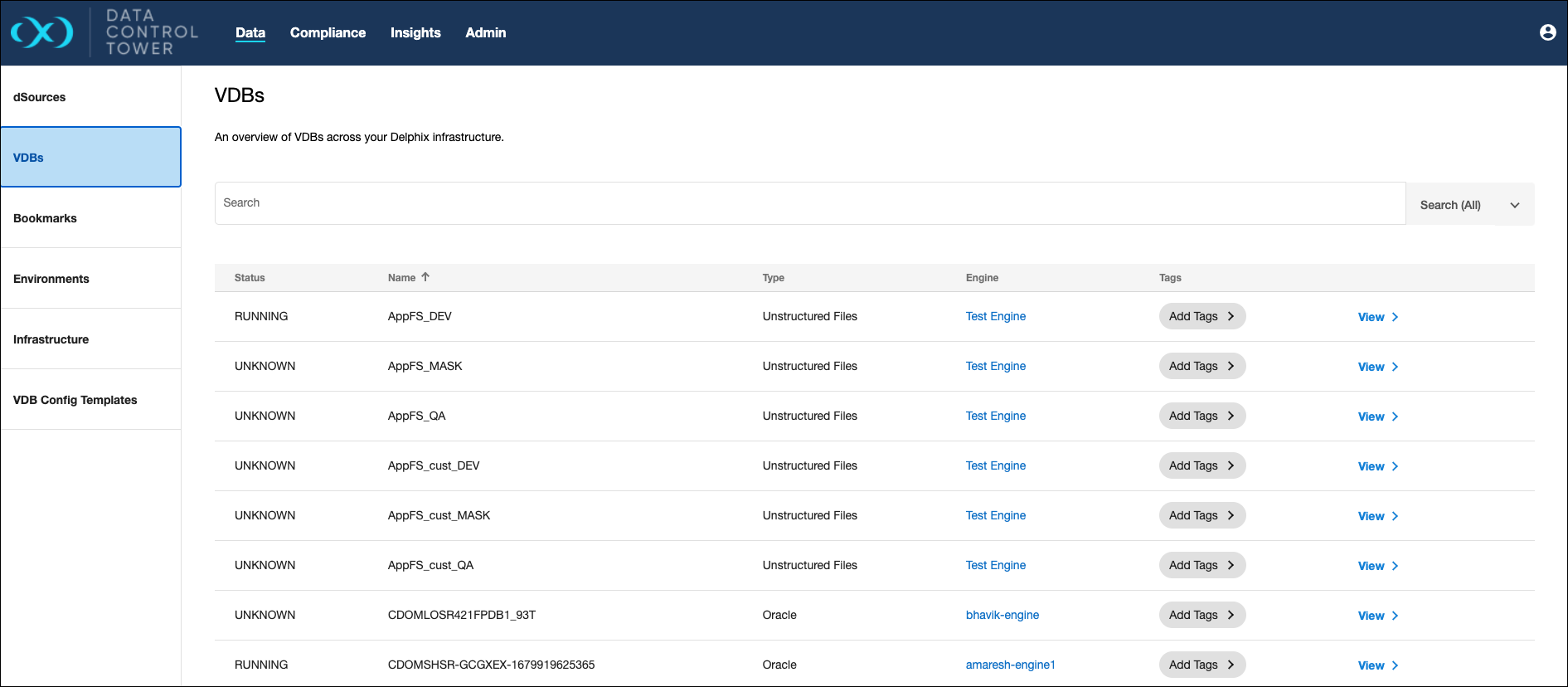
Users will only be able to see VDBs if they have been granted access via the Access Control system.

VDB details page
Overview
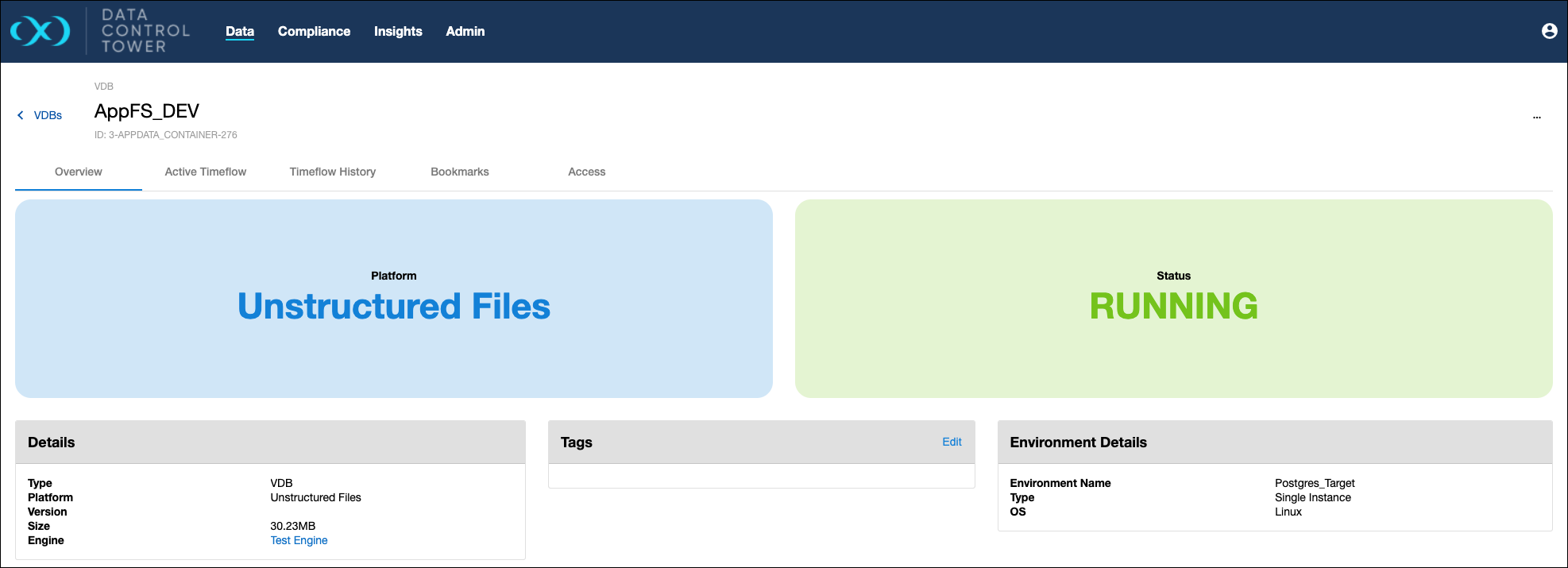
The default tab of any detail page in DCT is the Overview tab. This page shows which Platform the VDB is from and what the Status of it is, along with the following tiles.
-
Details: Shows useful information like the type of object it is (VDB in this case), the platform of origin, version number, dataset size, amount of unvirtualized space, if JDBC is used, associated database name, associated data connection name, associated file systems, timeflow status, NFS protocol status, NFS encryption status, NFS reason (if applicable), associated engine, and provides a direct link to the VDB in the engine.
-
Configuration: Shows whether automatic VDB restart is enabled, which VDB configuration template is selected (if applicable), if Change Data Capture (CDC) is on or off, and if a database user is set.
-
Notes: Shows any notes associated with the VDB
-
Environment Details: Shows the name of the environment where the VDB came from, environment type, operating system, timezone, associated user, and associated instance.
-
Tags: Shows any tags associated with the VDB.
-
Data Lineage: Shows the VDB's position in its provisioning hierarchy. The tile displays the following:
-
Origin Source: The root ancestor from which this VDB ultimately originates. Depending on the provisioning chain, this can be a dSource or a VDB. The UI shows a type qualifier next to the label: (dSource) or (VDB). Click the name to navigate to the source object's Overview page.
-
Parent Source: The immediate source from which this VDB was provisioned. This may be a dSource or another VDB depending on the provisioning chain. Click the name to navigate to the parent object's detail page.
-
Children: A flat list of direct (immediate) child VDBs provisioned from this VDB. This is not a tree view and does not include depth expansion or expand/collapse behavior. Up to 5 child VDBs are listed inline. If this VDB has more than 5 direct children, a View all N children → link appears and opens the VDB inventory pre-filtered by
parent_idto show the full direct-child list.
-
The Data Lineage tile does not refresh automatically. Reload the page to reflect provisioning changes made after the page was loaded.
The following conditions affect how lineage is displayed:
-
Orphan VDB: If the VDB has no identifiable parent — for example, if the parent was deleted or is otherwise unavailable — the Parent Source and Origin Source fields display Not available.
-
Replica VDB: Parent Source displays Not available because a replica VDB has no direct parent tracked in DCT. Origin Source displays the Source VDB or Source dSource (depending on whether the dSource was also replicated), linked to its Overview page.
-
No children: If no VDBs have been provisioned from this VDB, the Children section displays an empty state.
-
Restricted objects: If your account does not have access to the Origin Source or Parent Source due to access control settings, the field displays a non-navigable Restricted indicator (lock icon with tooltip: "You don't have permission to view this object"). Restricted child entries are also non-navigable placeholders. The View all N children count reflects RBAC-visible children only, so it can be lower than the true total.
Data Lineage is not available for PaaS datasets.
Timeline History
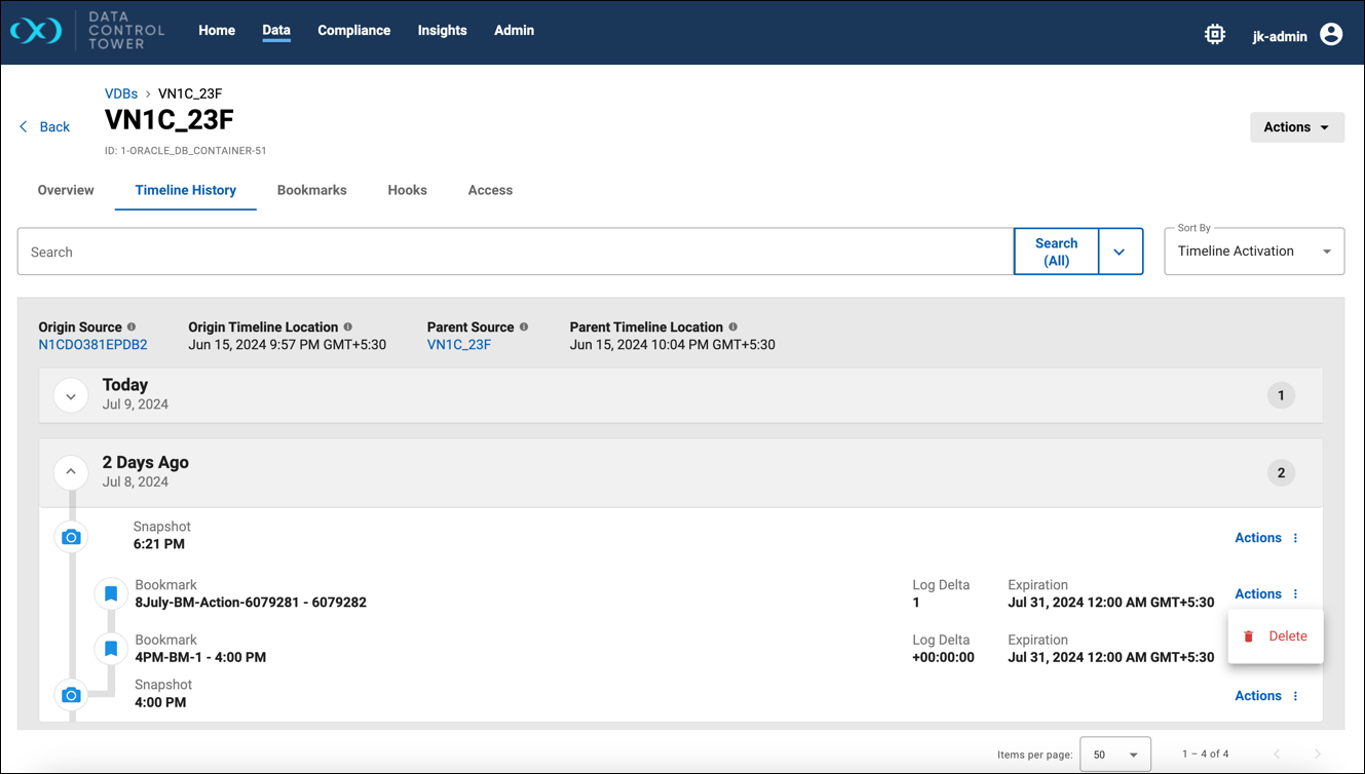
This tab shows the VDBs bookmarks and snapshots. The bookmark details will include Name, Data Timestamp or Location, Log Delta, and Expiration. An operation to delete the bookmark is available with the action button on the right of a bookmark line item.
Data Timestamp is only shown when available for the bookmark. Data Location is only shown when the bookmark is created using a location.
Log Delta is the delta between a bookmark’s data timestamp and a snapshot’s timestamp when the bookmark’s data timestamp is available. It can also be the delta between a bookmark’s location and a snapshot’s location when the bookmark is created using a location.
Bookmarks
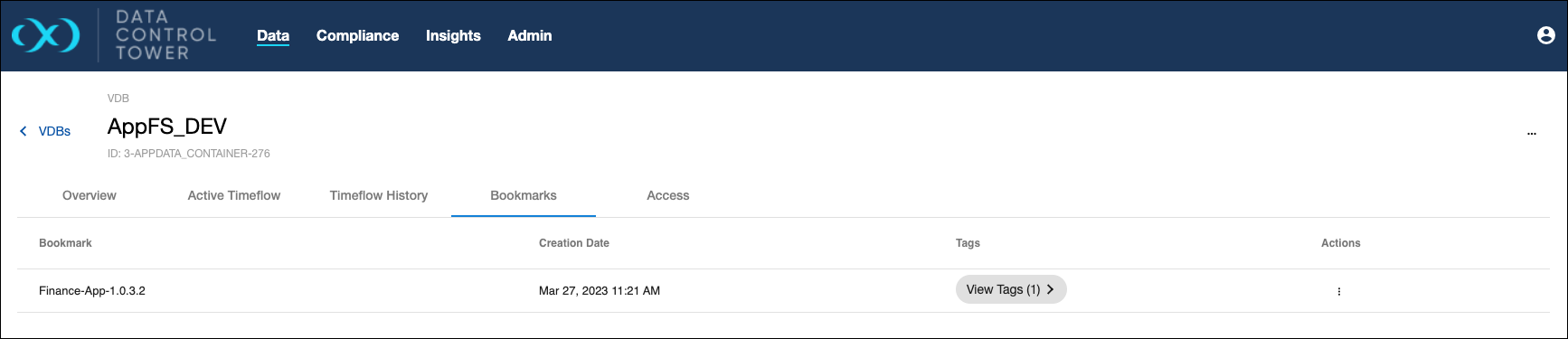
A list of all bookmarks generated on the selected VDB can be found under the "Bookmarks" tab. This page provides a list of all bookmarks allowing for general organization and actions (developers can use bookmarks as a refresh or provision point from the API).
Access
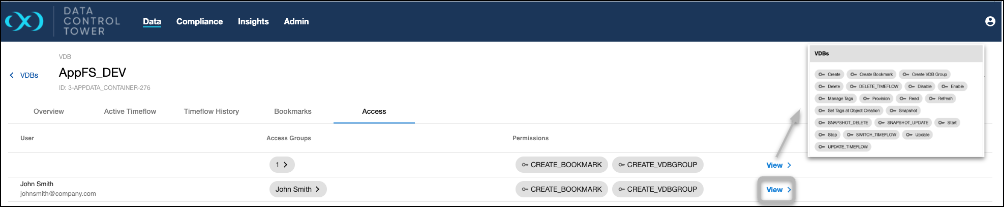
Users are able to audit which users have access to this particular VDB, what access group they belong to, and the associated permissions that each user has on that VDB. Admins are able to click on the "View" button to access further details under the access control screen related to that specific user.
VDB Config Templates
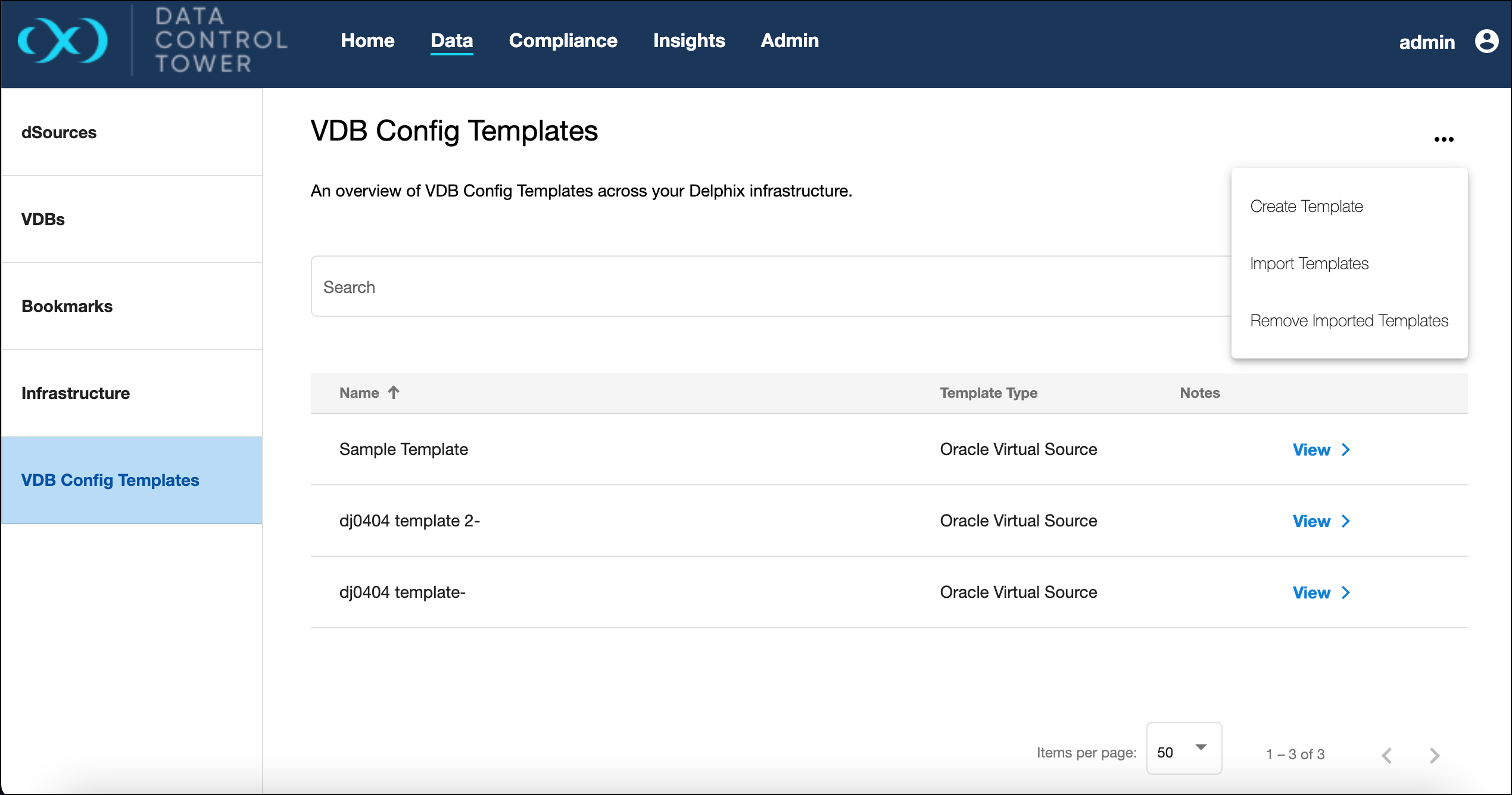
Importing and removing imported VDB templates from connected engines is an available action from the VDB Config Templates page.
To import a template, select the engines from the list in the import dialog. Use the same process to remove them.
VDB upgrade and migration
In DCT 2025.2.0, upgrade and migrate operations are only supported for Oracle and MSSQL databases.
As part of the goal to bring feature parity between virtualization engines and DCT, DCT now supports two additional dataset operations – Upgrade and Migration.
Upgrade
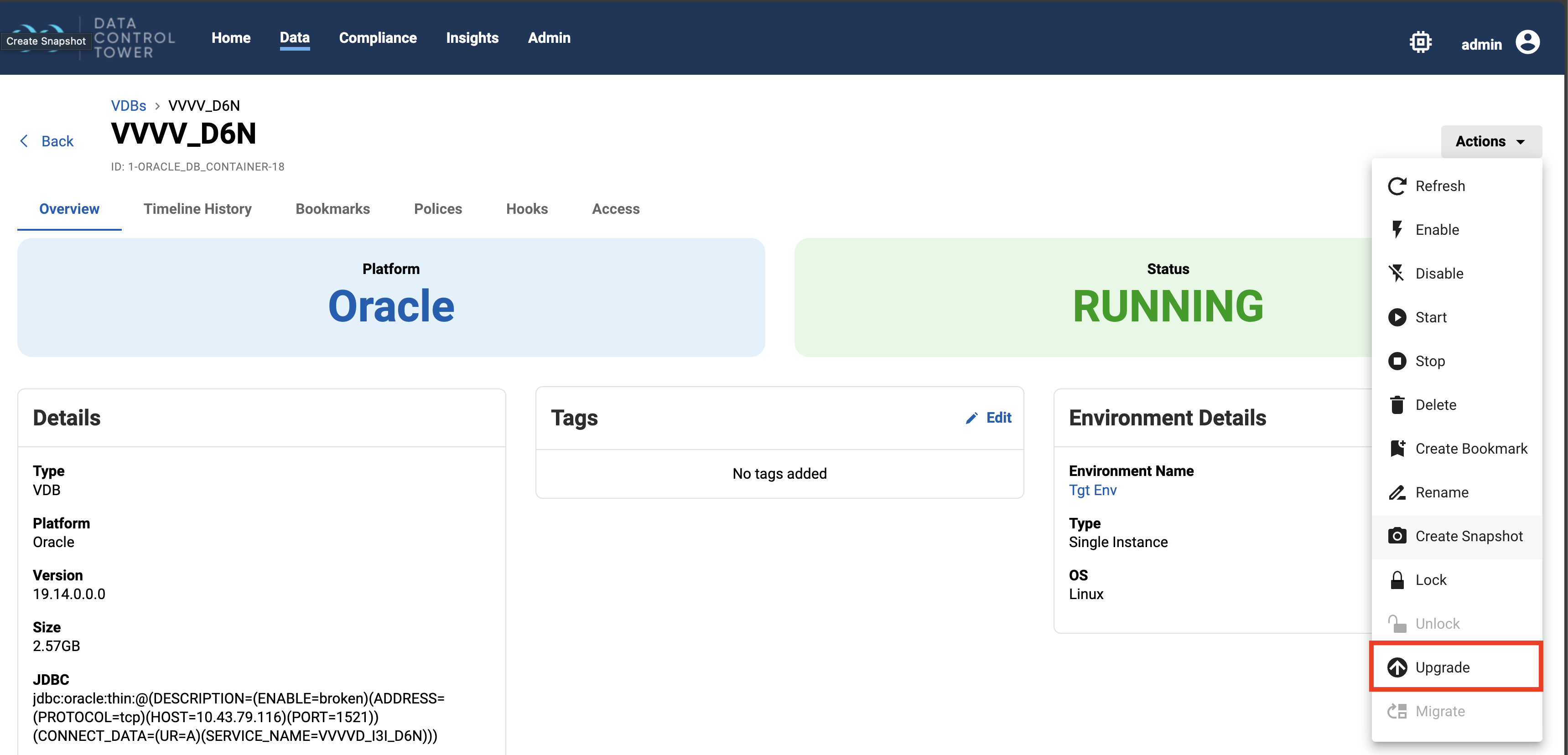
The Upgrade action is available from the Actions menu in a dSource or VDB details page. VDBs must first be disabled before they can be upgraded. Container databases are not supported for upgrade.
Migrate
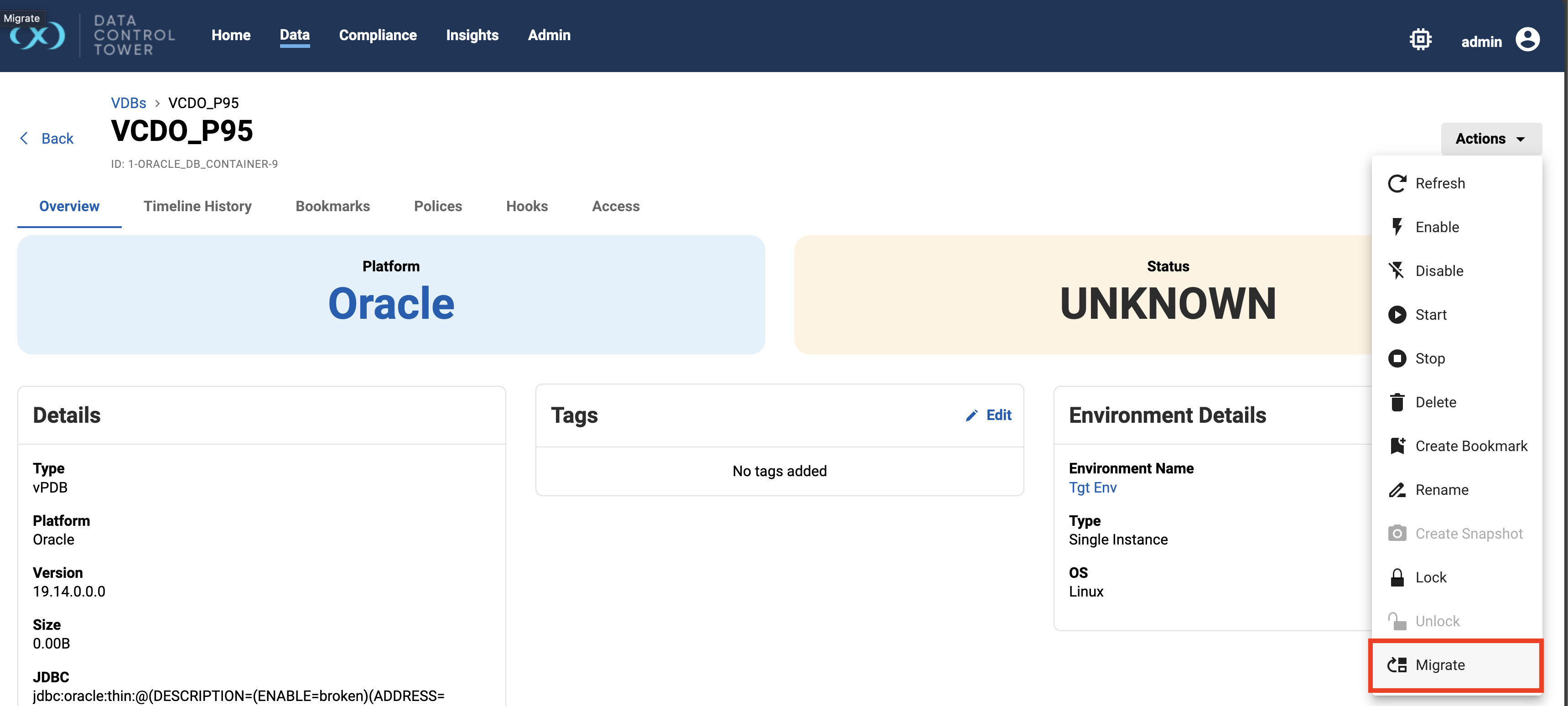
Migration enables users to move a VDB between compatible environments. Requirements for migration vary by database type—for example, Oracle VDBs must be disabled before migration is allowed.
The Migrate action is available from the action menu in a VDB detail page.