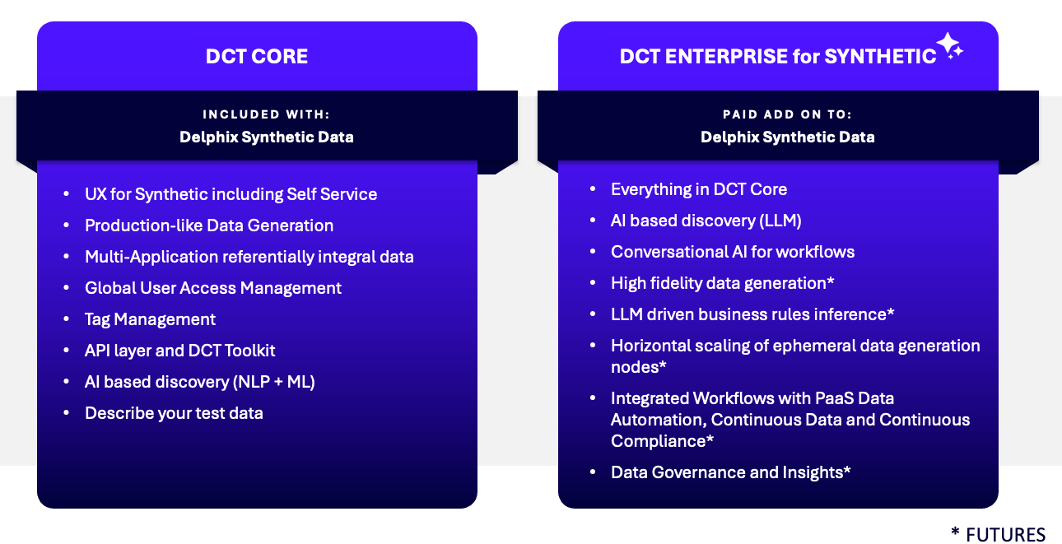
Synthetic Data licensing
Synthetic Data is an optional add-on that must be explicitly enabled before the feature can be used. Enabling Synthetic Data triggers billing regardless of whether any generation jobs have been run. Only administrators can change the Synthetic Data enablement state, and all changes are recorded in telemetry for billing purposes.
The level of access to Synthetic Data functionality depends on both the active DCT license tier and whether the Synthetic Data add-on is enabled.
Access by license tier
| License tier | Synthetic Data disabled | Synthetic Data enabled |
|---|---|---|
| Core | Synthetic Data is completely inaccessible. A dialog informs users that Synthetic Data must be enabled to use this feature. Existing connectors are not affected, but cannot be used. | Unlimited access to all Synthetic Data functionality. No restrictions on applications, target connectors, or reference connectors. |
| Self-Service | Synthetic Data is completely inaccessible. A dialog informs users that Synthetic Data must be enabled to use this feature. Existing connectors are not affected, but cannot be used. | Unlimited access to all Synthetic Data functionality. No restrictions on applications, target connectors, or reference connectors. |
| Enterprise | Limited free access is provided: unlimited applications and target connectors, but reference connectors can be created on a maximum of 2 unique databases across all applications. No other Synthetic Data functionality is blocked. See Reference connector limit for counting details. | Unlimited access to all Synthetic Data functionality. No restrictions of any kind. |
Reference connector limit for Enterprise: up to 2 databases (Synthetic Data disabled)
When Synthetic Data is disabled on an Enterprise license, reference connectors are limited to a maximum of 2 databases globally across all applications. The limit is counted by unique databases (connection strings), not by the number of connector entities created.
Multiple reference connectors pointing to different schemas on the same database all count as a single database toward the limit. For example:
-
Database A with schemas A1, A2, and A3 → any number of connector entities → counts as 1
-
Database B with schemas B1 and B2 → any number of connector entities → counts as 1
When the limit is reached, new reference connectors cannot be created on additional databases. Connectors pointing to already-registered databases are not affected.
Downgrade and disable behavior
The following rules apply when the Synthetic Data add-on is disabled or the license tier is changed:
-
Enterprise → Synthetic Data disabled: If reference connectors on 2 or more unique databases already exist, further reference connectors on newer databases cannot be created. Any existing reference connectors would remain usable. If some reference connectors exist on only 1 database, then creating reference connectors on one additional (different) database is allowed.
-
Core or Self-Service → Synthetic Data disabled: All Synthetic Data access is fully blocked regardless of existing connectors. Re-enabling Synthetic Data restores full access.
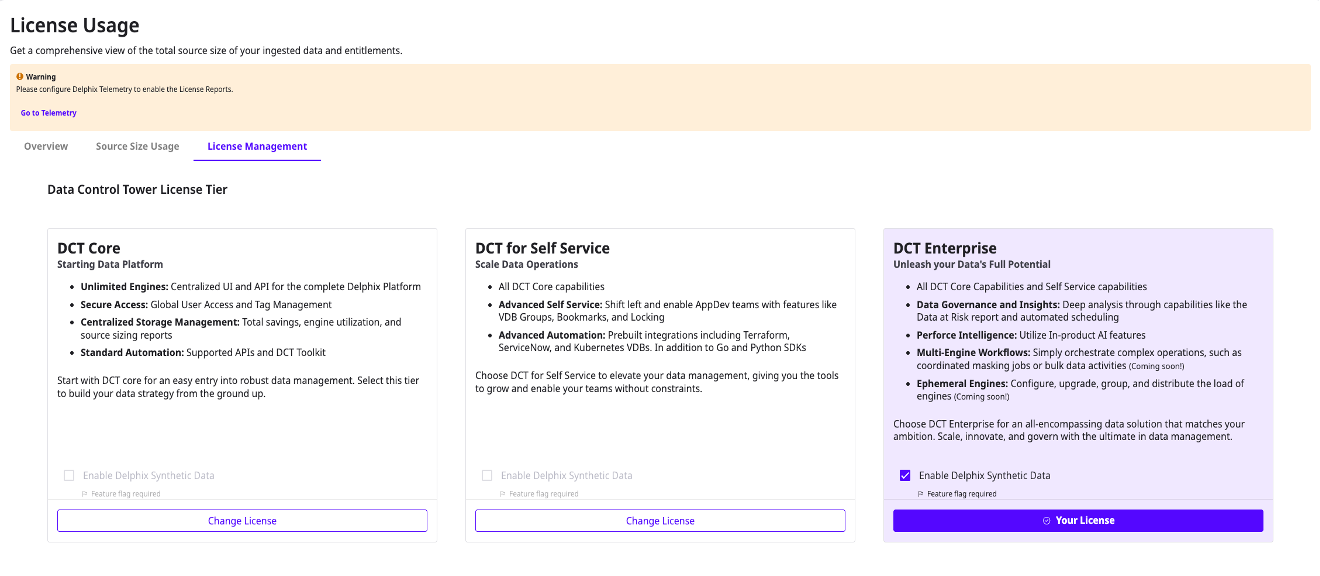
Enable or disable Synthetic Data
Only administrators can enable or disable the Synthetic Data add-on.
To change the Synthetic Data enablement state:
-
Navigate to Admin > License.
-
Click the License Management tab.
-
Locate the Synthetic Data checkbox below the existing license tier settings.
-
Select or clear the checkbox to enable or disable Synthetic Data.
-
An Acknowledge button appears. Click it to confirm the change.
Telemetry
Telemetry reporting for Synthetic Data is required to access Synthetic Data functionality when the active license tier is Enterprise and Synthetic Data is disabled. This enables accurate tracking of reference connector usage against the maximum of 2 databases for contractual compliance. For all other tier and enablement combinations, telemetry follows the standard DCT telemetry policy. See Delphix Telemetry for more information.