Mainframe connectors
Mainframe connectors let DCT Compliance access IBM z/OS MVS datasets for discovery and masking. Use a mainframe connector when your data source is a COBOL Copybook-based dataset catalog or a hosted IBM z/OS file system that DCT can reach over the supported network protocol.
DCT supports the following mainframe connection methods: FTP, FTPS, SFTP, Mount, AWS S3, Other S3 Compatible Storage, and Azure Blob Storage.
Mainframe dataset paths
For FTP and FTPS mainframe connections, use IBM z/OS dataset naming conventions. A dataset name contains qualifiers separated by periods. Each qualifier must begin with a letter or @, #, or $, and each qualifier can contain 1 to 8 characters.
End the path with a trailing period to identify the value as a high-level qualifier (HLQ) and list the datasets beneath it. Without the trailing period, the path is interpreted as an exact dataset name.
Valid examples include DELPHIX., MASKING., and HLQ.PROD..
FTPS requirements
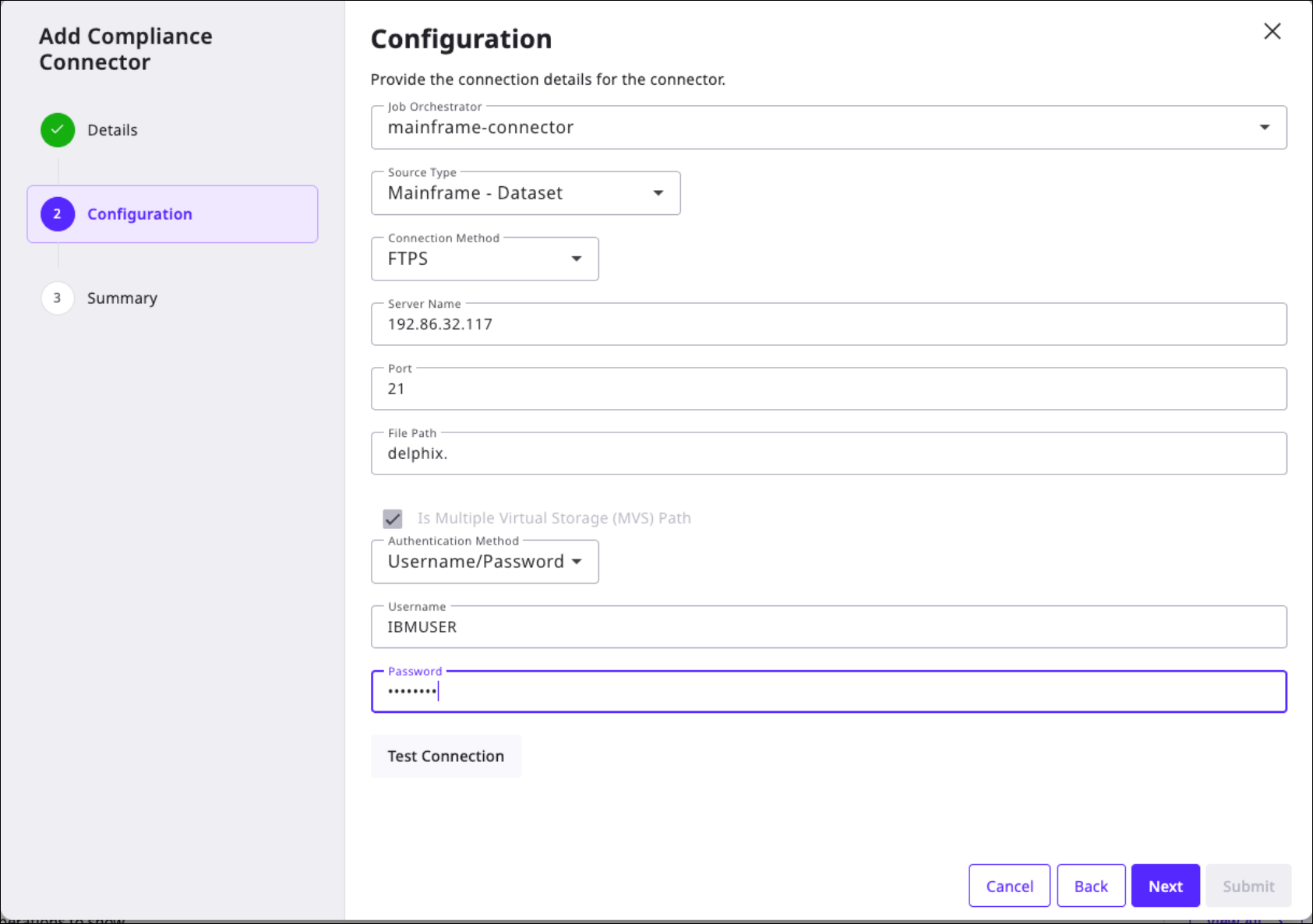
FTPS uses TLS/SSL to connect to mainframe MVS storage. FTPS supports MVS storage only; it cannot connect to z/OS Unix System Services (USS) storage. The Is Multiple Virtual Storage (MVS) Path setting is always enabled for FTPS.
For certificate setup and validation, see Configure FTPS for mainframe.
Create a mainframe connector
To create a mainframe connector, follow the steps in Create a file connector and select Mainframe - Dataset as the source type. For FTPS connections, complete the certificate setup before testing the connection.
After you create the connector, continue with the workflow in Create a rule set and Create a discovery job for files to assign a Copybook format and run profiling.