Infrastructure Connections
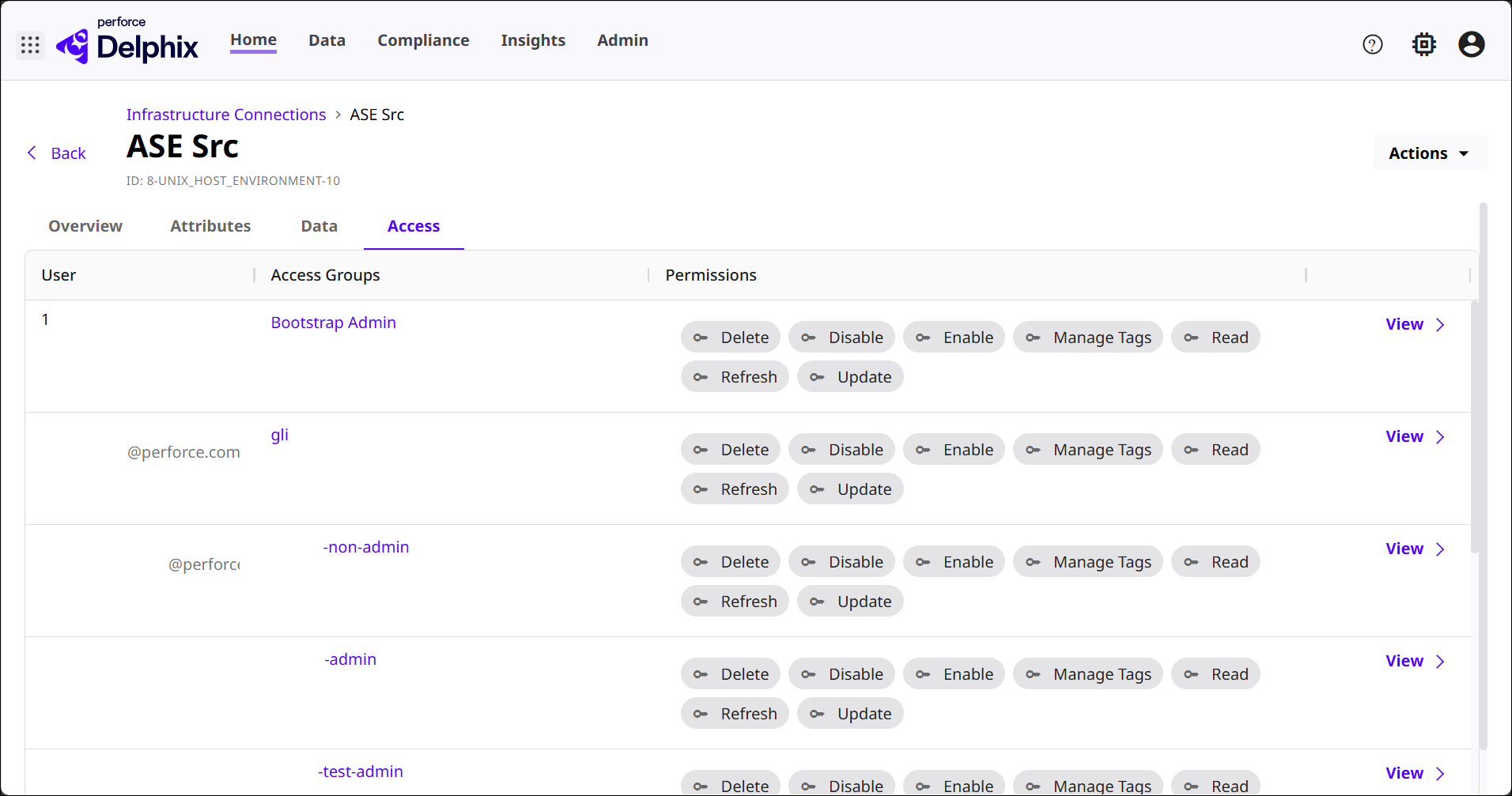
The default landing page after logging into DCT is the Infrastructure Connections section, located under Home. This is where all external data connections (Continuous Data Engines, Continuous Compliance Engines, etc.) in the DCT environment are listed and where new ones can be created.
User interface
In the Infrastructure Connections page list, columns show the Name, Hosts, Database Management System and Version (DBMS), Config, Engine, and Tags of each DCT-connected infrastructure.
Select the View button for an Infrastructure Connection to see its corresponding details page. There are four sections of categorized information within an Infrastructure Connection details page.
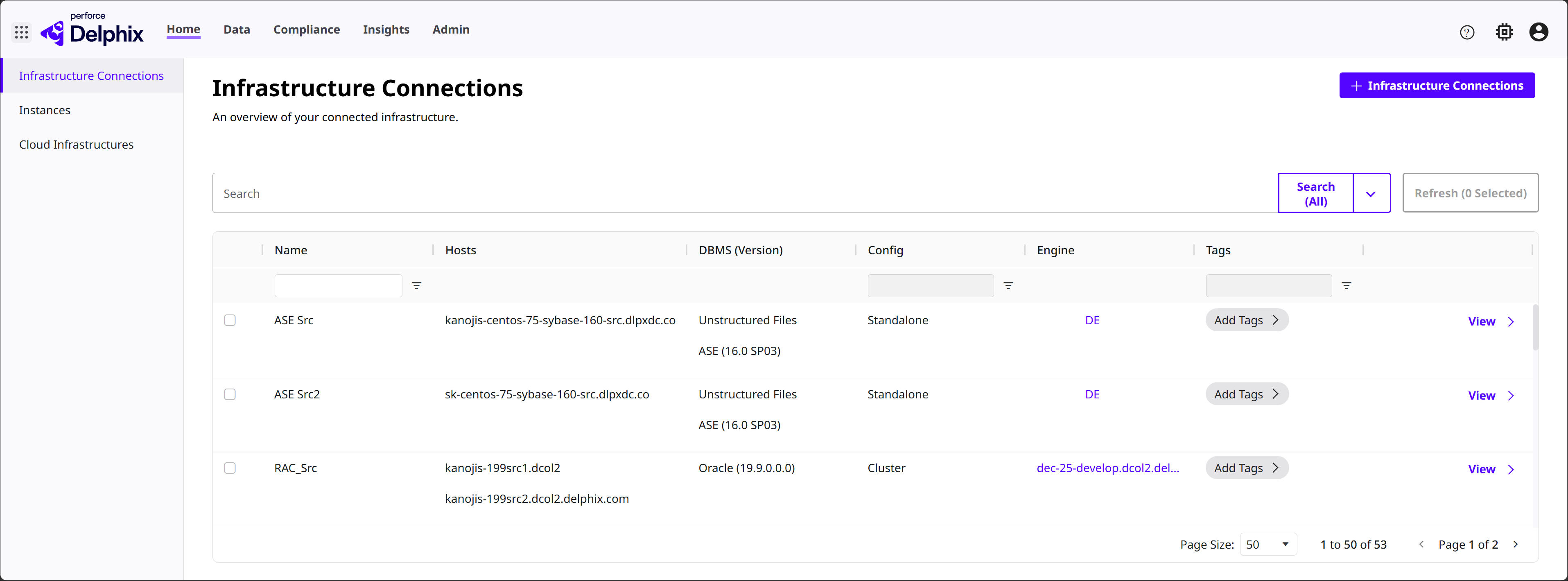
Overview
Provides insight into some general configurations associated with the Infrastructure Connection. All of these fields can be modified with the Edit button.
-
Encryption: Shows whether the Infrastructure Connection is configured to use encrypted communication (usually SSH or SSL‑based) when DCT connects to the host.
-
Notes: Shows anything entered in this free text area.
-
Environment Users: Shows OS‑level or host‑level usernames that DCT can use to access the environment behind this Infrastructure Connection.
-
Tags: Shows any associated tags.
Attributes
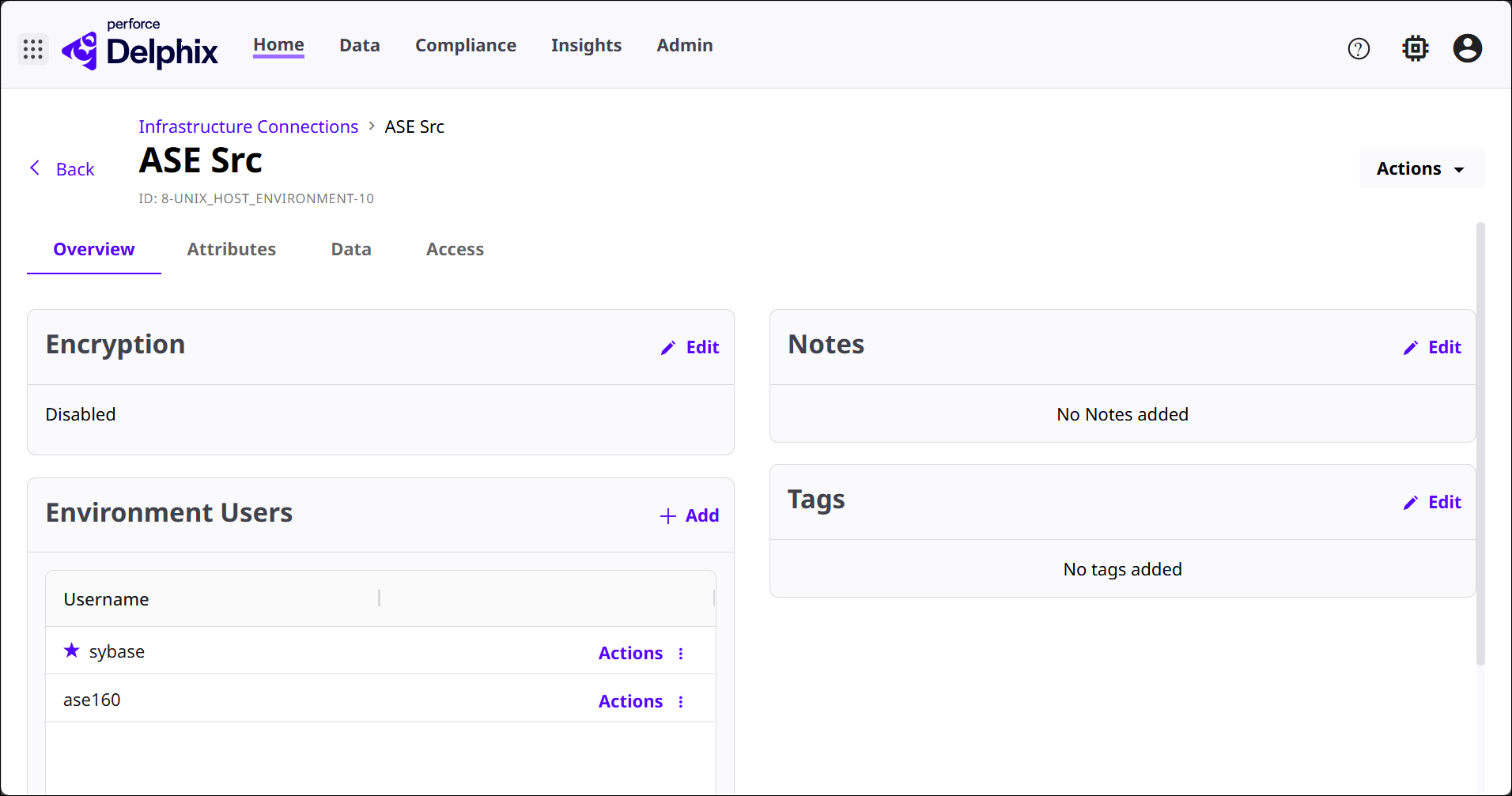
The Environment Details section provides a technical snapshot of the host machine that DCT is connected to. It includes system‑level information that describes how the environment is configured and what DCT discovered about it.
These details are related to the machine’s network identity (such as Host Address and SSH Port), operating system details, DBMS Version, Release version, available resources (like Total RAM), Processor Type, and other runtime attributes gathered during environment discovery, among other details.
Listeners are defined connection endpoints on the host that DCT can use to discover and interact with data services running in that environment. Usually a database or application service endpoint (an ASE listener, Oracle listener, etc.).
Data
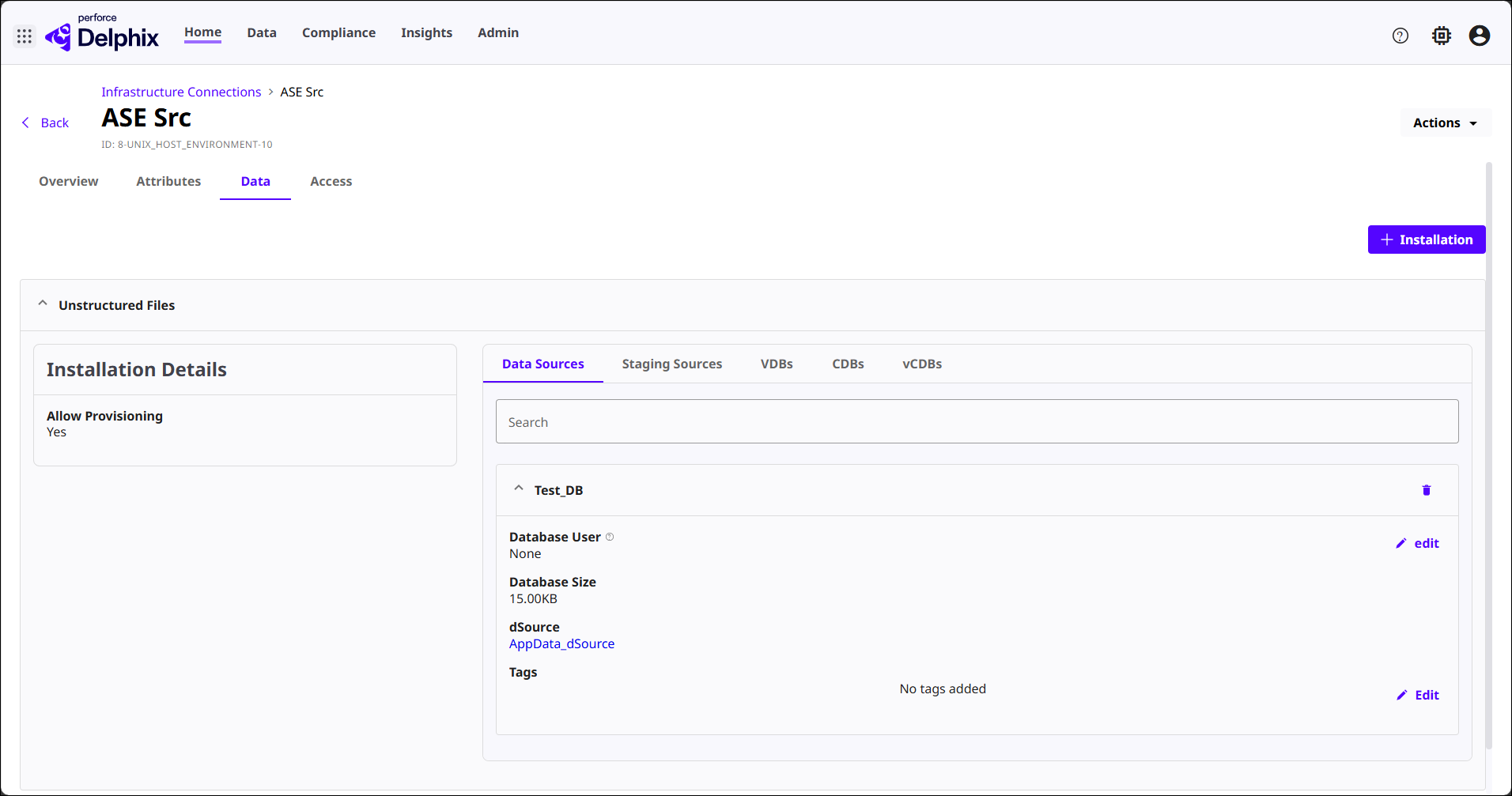
Shows everything DCT has discovered or can manage on this infrastructure host that relates to datasets and provisioning. In essence, this is a data inventory for the environment.
Installation Details shows whether this environment allows provisioning (for example, whether DCT is authorized to create staging sources, vDBs, or other data objects on this host). To which, the corresponding tabs categorize the types of associated data objects: Data Sources, Staging Sources, VDBs, CDBs, and vCDBs.
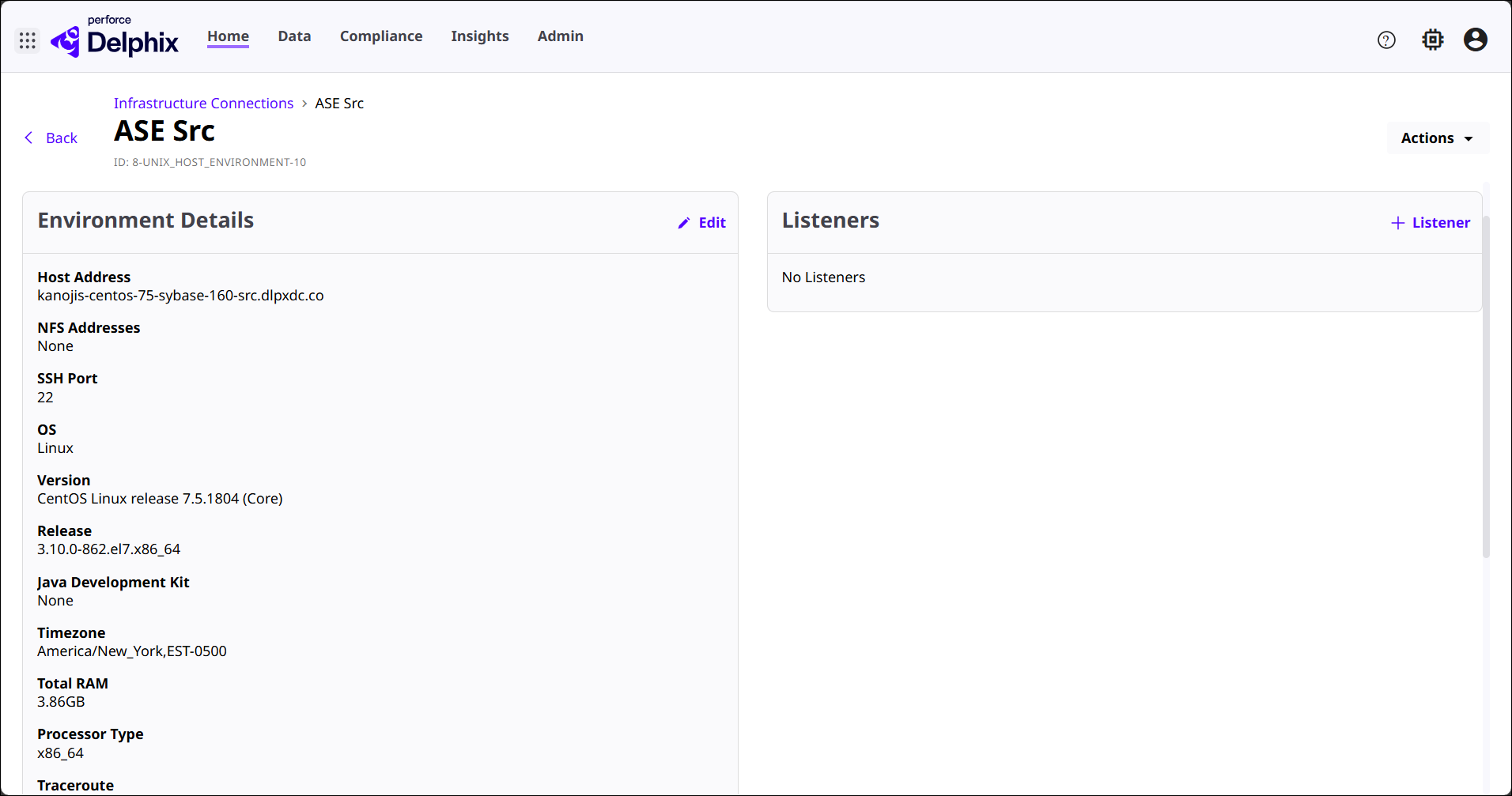
Access
Shows which users and access groups have permissions on this Infrastructure Connection and exactly what actions can perform. Typically used as a general permissions dashboard for the specific environment.