Hook Templates
Introduction
In DCT version 2025.5, new UI elements have been added that allow you to manage Hook Templates from the Data Management section. You can now create Hook Templates directly in the UI or use templates imported from connected data engines. These templates can then be integrated across hook points in dSources and VDBs during provisioning flows.
Hook Templates UI
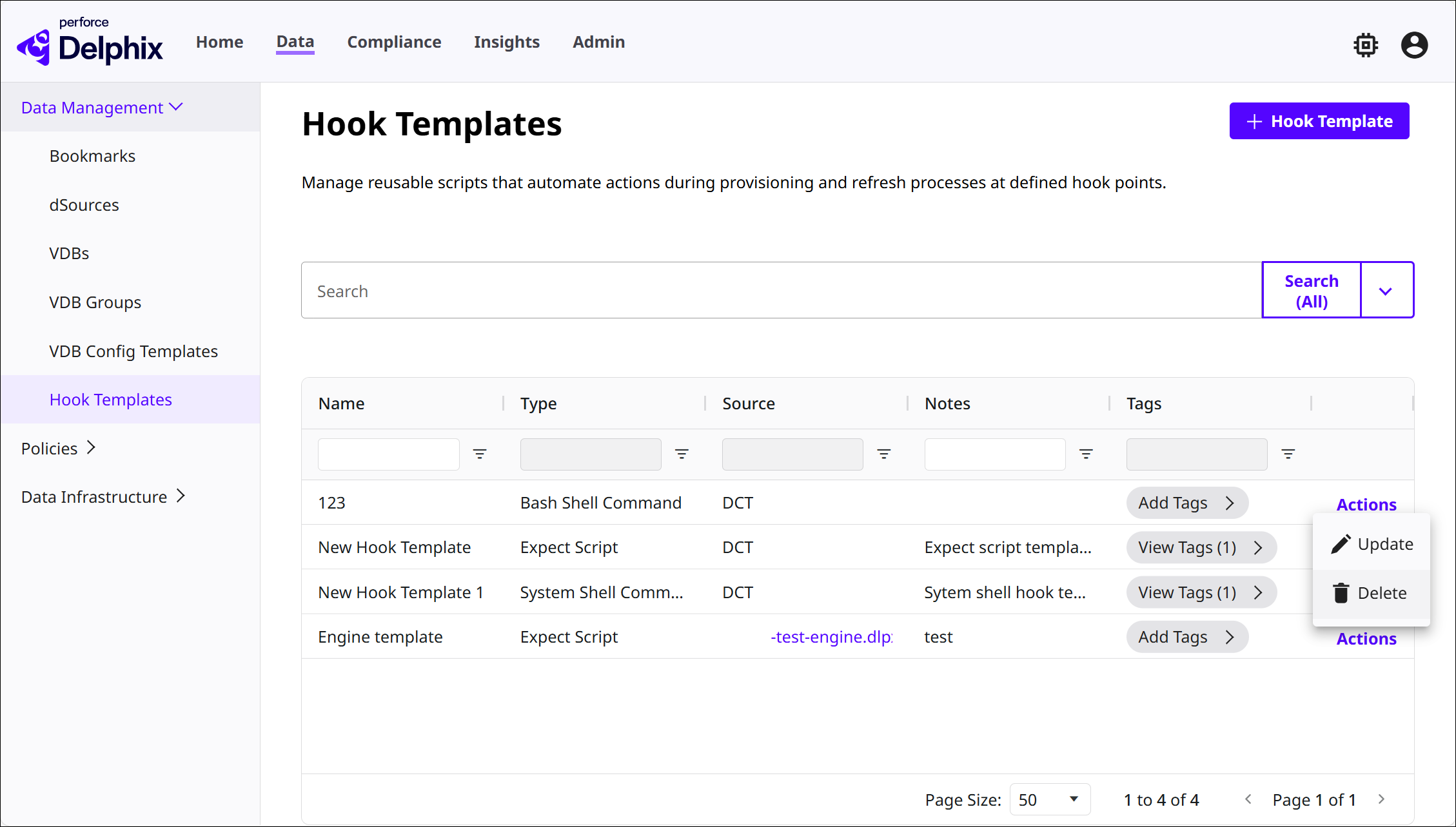
In the DCT interface, navigate to Data > Data Management > Hook Templates. The table on this page shows which Hook Templates have been added, along with the following details:
-
Name of the Hook Template.
-
Type of Hook Template, whether a PowerShell Script, System Shell Command, etc.
-
Source of the Hook Template, whether from a data engine or created in DCT.
-
Notes for the Hook Template, if applicable.
-
Tags associated with the Hook Template, if applicable.
-
Actions that you can perform on each Hook Template, from updating the above details to deleting.
Hook Templates from connected engines are automatically imported into DCT. Click the + Hook Template button to create a new one.
Create a Hook Template
-
In the Hook Templates page, click the + Hook Template button.
-
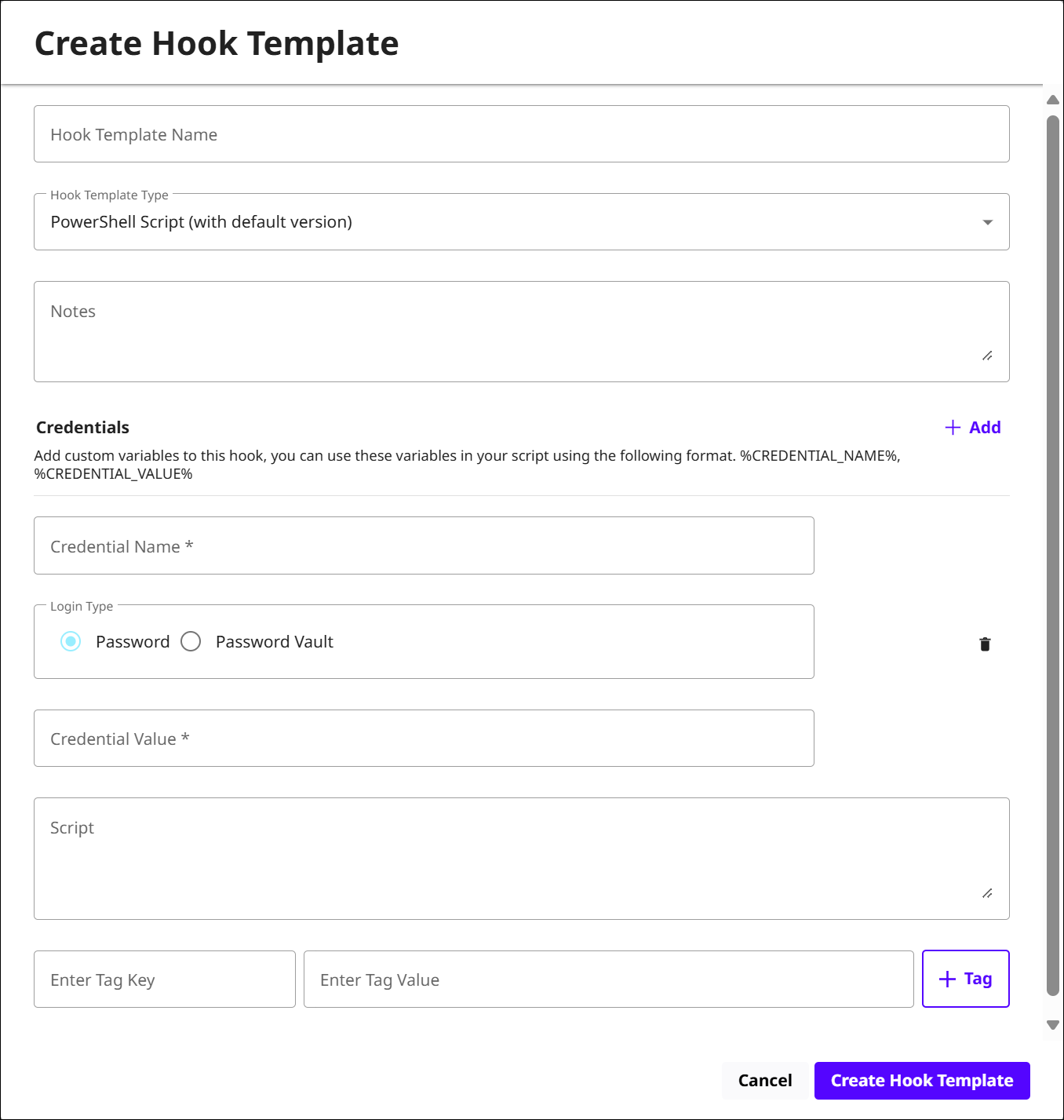
When the window appears, provide the same information described in the section above—Name, Type, Notes, and Tags.
-
Add the Script that will be executed.
-
You can add credential variables by clicking + Add, then providing a login type:
-
Password: A direct value.
-
Password Vault: Select a vault if one is configured.
-
Reference the variables using the mentioned format.
-
-
-
Click Create Hook Template once finished.
-
You will then see the Hook Template populated as a line item in the table.