Documentation Help
Overview
Documentation Help provides in-product assistance to help users better understand DCT and the broader Delphix Platform. It opens in a side panel within the interface, allowing you to continue working in the application while keeping the chat active. The tool automatically searches documentation that matches the currently installed DCT version, so responses stay accurate and relevant to your specific release.
Documentation Help answers questions from the product documentation. It is distinct from the Delphix AI Assistant, an LLM feature that helps you perform activities within DCT.
This tooling can be useful to learn:
-
General information about the current DCT version.
-
Guidance on how to provision VDBs or set up access control.
-
Insight into advanced integrations or available support.
The full power of Delphix documentation is available at your fingertips and can be interfaced with using natural language.
Configuration
Documentation Help is a built-in feature: it does not use the configured AI Services or any AI provider you register (embedded, external, or self-hosted). That is why it appears under Built-in Features and operates independently of your provider configuration.
Documentation Help is enabled by default and available to all authenticated DCT accounts. It is controlled entirely by toggles:
-
The master AI Integration toggle must be enabled. It is on by default, which is why Documentation Help is available out of the box; disabling AI Integration also disables Documentation Help.
-
To enable or disable Documentation Help specifically, go to Admin > AI Settings > Built-in Features and toggle Documentation Help.
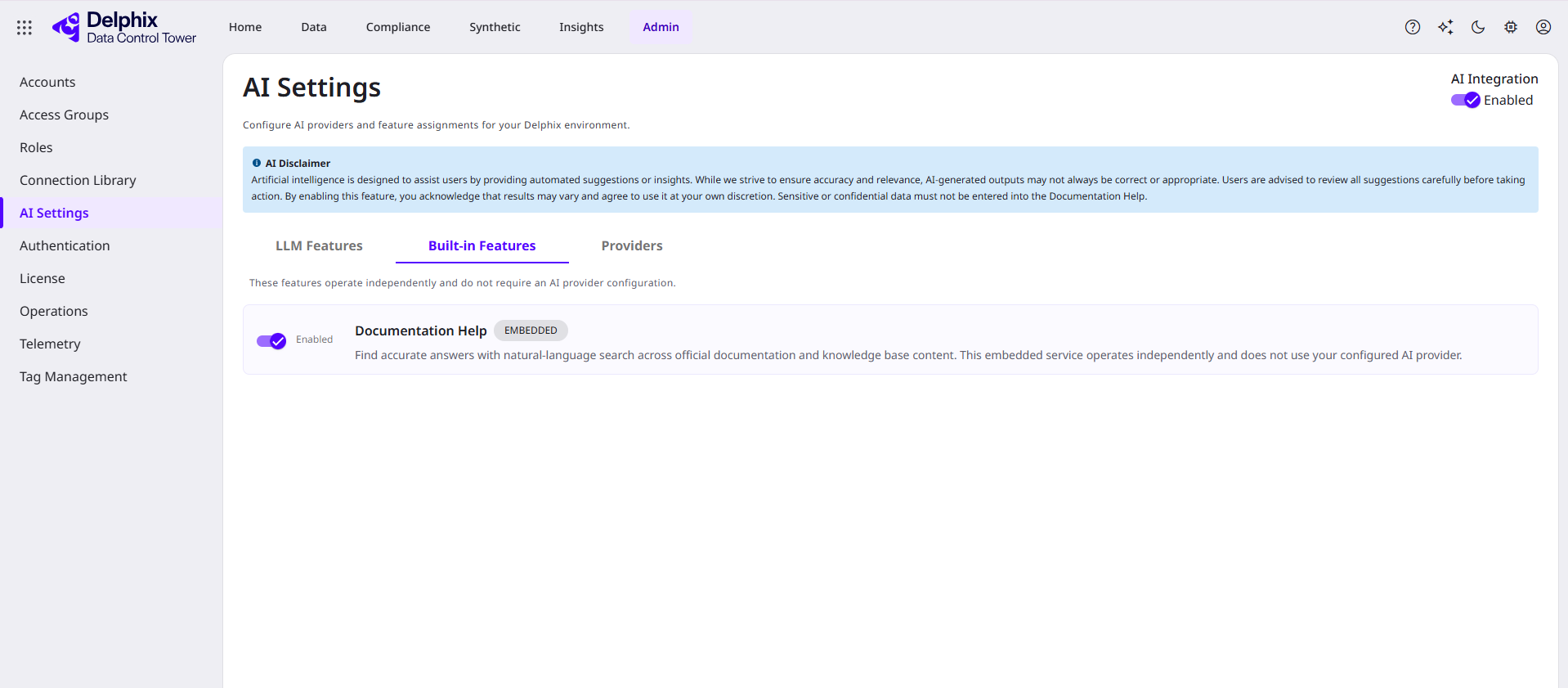
Once enabled, all accounts see a question mark (?) in the top-right corner of the screen. Clicking it opens the Documentation Help side panel, which remains accessible as you navigate the application.
Documentation sources
Documentation Help searches the following documentation sources:
-
Data Control Tower: Documentation matching the currently installed DCT version.
-
Ecosystem > Data Connectors: Connector documentation for DCT-supported data sources.
-
Ecosystem > DevOps Integrations: Integration documentation for CI/CD and DevOps tooling.
Other Delphix product documentation is not included in the in-product search. For additional documentation or to search across versions, visit the public documentation site.
Architecture and security
-
Documentation Help does not leverage the configured in-product Local Language Model (LLM) or DCT's AI Services. Thus, it operates independently.
-
Documentation Help leverages the third-party SerenityGPT service to analyze Perforce's documentation along with the question provided. The feature has no information about your specific Delphix Platform, configuration, or database metadata. All questions and responses are sent and saved to a Perforce-owned data center and retained in accordance with Perforce's data retention policies.
-
We recommend that all users use caution and not share any sensitive data with Documentation Help. Read Perforce's AI Policy for more information.