Enable SSO for your organization
As an SSO administrator, you enable Single Sign-On (SSO) for Delphix Compliance Service (DCS) by integrating your organization’s Identity Provider (IdP) with the Perforce IdP platform. SSO is optional — users can still log in using their DCS username and password if SSO has not been configured.
To initiate your SSO integration request, from the support portal, log a case with the following information:
-
Tenant Name — Your organization’s name.
-
Domain Name — Your organization’s email domain.
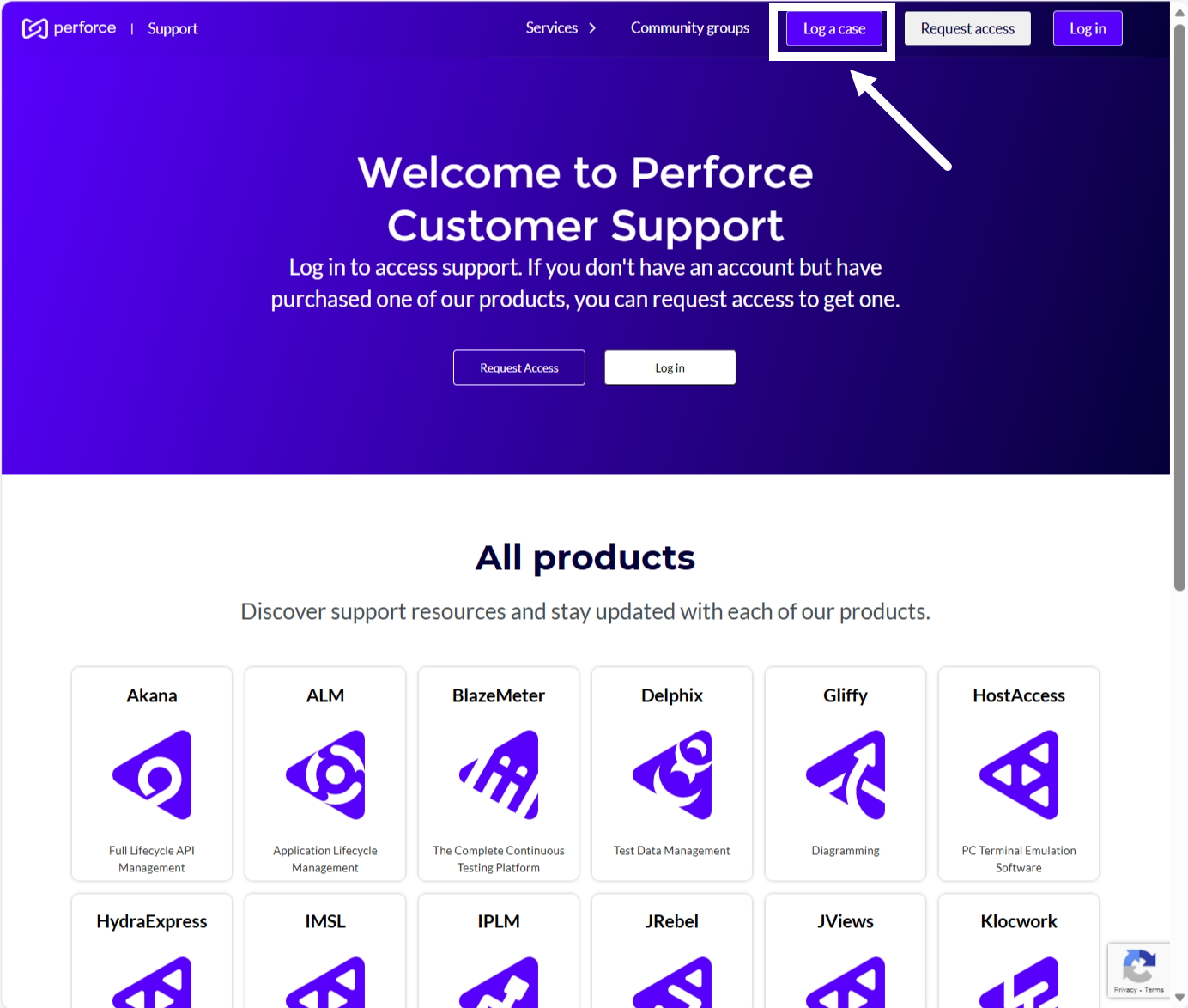
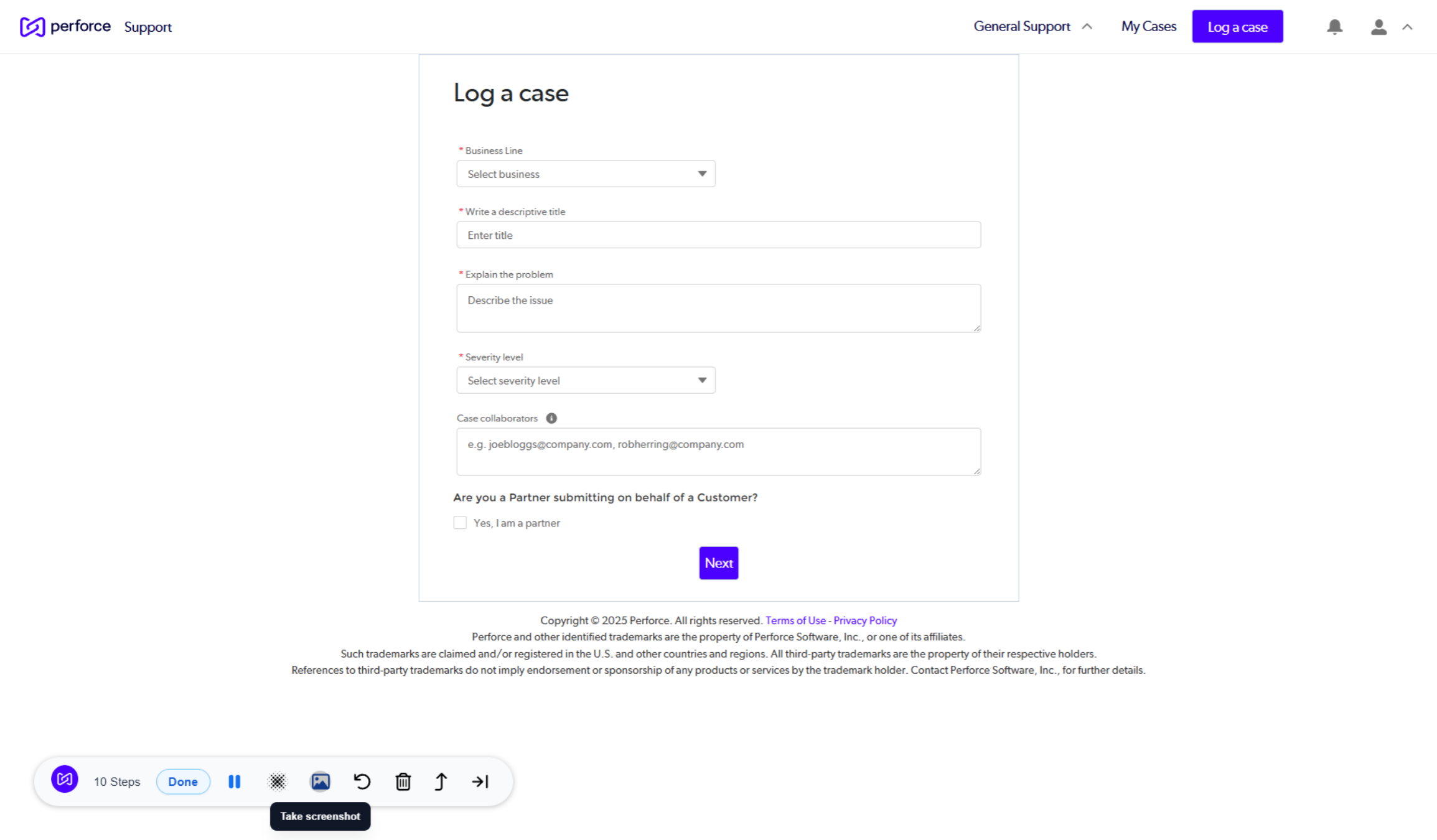
After receiving your request, the DCS support team reviews it and sends you a magic link to complete the integration.
Using this link, you can integrate your organization’s IdP with the Perforce IdP platform. The magic link enables full IdP configuration, including setting up the SSO application, defining attributes and claims, and assigning the appropriate users and groups. For more information, see: Understanding Magic Links for SSO Setup in Delphix Compliance Services (DCS) and Role-based access control (RBAC).
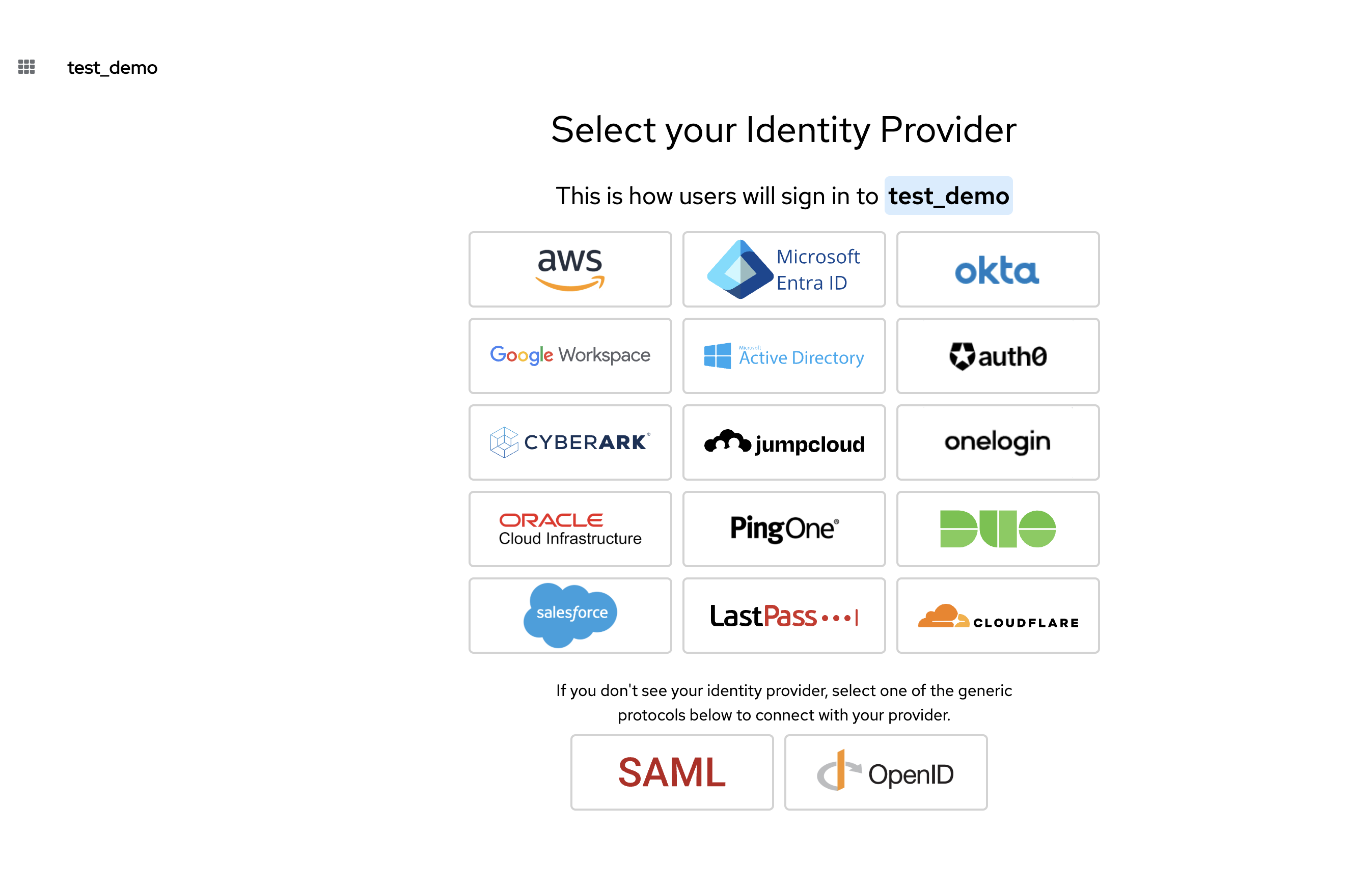
After setup, the configuration is saved in the SSO app.
Example:
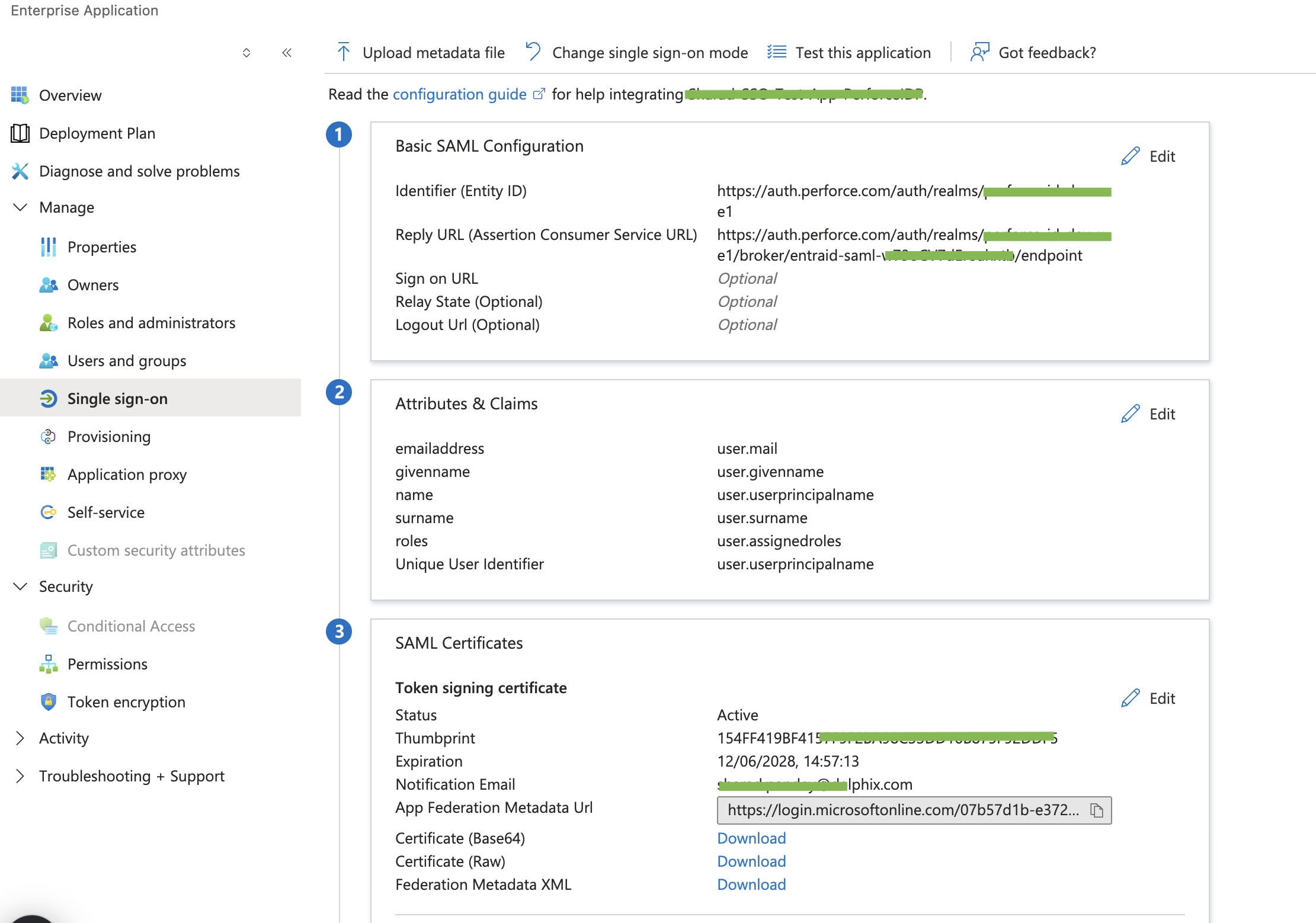
After you complete the configuration using the magic link, update the support ticket and attach a screenshot of the Attributes and Claims section from the configured SSO application. The DCS Support team will review and confirm the setup. Once verified, you will be able to log in using SSO.