Role-based access control (RBAC)
Access to Delphix Compliance Service (DCS) is governed by user roles. Only users with the correct roles can log in successfully via SSO.
SSO workflow
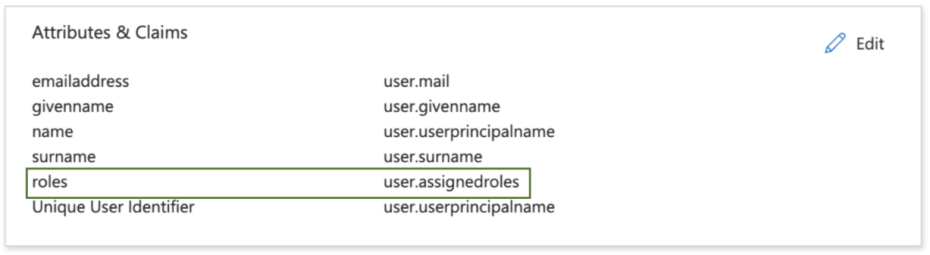
During SSO setup, an organization's system administrator must assign roles and include them in the SSO claims (statements about a user's identity and attributes) to ensure they pass correctly during login.
Available roles
DCS:owner
- Assigned to the initial user created during DCS tenant provisioning.
DCS:admin
- Assigned to all other users.
If a user’s assigned roles do not match the expected roles, access to DCS will be denied.
For example, if the initial user created during provisioning is incorrectly assigned
the DCS:admin role instead of DCS:owner, that user will not be able to log in.
If you are unsure who holds the DCS:owner role, contact your IT team or email
dlpx-dcs4azure@perforce.com.
You must create the role attribute with the name roles.
Username/password workflow
Owner
- Manually added when an organization is provisioned.
- Each organization has one owner account.
- The owner can:
- Add, delete, or edit administrators.
- Transfer ownership to another administrator.
- The owner cannot delete their own account.
Administrators
- Multiple administrators can exist per organization.
- Administrators can:
- Add, delete, or edit other administrators (including themselves).
- Edit, but not delete, the owner’s account.
Adding, deleting, or updating users can only be done using the username/password login flow. SSO users cannot perform these actions.