Running the Rehearsal Tool (dxrt) from the Continuous Compliance Engine
Prerequisites
-
Salesforce requires Refresh Token Rotation (RTR) and OAuth PKCE (Proof Key for Code Exchange) for applicable OAuth integrations.
-
For compatibility with Salesforce organizations that have RTR and PKCE enabled, you must use:
-
Continuous Compliance Engine 2026.4.0.1 or later
-
dxrt 2026.2.0 or later (included with Continuous Compliance Engine 2026.5.0. and later)
-
To learn more, see Salesforce Connected Apps & ECA Security Controls - Partner App FAQs.
Procedure
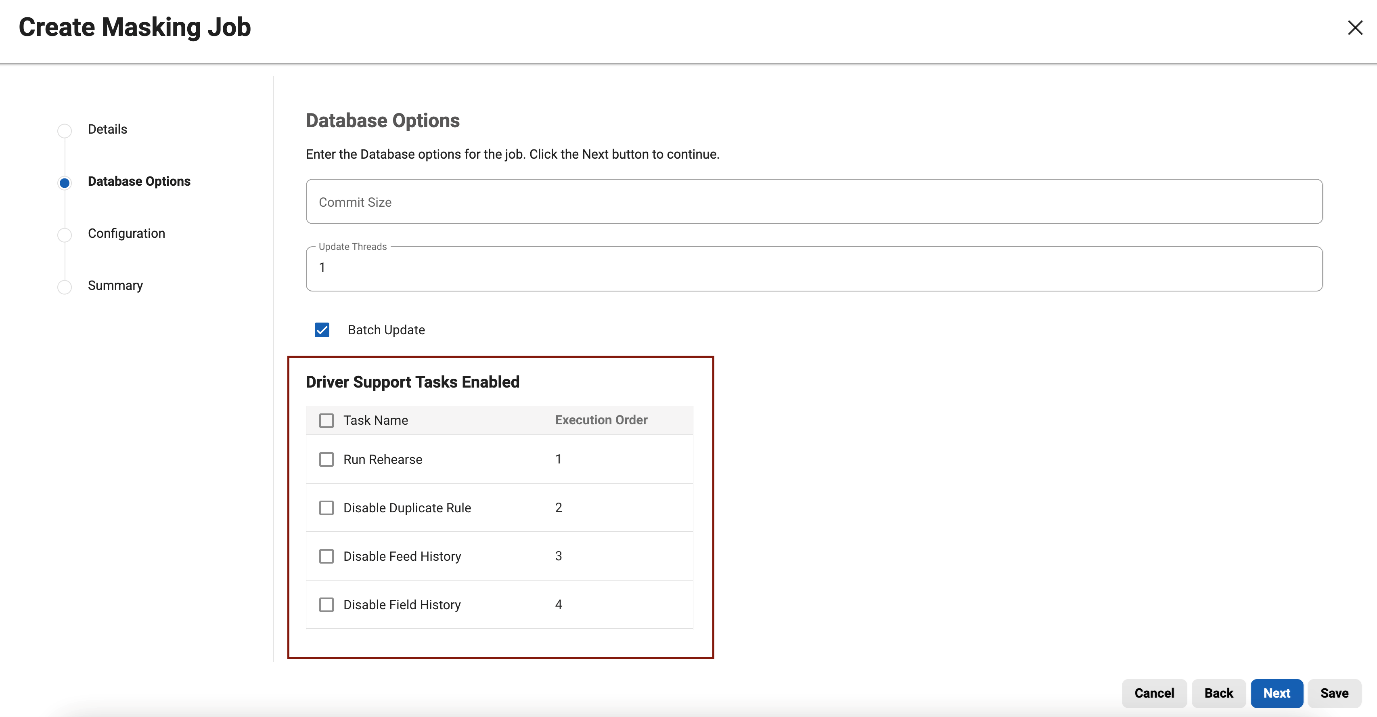
From Continuous Compliance 2025.3 onwards, when creating a masking job, you can perform Salesforce metadata management operations using the Delphix Rehearsal Tool (dxrt). Rehearsal Tool operations are manually selected by enabling the appropriate checkbox. Once enabled, the Continuous Compliance Engine automatically runs the selected operations. Refer to CData Salesforce driver support plugin for additional information.
To select dxrt operations from the GUI:
-
Log in to the Continuous Compliance Engine.
-
Select the environment where you want to perform metadata management.
-
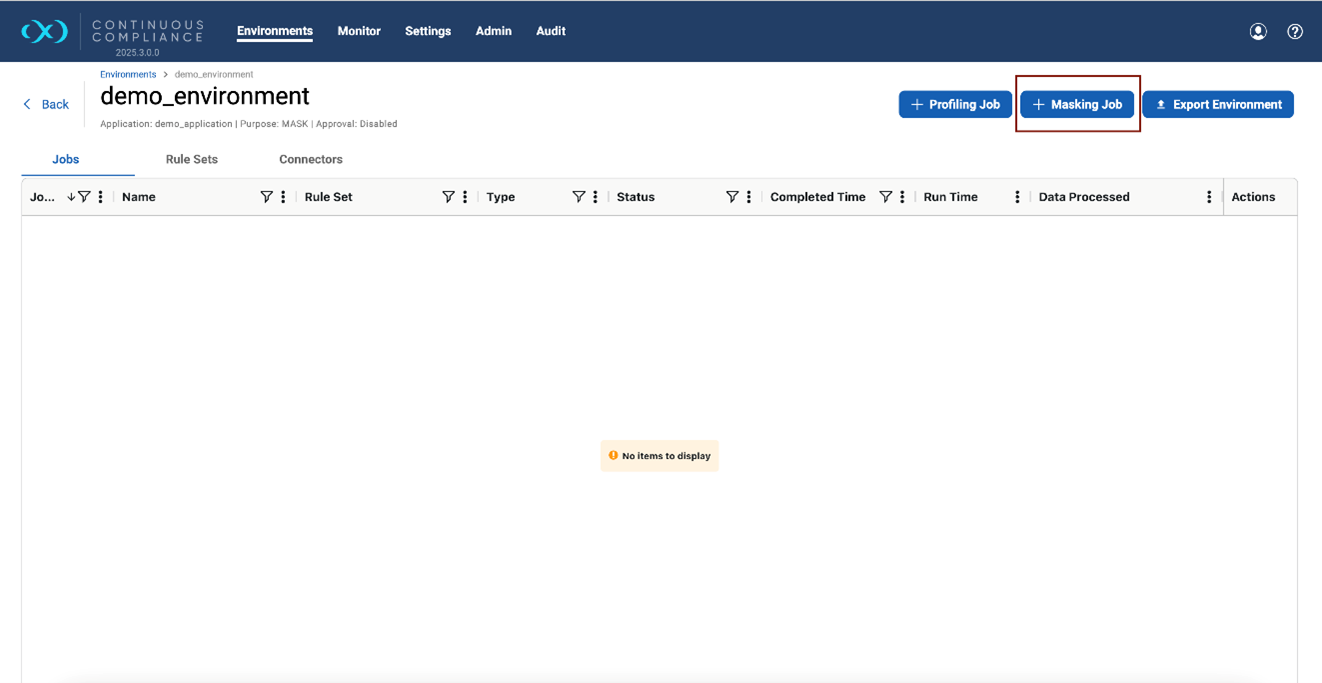
In the top-right corner, click Masking Job.
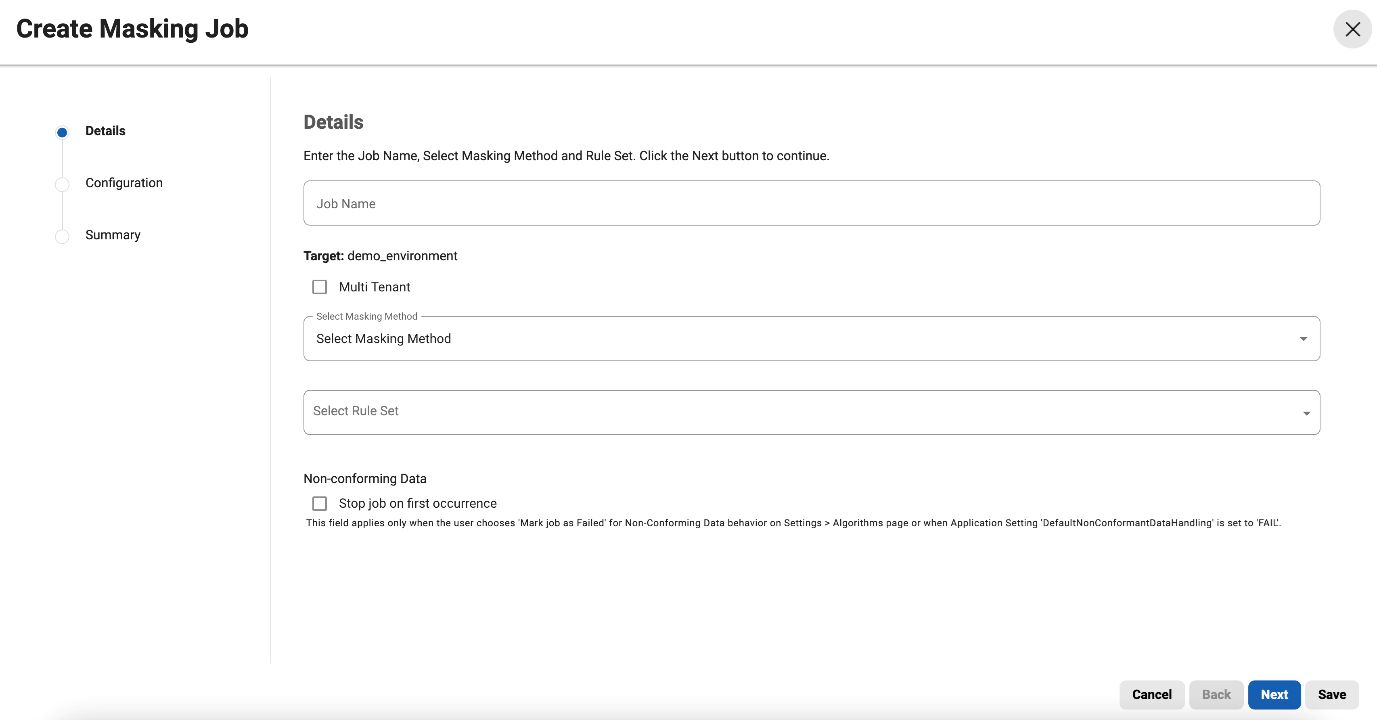
4. From the Details page, enter the Job Name, Masking Method and Rule Set details, and click Next.
-
On the Database Options page, select the metadata management operations you want to execute.
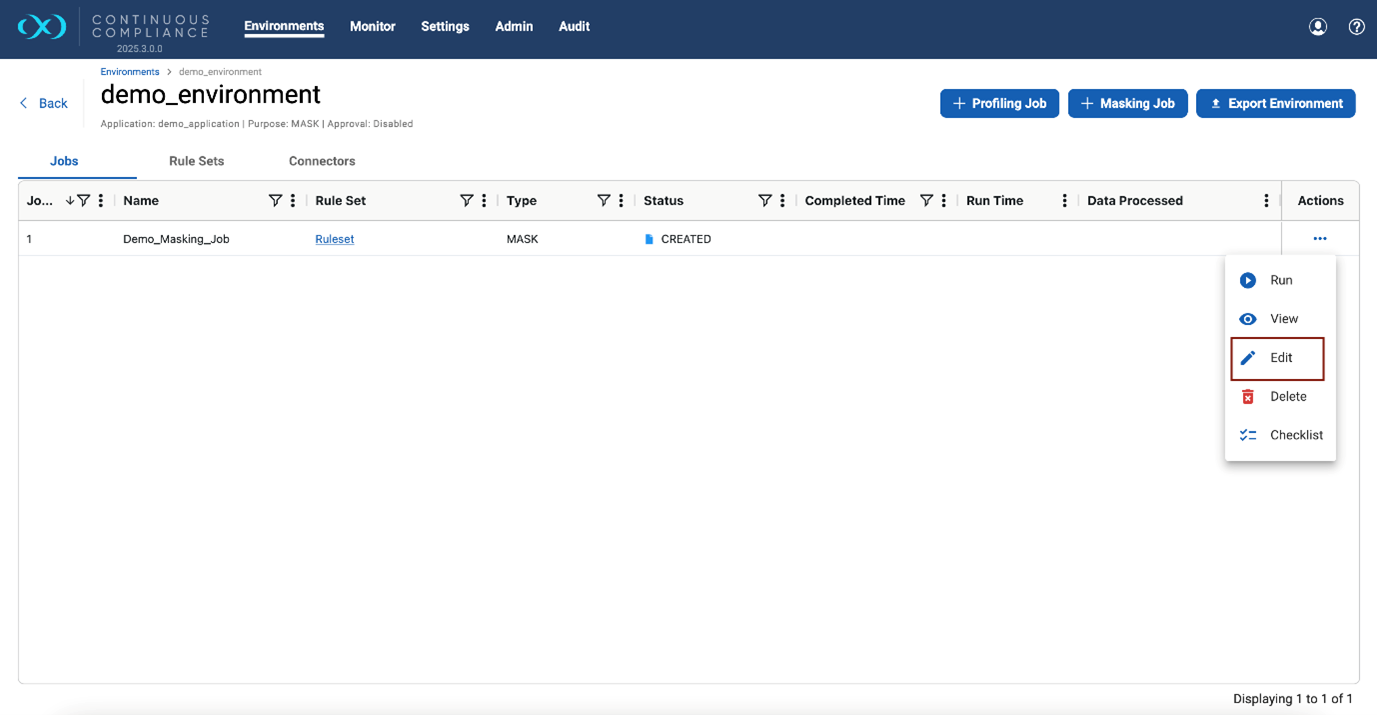
Alternatively, you can select the operations you want to execute using the Edit option. On the Actions tab, under Jobs, click the three dots, and select Edit.
-
Once you've selected the required operations and completed the masking job, the Continuous Compliance Engine automatically enables the selected operations.