Secure Lookup Lists
Overview
A secure lookup list is a list of realistic but fictitious values (for example, names or addresses) that the Continuous Compliance Secure Lookup masking algorithm uses to replace sensitive data. To mask a value, a Secure Lookup algorithm draws a replacement from a lookup file that you provide. DCT AI Services generates that list of replacement values, which you then supply to your Continuous Compliance solution as the lookup file for a Secure Lookup algorithm.
In DCT, a generated list is saved as a resource file (Compliance > Resource Files) and downloaded in a text format compatible with the Continuous Compliance Engine.
The Secure Lookup feature is powered by the Embedded provider. To register and assign a provider, see Configuring AI providers and features.
Supported data types and use cases
AI Services can generate values for a variety of commonly masked data types, including (but not limited to):
-
First names
-
Last names
-
Addresses
-
Medical conditions
These lists are intended for non-production use only and should not be used to simulate real individuals or generate live production data.
Generating a secure lookup list
To generate a list:
-
Go to Compliance > Resource Files in DCT.
-
Click Generate Synthetic List.
-
Choose a pre-built template for the data type you want.
-
Optionally, if the desired data type is not one of the pre-built templates, choose the Custom option and provide a custom prompt. Custom prompts can be highly specific, for example:
-
A list of random zip codes within 30 miles of the DC metro area.
-
A list of 100 Peruvian street names.
-
-
Enter the desired number of records.
-
Generate a preview to ensure it matches your expectations.
-
Finalize and save the list.
-
Full generation can take some time, potentially hours if thousands of values are requested.
-
If you select Allow Duplicates, the system will permit repeating values. If disabled, the system may return an error if it cannot generate enough unique values.
Reviewing and downloading the list
After generation, the list appears in the Resource Files section. Download the list in text format, which is compatible with the Delphix Continuous Compliance Engine.
Importing and using in the Compliance Engine
-
Log into the Continuous Compliance Engine. Go to Settings > Algorithms.
-
Choose to create a new algorithm and select Secure Lookup for Algorithm Type.
-
Provide a name for the new algorithm.
-
Upload the list as the custom lookup file.
-
Adjust other settings as desired, then save the algorithm.
Once saved, the algorithm may be assigned to domains and masking rulesets as with any other algorithm.
Performance best practices
When using AI Services:
-
Avoid running generation tasks during system upgrades or peak periods.
-
Monitor system load and adjust usage as needed.
-
Running multiple list generation tasks simultaneously will increase the time needed to generate each list but may provide overall better throughput.
Data ownership reminder
All generated data belongs solely to you, the customer. Delphix does not store, retain, or access the generated content at any stage.
Limitations
-
Prompt customization is limited. This is not a general-purpose conversational AI engine.
-
Generating very large lists, or lists of fully unique values, may not be feasible depending on prompt complexity and data class.
Troubleshooting data generation
If a generation task fails:
-
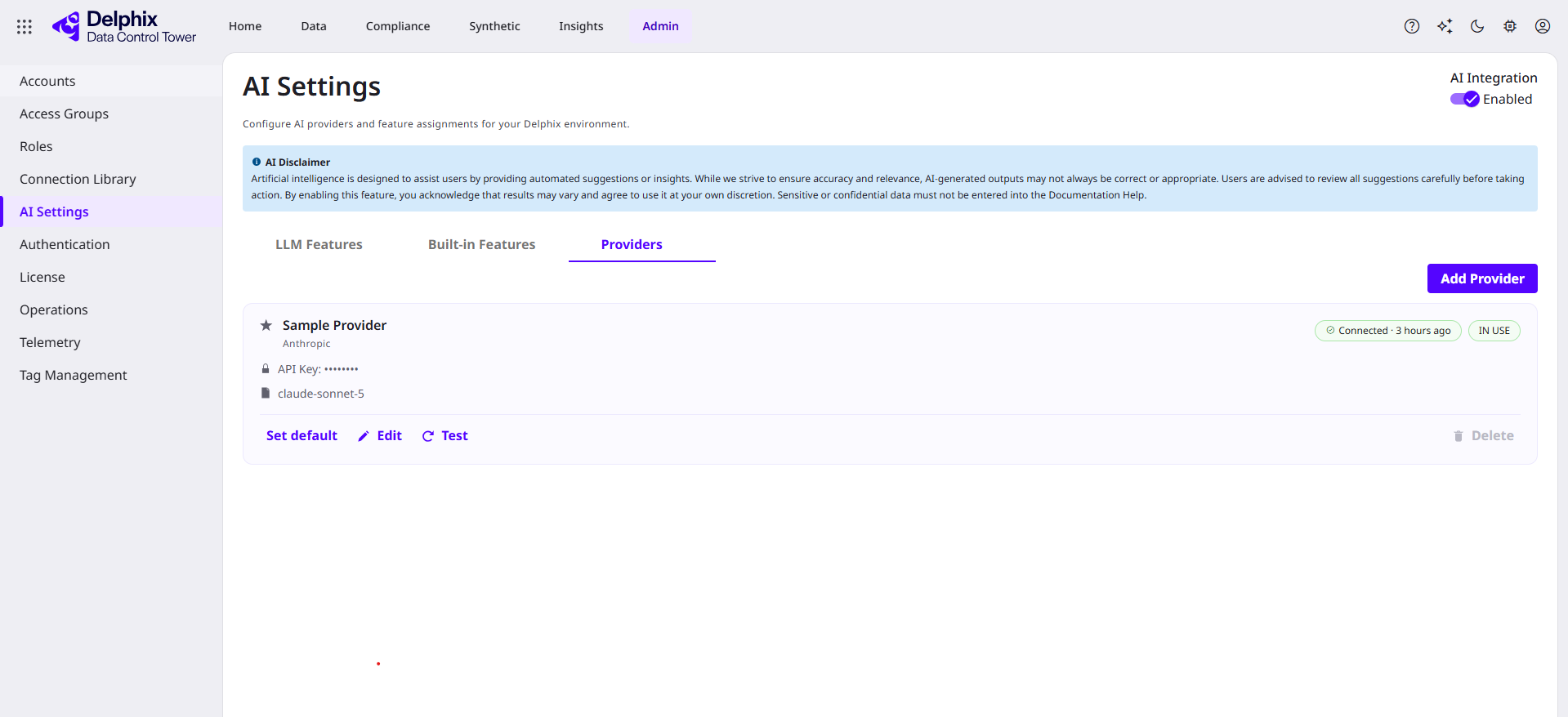
Confirm AI Services is enabled and a provider is configured (Admin > AI Settings > Providers).
-
Review Admin > Operations for detailed error messages.
-
If the request requires unique values, reduce the number of rows or modify the content type and optional attributes selected.
For persistent issues, gather logs and contact the Delphix Support Portal.