Managing Replications
Overview
Replication Policies define how Data Control Tower (DCT) replicates data between Delphix Engines. They are used to configure engine-to-engine replication for migration, disaster recovery, Continuous Vault, and offline (air-gapped) workflows.
Pre-requisites
The following conditions should be met to best utilize Replication Policies.
-
Source and target Delphix Engines must be registered and reachable from DCT (for online modes).
-
Engines using offline replication must have access to the required NFS shares.
-
Your user and Access Groups must have permission to view and manage these policies and related datasets.
Replication Policies in the UI
Once logged into DCT, select the Data tab at the top of the page. Expand the Policies section on the left and select Replication.
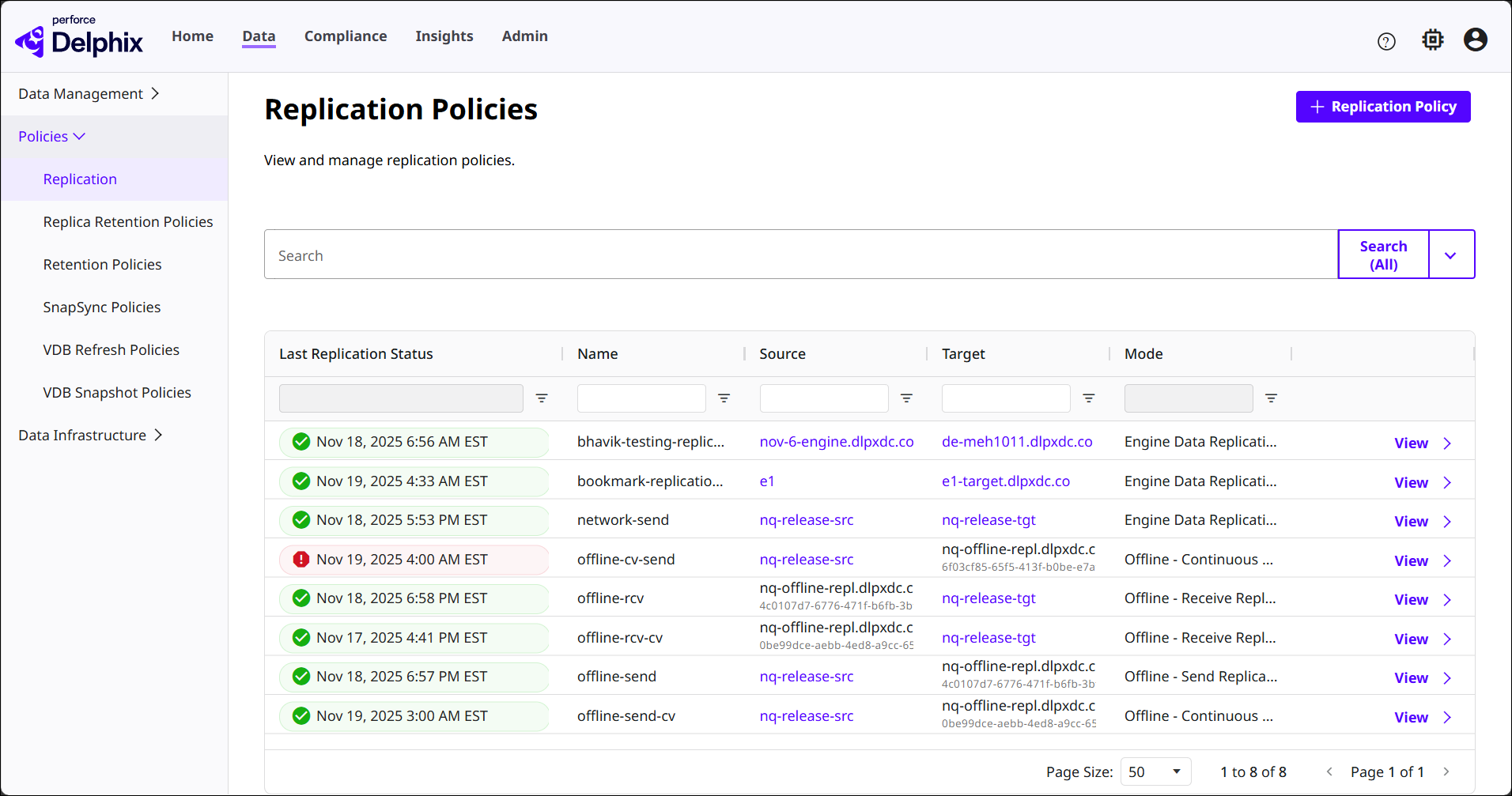
The table has several columns of useful information on the current Replication Policies in DCT. You can use the search function and column filters to sort through data. New policies will be added here.
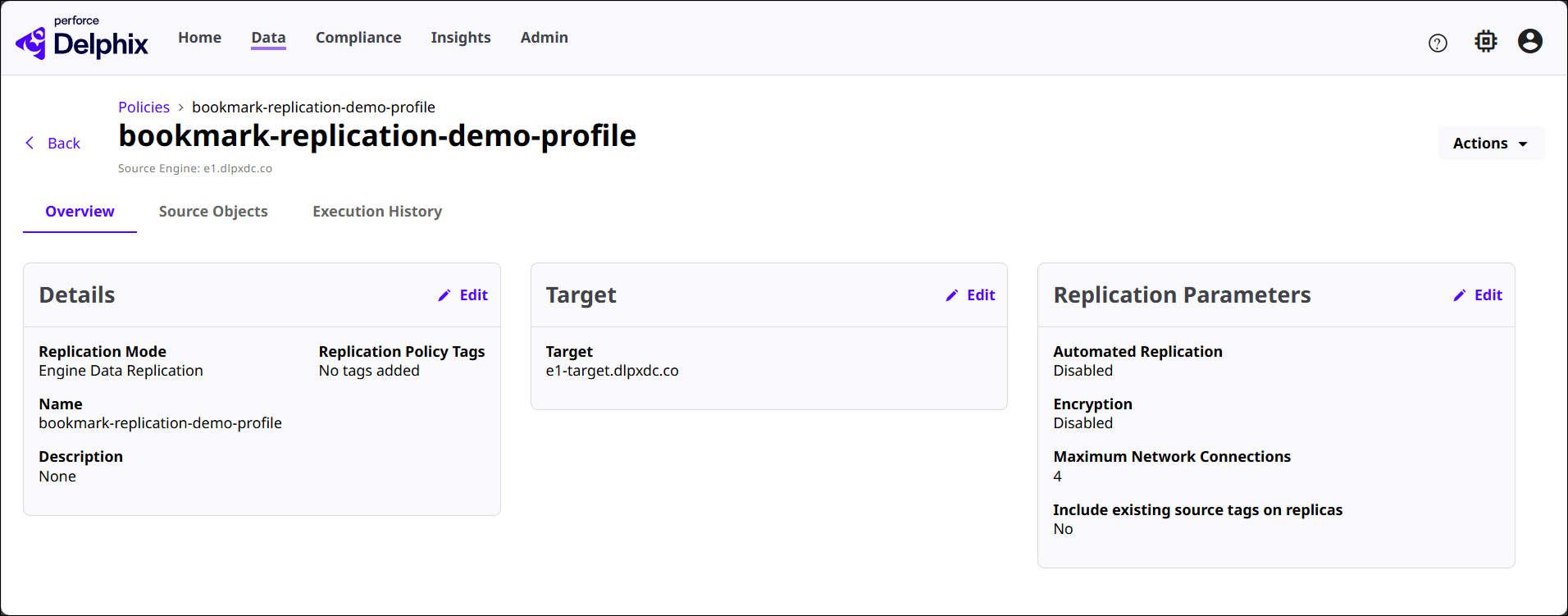
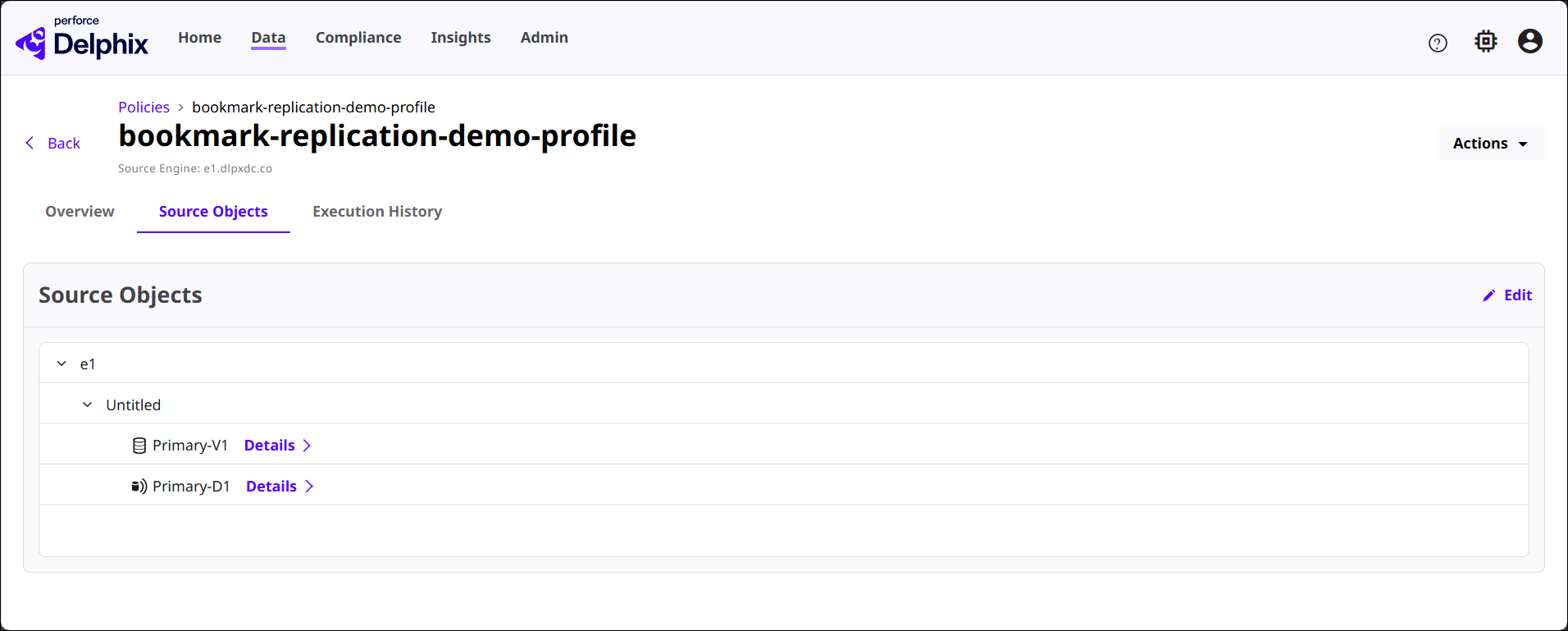
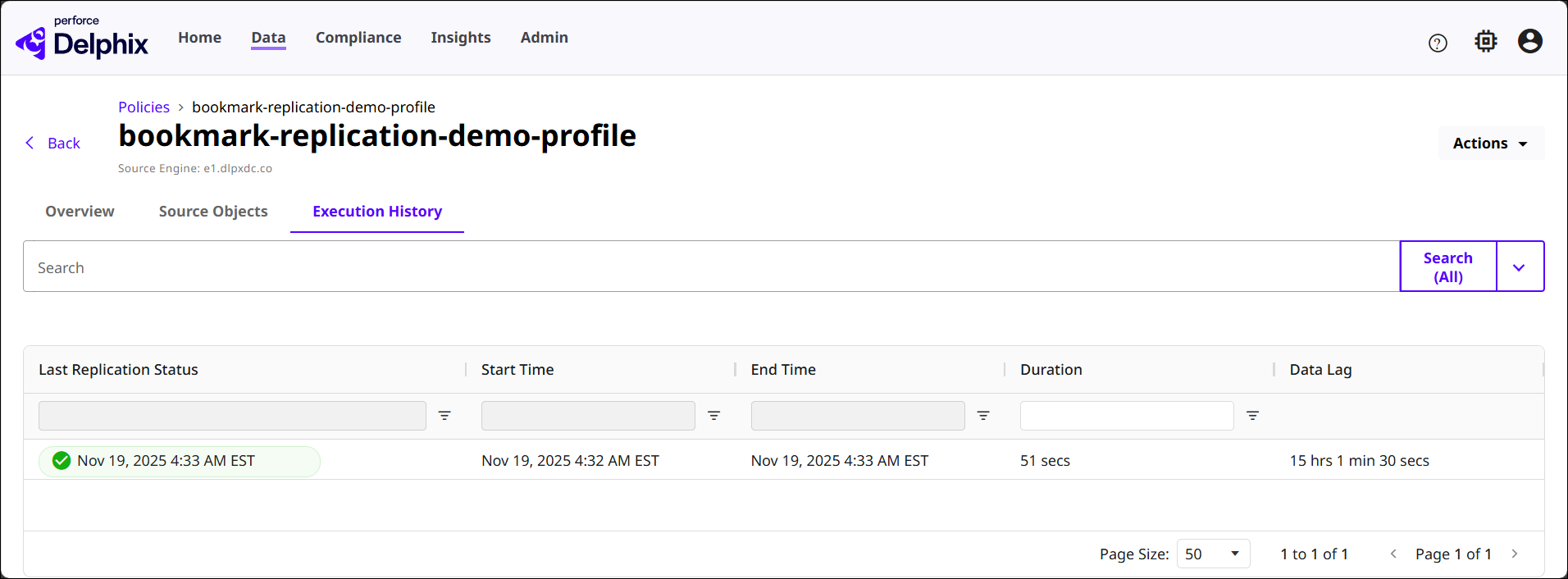
Click the View button of a Replication Policy to see its detail page, as shown below. The three sections in this page are related to the policy selected.
-
Overview: Summarizes configuration details, replication targets, and replication parameters.
-
Source Objects: Lists the objects replicated by the policy.
-
Execution History: Lists previous runs of the policy with details like last replication status, start and end time, duration, and data lag.
Create Replication Policy
To create a Replication Policy in DCT, click the + Replication Policy button at the top of the main Replication page. You will need to configure each of the following sections.
-
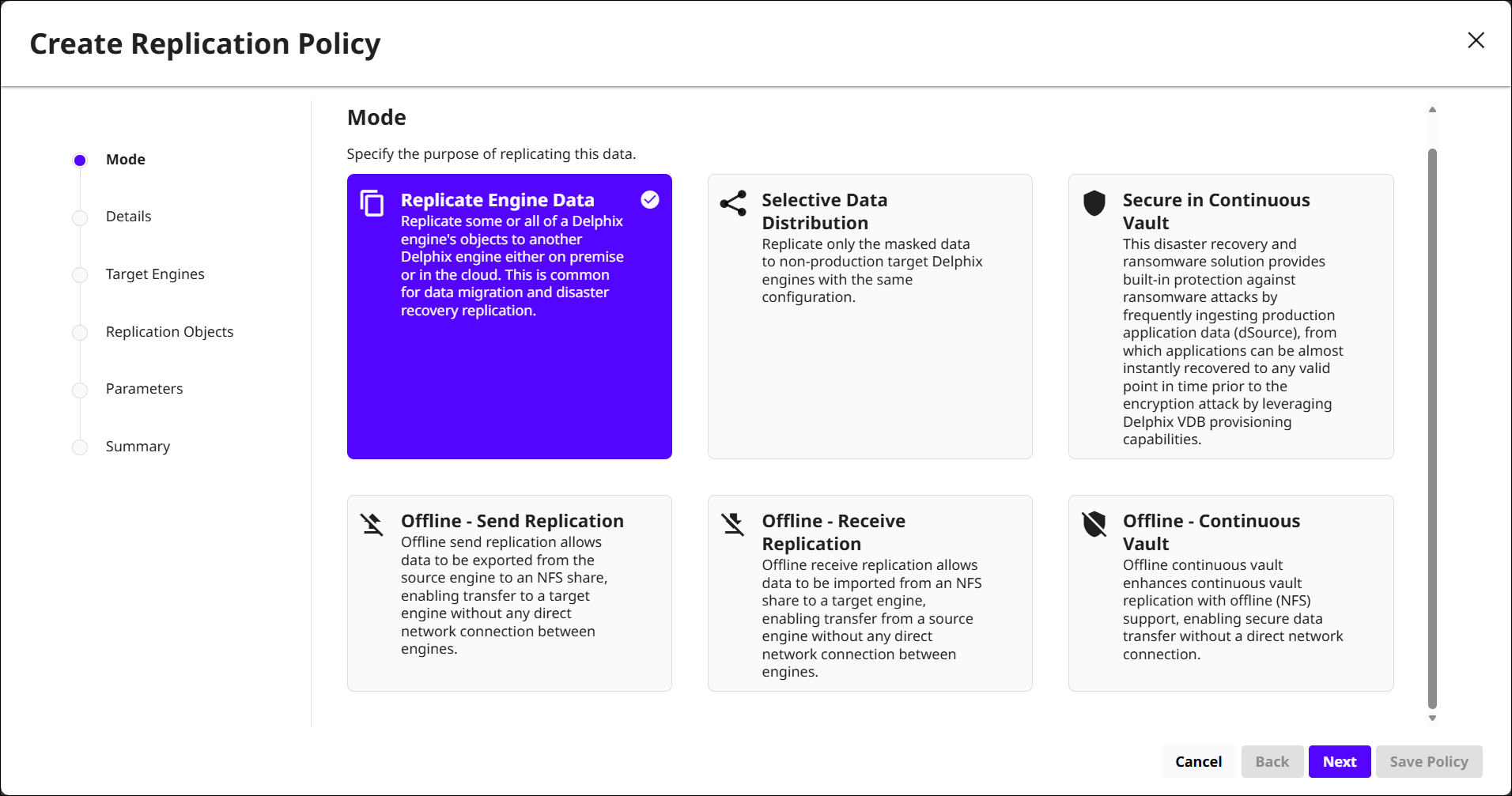
Mode: Select a mode based on the purpose of the replication. DCT provides several to choose from for both online and offline workflows, listed below.
-
Replicate Engine Data: Replicate some or all objects from a Delphix Engine to another engine on premises or in the cloud. This mode is typically used for data migration and disaster recovery.
-
Selective Data Distribution: Replicate only a subset of data, such as masked data, to non-production target engines that share the same configuration.
-
Secure in Continuous Vault: Protect applications from ransomware and other disasters by frequently ingesting production data into a Delphix Continuous Vault target, from which you can recover to any valid point-in-time.
-
Offline - Send Replication: Export data from the source engine to an NFS share. The target engine later imports this data from the NFS share.
-
Offline - Receive Replication: Import data from an NFS share to a target engine. The NFS share contains data that was previously exported by an offline send policy on a different engine.
-
Offline - Continuous Vault: Extend Continuous Vault replication by using offline (NFS-based) transfer instead of a direct network connection.
-
-
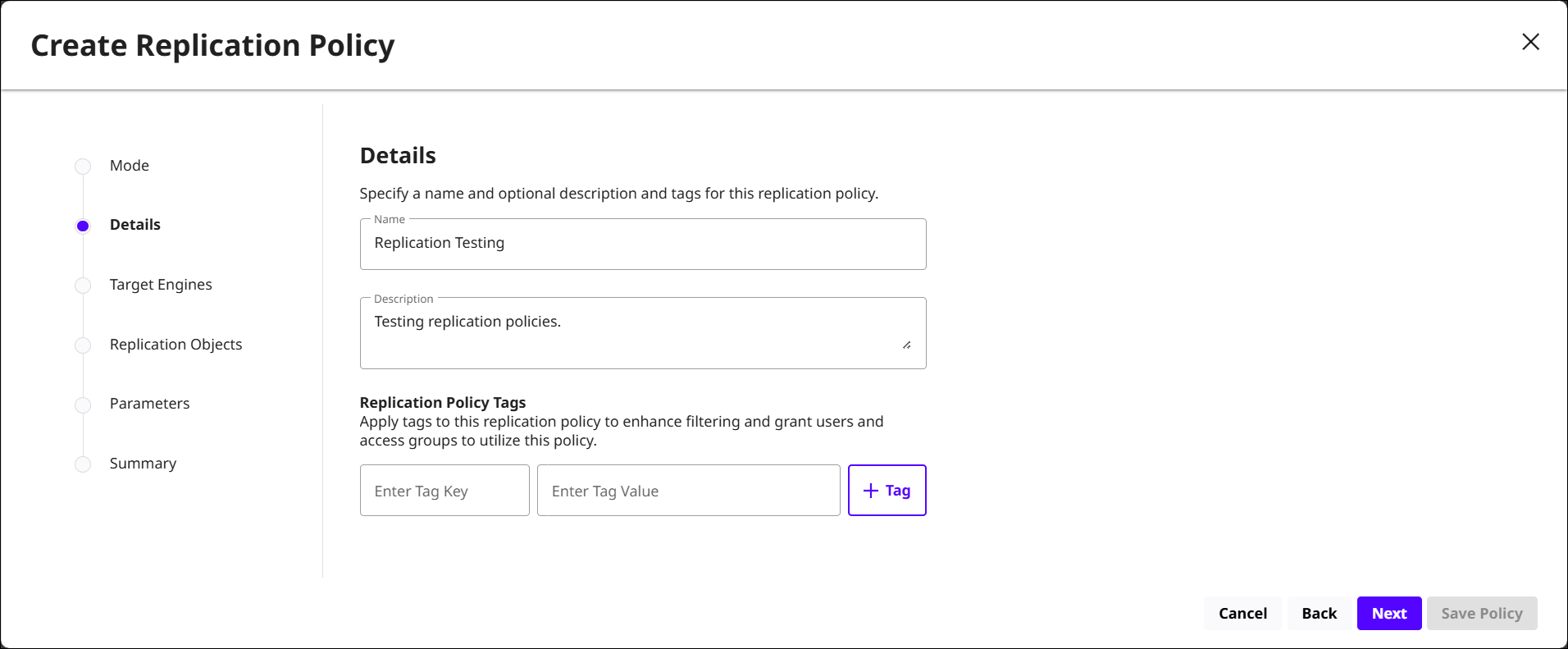
Details: Specify metadata for the replication policy by providing a name, description, and relevant tags.
-
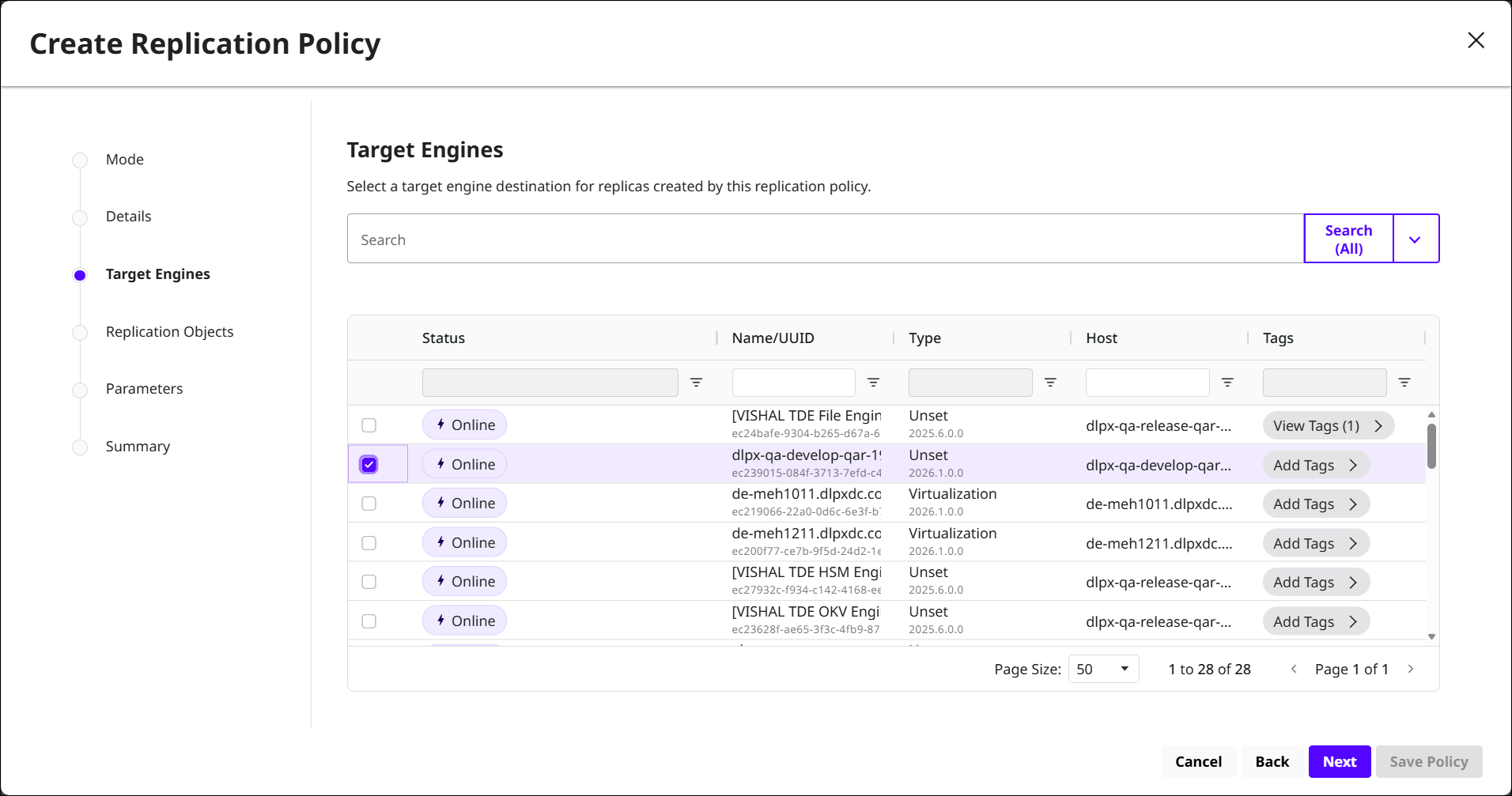
Target Engines: Choose a DCT-connected Delphix Engine to receive replicas created by this policy. For offline modes, target selection may be limited to engines that participate in the offline workflow.
-
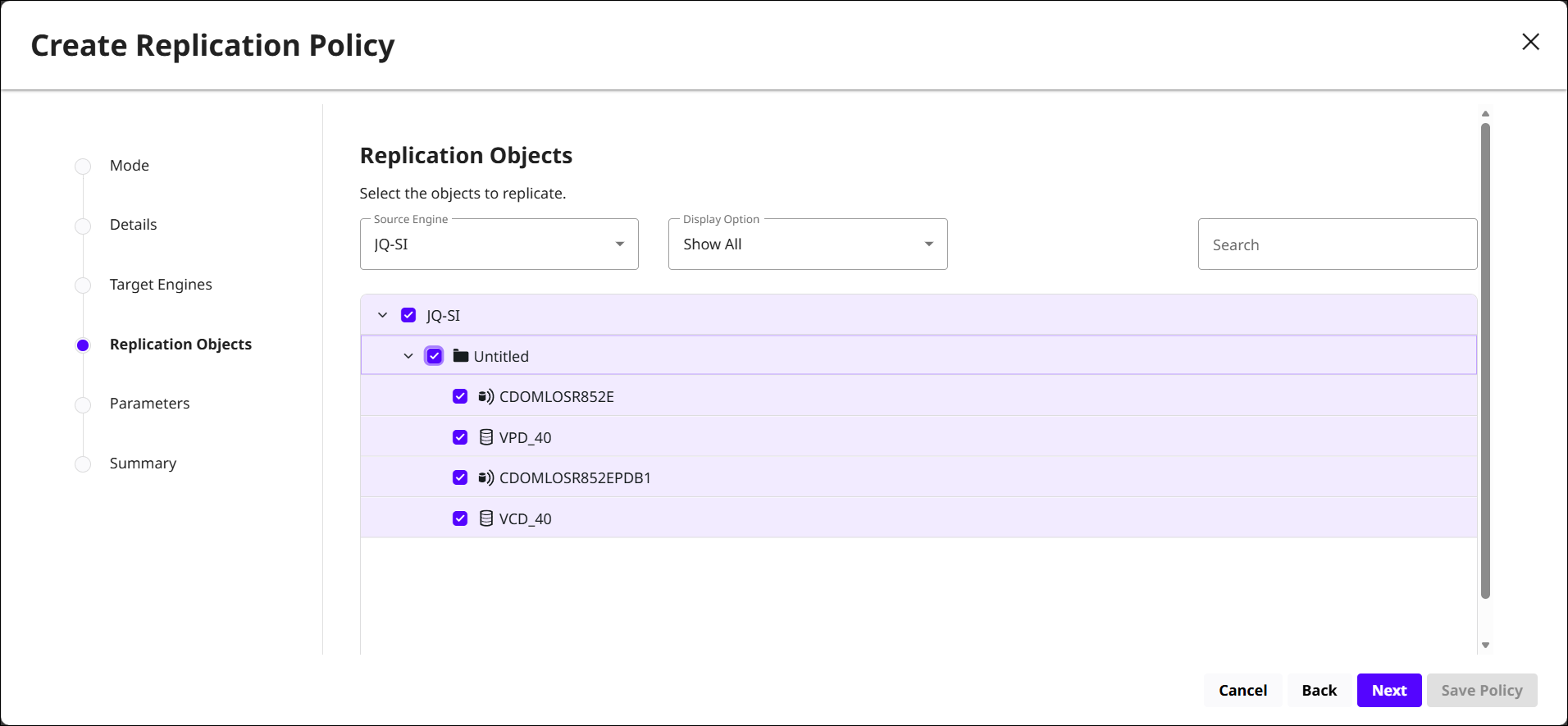
Replication Objects: Choose the objects this policy will replicate. You can expand folders or groups to view databases, dSources, VDBs, or other supported objects.
-
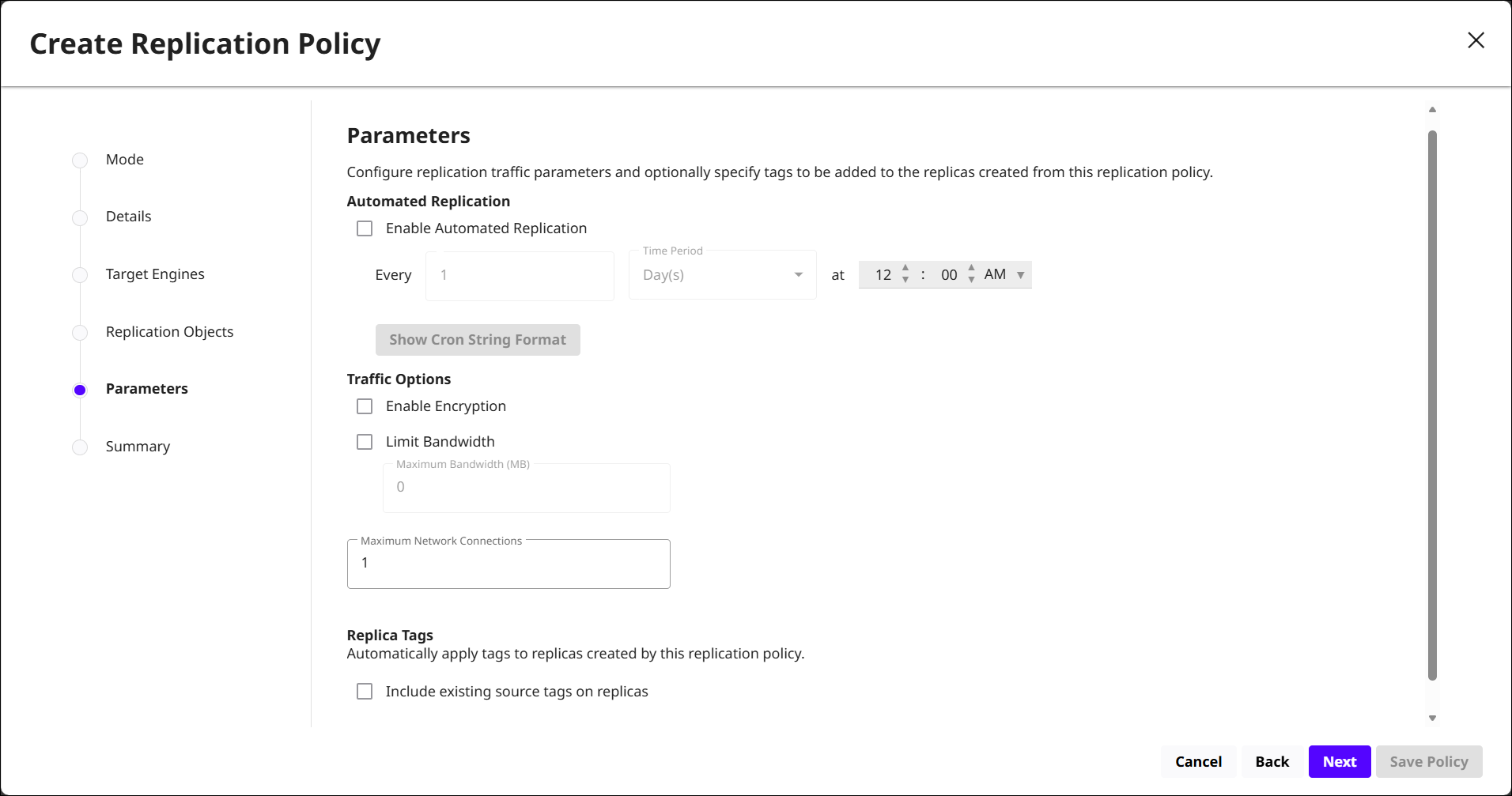
Parameters: Configure how and when replication traffic runs.
-
Automated Replication: Choose to run the replication policy on a schedule by specifying the interval and time of day.
-
Traffic Options: Secure and control replication traffic by enabling encryption, limiting bandwidth, and setting the maximum number of network connections.
-
Replica Tags: Automatically apply tags to replicas created by this policy, and optionally include existing source tags on replicas.
-
-
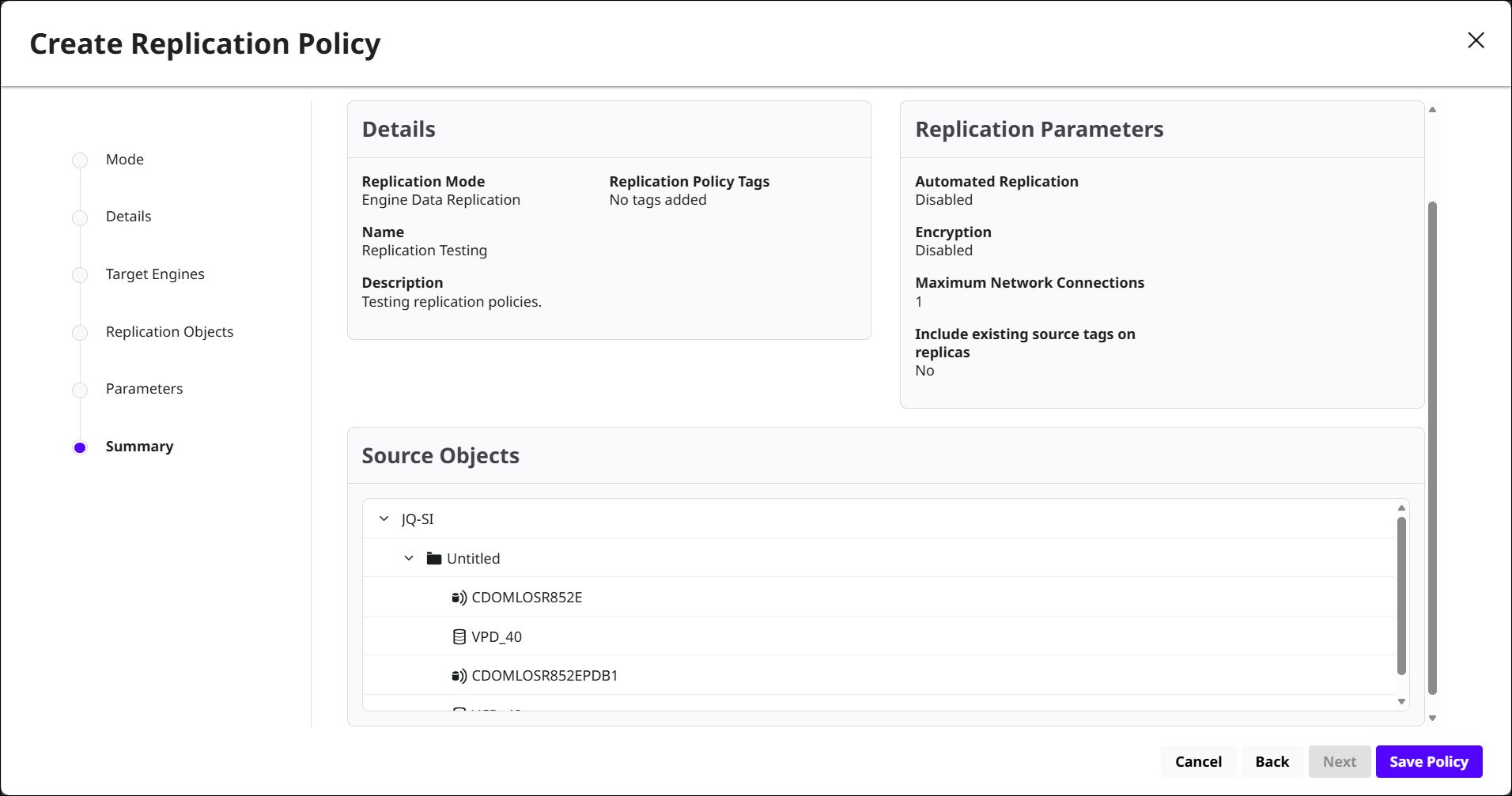
Summary: Review the policy configurations before saving. If you need to change a value, use the navigation on the left to return to the appropriate step. When the configuration is correct, select Save Policy.
Bookmark replication
For datasets that participate in replication, DCT automatically synchronizes bookmarks from the primary dataset to its replicas once the primary–replica relationship is established. This applies to both dSources and VDBs. Bookmarks created directly on replicated datasets are not retention-proof and do not guarantee retention of the underlying dataset.
During failover, DCT attempts to convert replica bookmarks into normal retention-proof bookmarks on the new primary. If the conversion cannot complete, the bookmark is marked inactive. If a failback is performed, these bookmarks are converted back to replica bookmarks.