Cloud Datasets
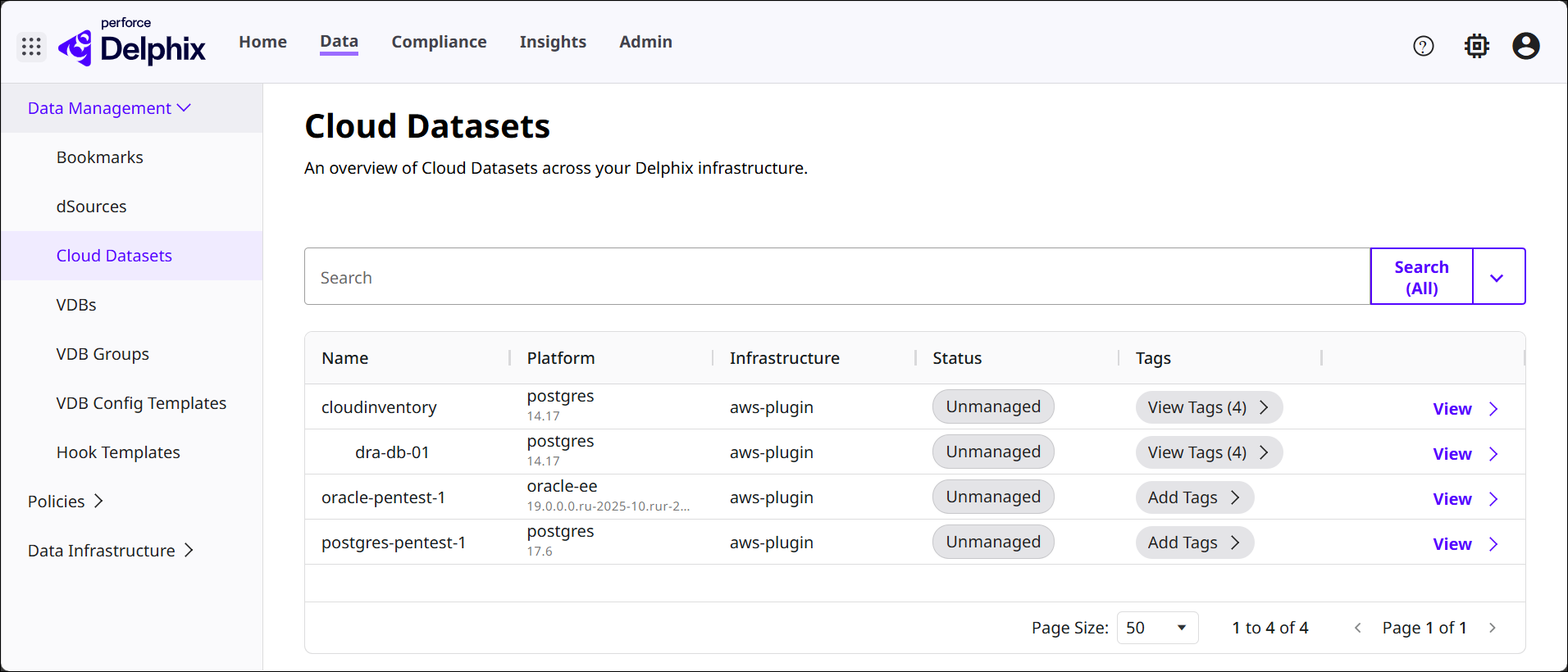
The Cloud Datasets section provides a centralized list of all datasets sourced from cloud‑based infrastructure and connected through Delphix plugins (such as AWS, Azure, or other cloud integrations), with columns of information for Name, Platform, Infrastructure, Status, and Tags. This helps administrators understand which datasets originate from cloud environments, monitor their lifecycle status, and manage associated metadata such as tags and platform information.
Details page
Click View for an item in the list to open its corresponding Cloud Dataset details page, where an Overview and Timeline tab provides various information.
Overview
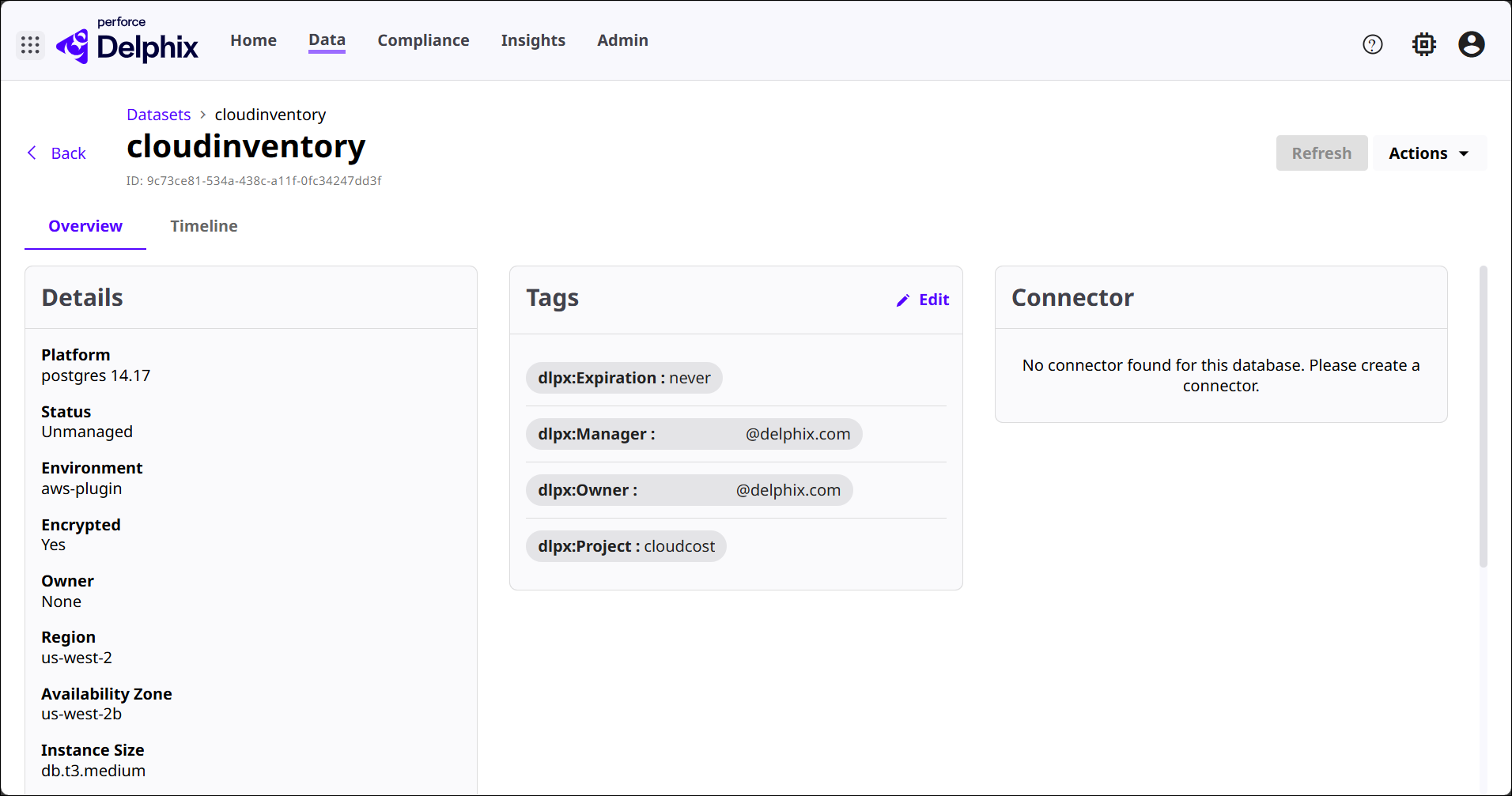
This tab provides a unified snapshot of a Cloud Dataset by bringing together its key technical details, ownership and governance metadata, and integration status in one streamlined view.
-
Details: Shows a summary of the selected Cloud Dataset, consolidating its metadata, configuration, ownership details, connector status, and other details into one place.
-
Tags: Shows the metadata tags associated with the dataset—such as expiration guidelines, manager/owner contacts, and project affiliation. Use the Edit button to modify or add tags.
-
Connector: Shows the connector status for this dataset. If no connector is configured, DCT informs you and prompts to create one. For cloud datasets, connectors typically enable ongoing ingestion, syncing, or communication between Delphix and cloud infrastructure.
Timeline
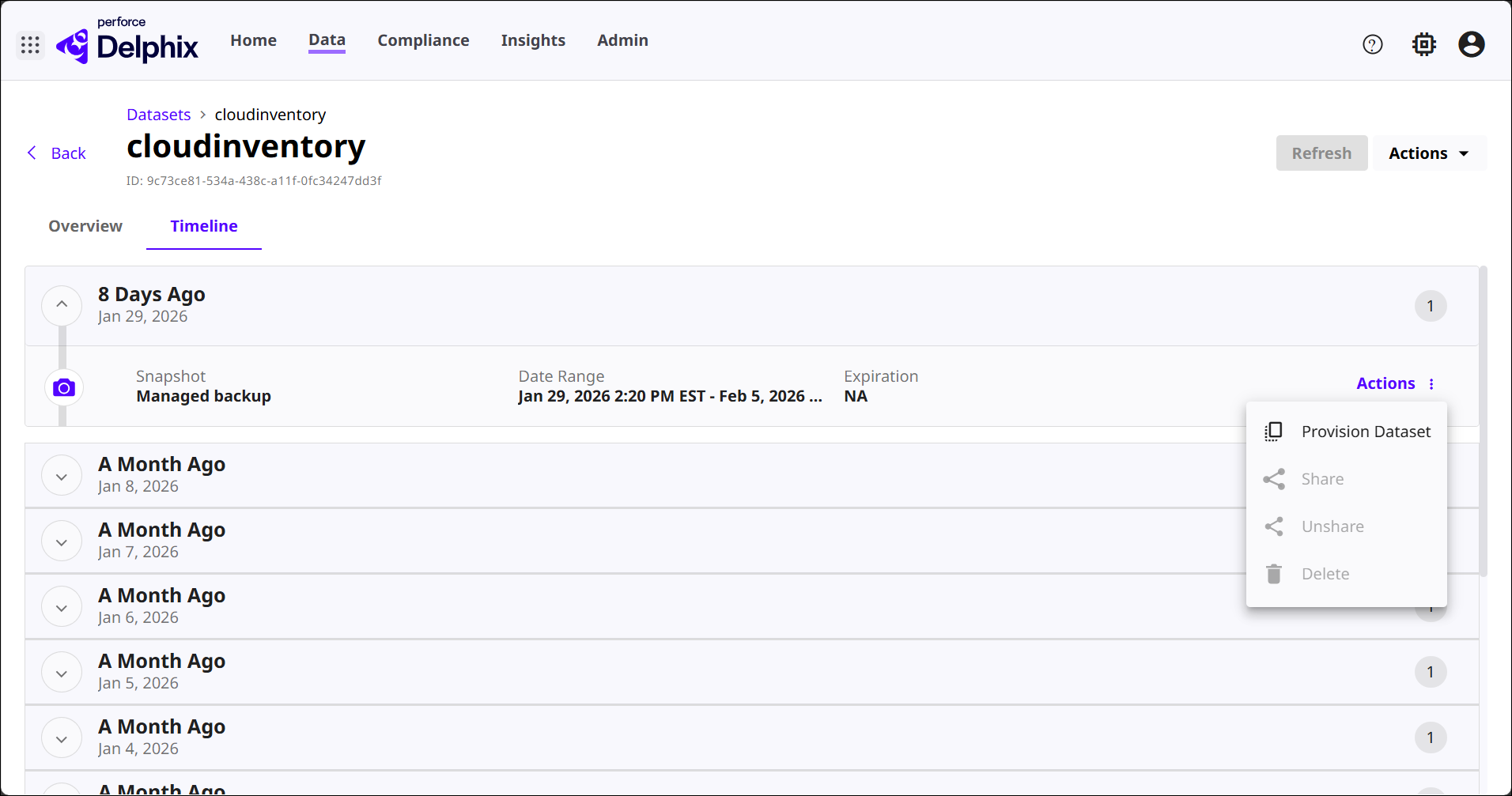
This tab provides a historical, event‑driven view of the dataset’s lifecycle so that users can trace changes, operations, and data‑related events over time, with actions available per each record.
Actions
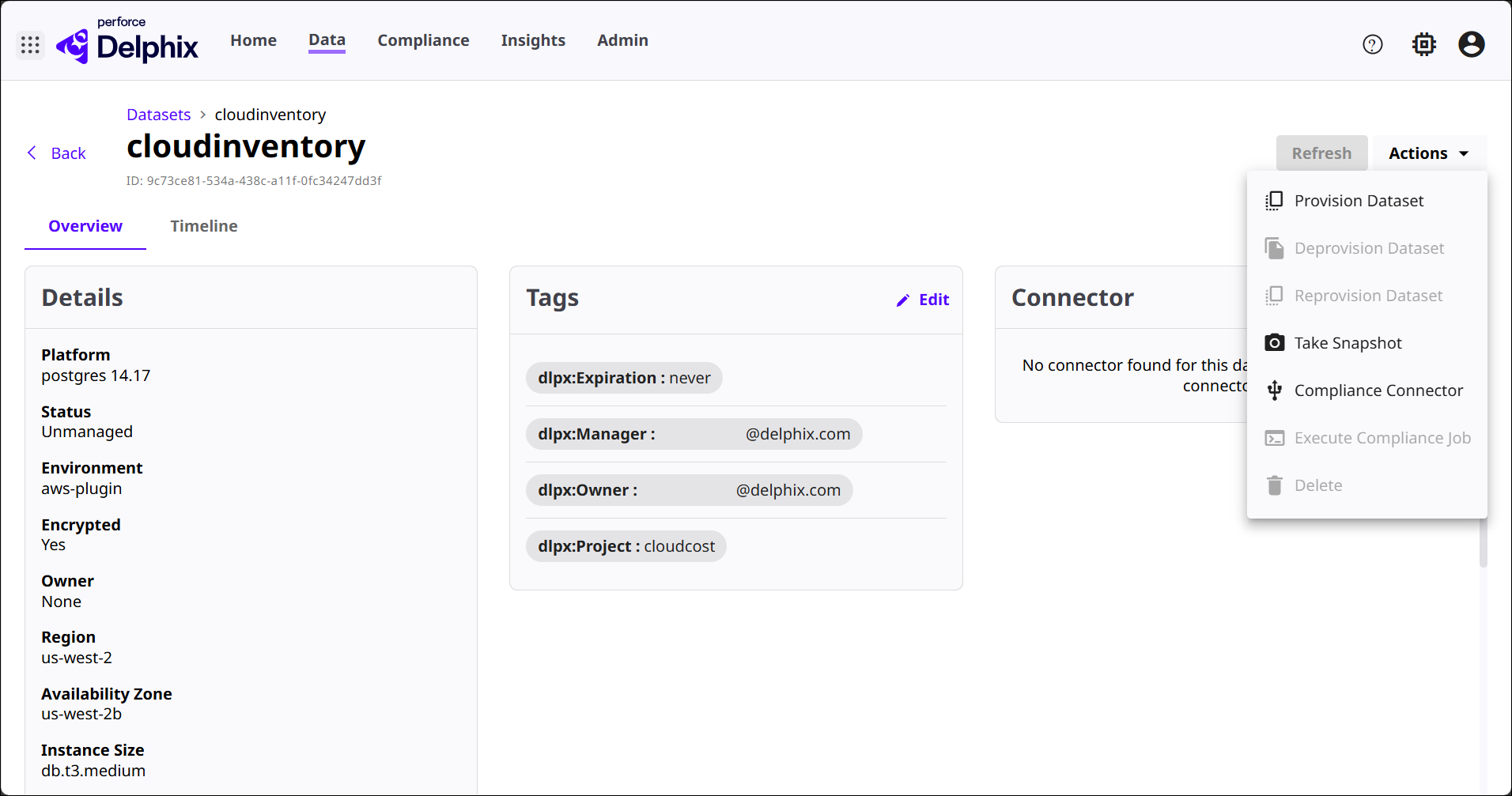
This menu on a Cloud Dataset provides access to lifecycle operations and management functions that apply to that dataset. Depending on the dataset’s configuration, connector availability, and permissions, some options appear enabled while others remain unavailable.
-
Provision Dataset: Creates a new virtual dataset (such as a VDB) from the Cloud Dataset. This is the primary operation for delivering consumable, virtualized copies of cloud‑sourced data to downstream users or environments.
-
Deprovision Dataset: Removes a previously provisioned dataset created from this Cloud Dataset. This action is typically disabled when no provisioned objects currently exist or when removal is not permitted.
-
Reprovision Dataset: Allows you to recreate a dataset that was previously provisioned, often used when refreshing environments or resetting data for testing workflows. This action may be disabled if the dataset has never been provisioned.
-
Take Snapshot: Captures a new snapshot of the Cloud Dataset, preserving a point‑in‑time version that can be used for provisioning, rollback, or archival purposes.
-
Compliance Connector: Provides access to compliance‑related integration for this dataset. From here, you can create or manage compliance connectors used for masking or compliance workflows. If no connector exists, this action routes you to create one.
-
Execute Compliance Job: Runs an available compliance job (such as masking or validation) on the dataset. This option appears disabled when no compliance connector or compliance job is configured.
-
Delete: Removes the Cloud Dataset from DCT. This option is typically disabled when prerequisites—for example, removing dependent objects or connectors—have not been met.