Registering a Service Principal
Process
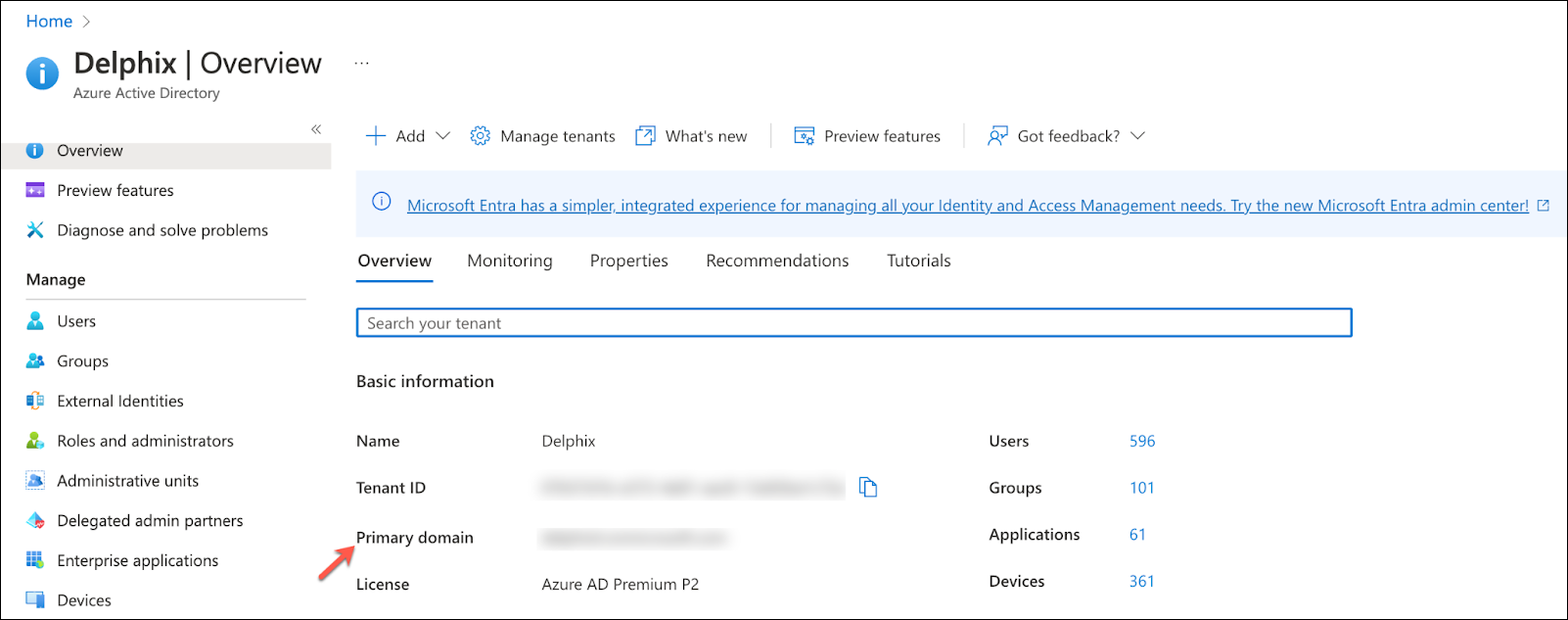
To begin, navigate to the Azure portal and then Azure Active Directory. Get the Primary domain from the Azure Active Directory Overview page, which will be needed later.
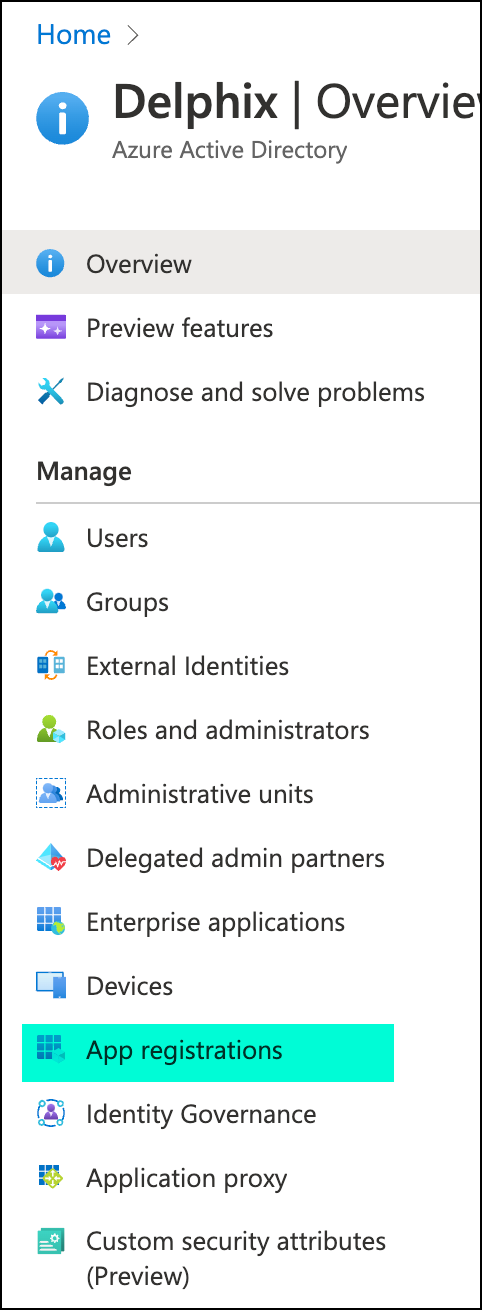
Click App registrations on the left side pane under Active Directory.
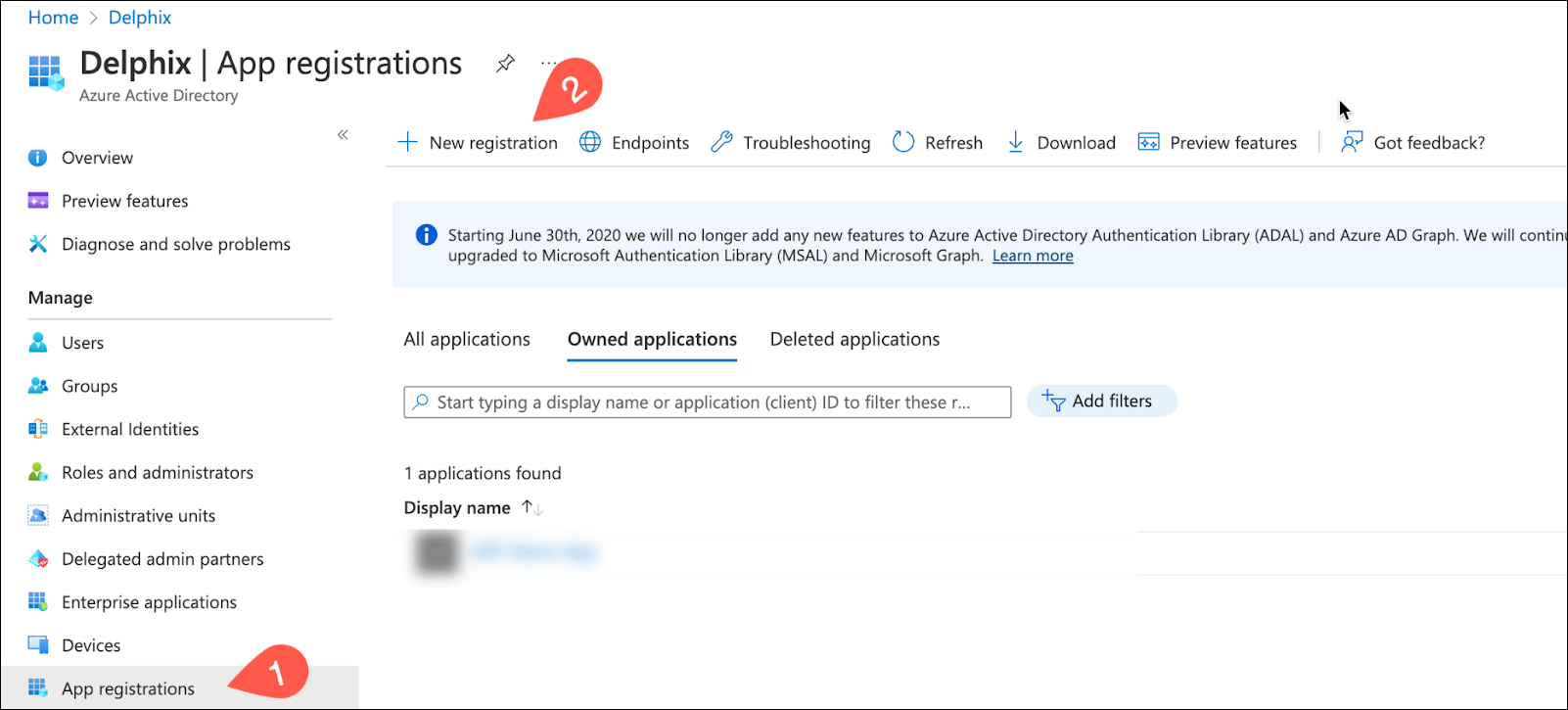
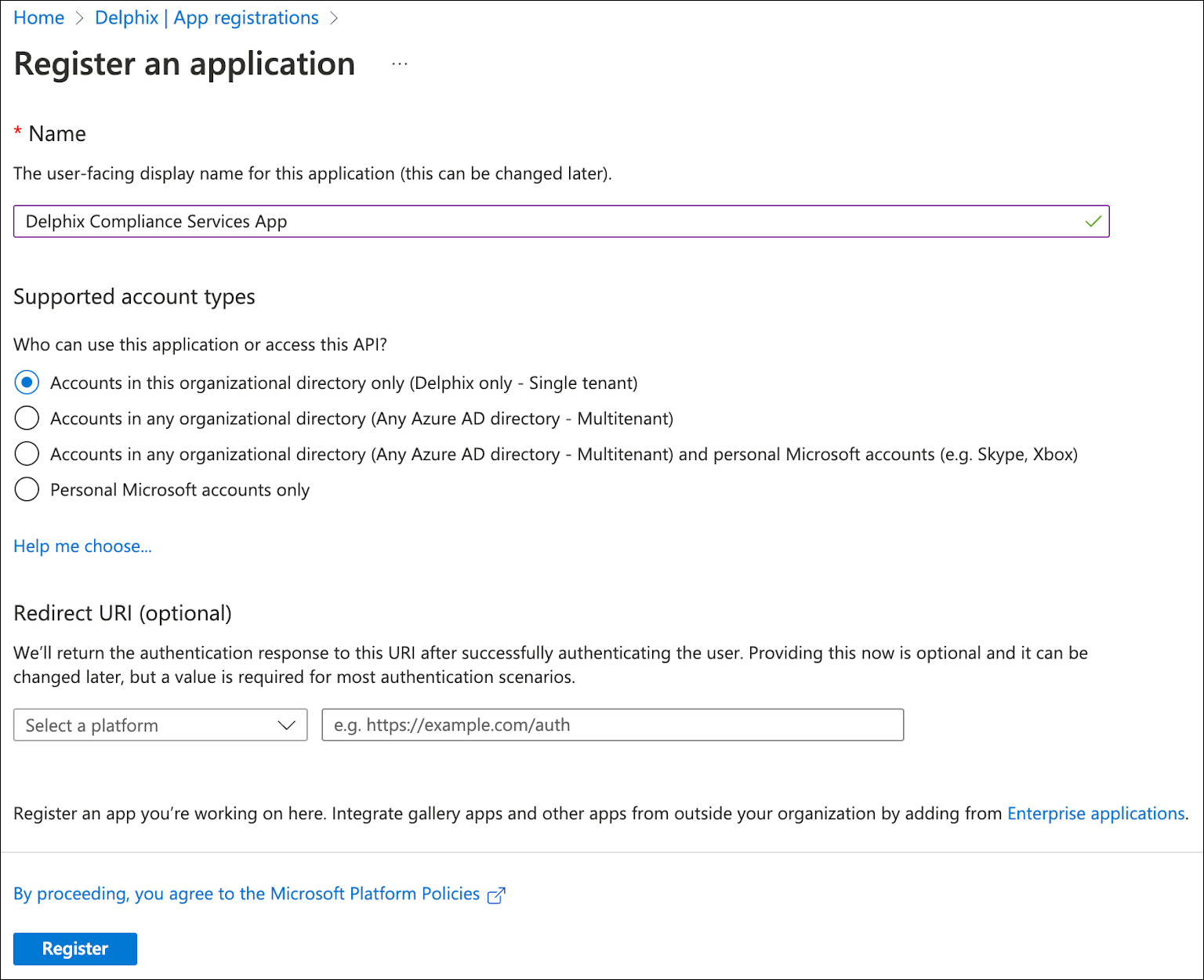
Click New registration to register a new app.
Provide a name and click the Register button.
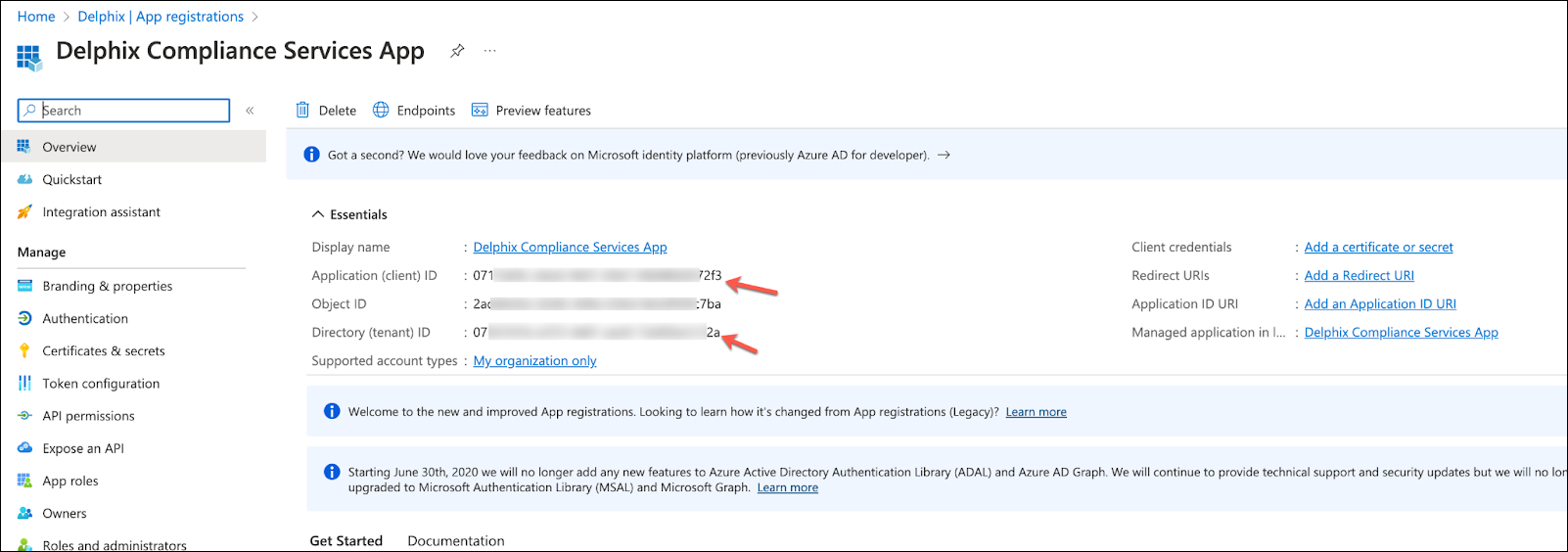
Once the application is created, get the Application (client) ID and Directory (tenant) ID, which will be needed later.
JWT Version Support
Delphix Compliance Services (DCS) uses JSON Web Tokens (JWTs) to securely verify the identity of client applications and control what actions they can perform. These tokens are issued by Azure and included with each request, ensuring that only authorized applications can access compliance data.
Delphix Compliance Services only supports v1 JWTs from your Azure app registration. This is usually the default configuration, but it can vary, depending on your Azure account settings. You must verify the token version in the app manifest to ensure compatibility.
You can confirm the current value by viewing the manifest (found under the Manage section) for the app registration and checking the following:
- If the manifest is of type AAD Graph App Manifest, the key
accessTokenAcceptedVersionmust be absent, null, or set to 1. - If the manifest is of type Microsoft Graph App Manifest, the key
api.requestedAccessTokenVersionmust be absent, null, or set to 1.
If no manifest type is shown and you cannot determine which type it is, search for both keys—only one of them will be present.
Expose an API
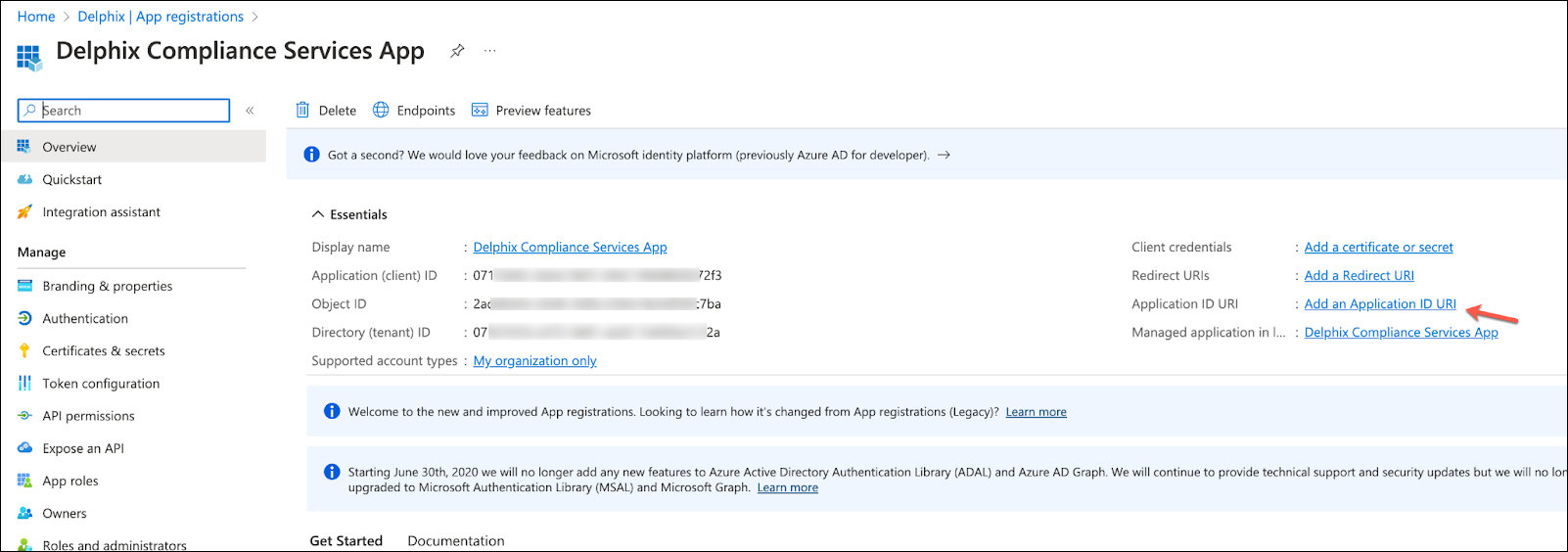
Click Add an Application ID URI within the app overview page.
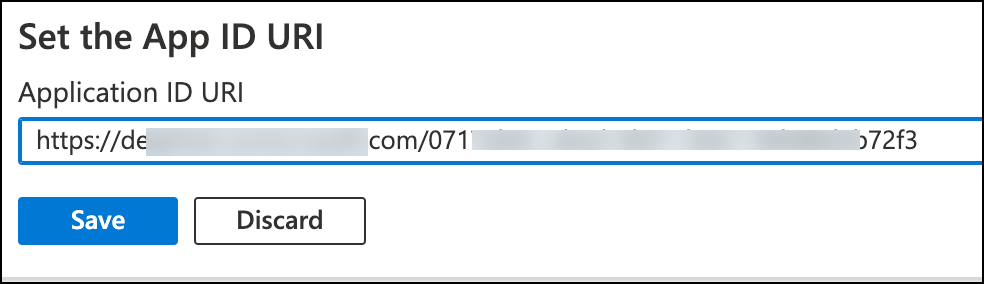
Click Set to add an Application ID URI.
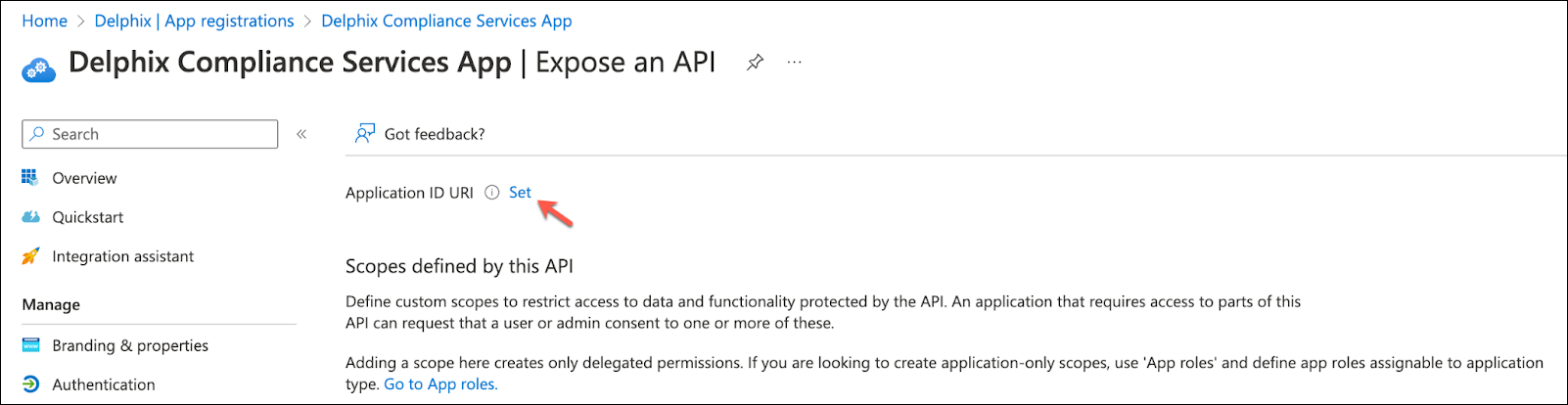
Set the App ID URI using the following format, with the primary domain and client ID from before, then save. https://<primaryDomain>/<clientId>
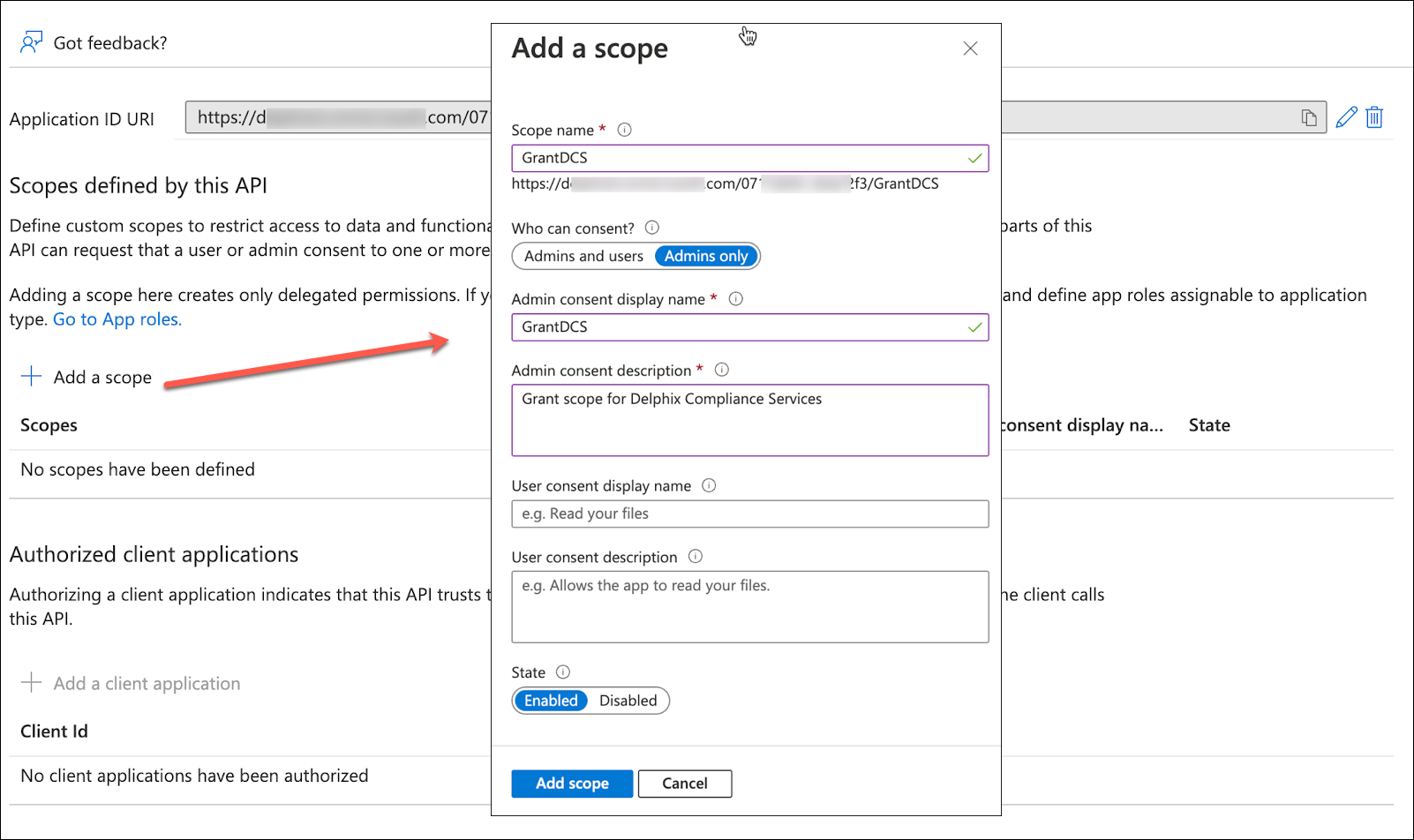
Click Add a scope and provide the details.
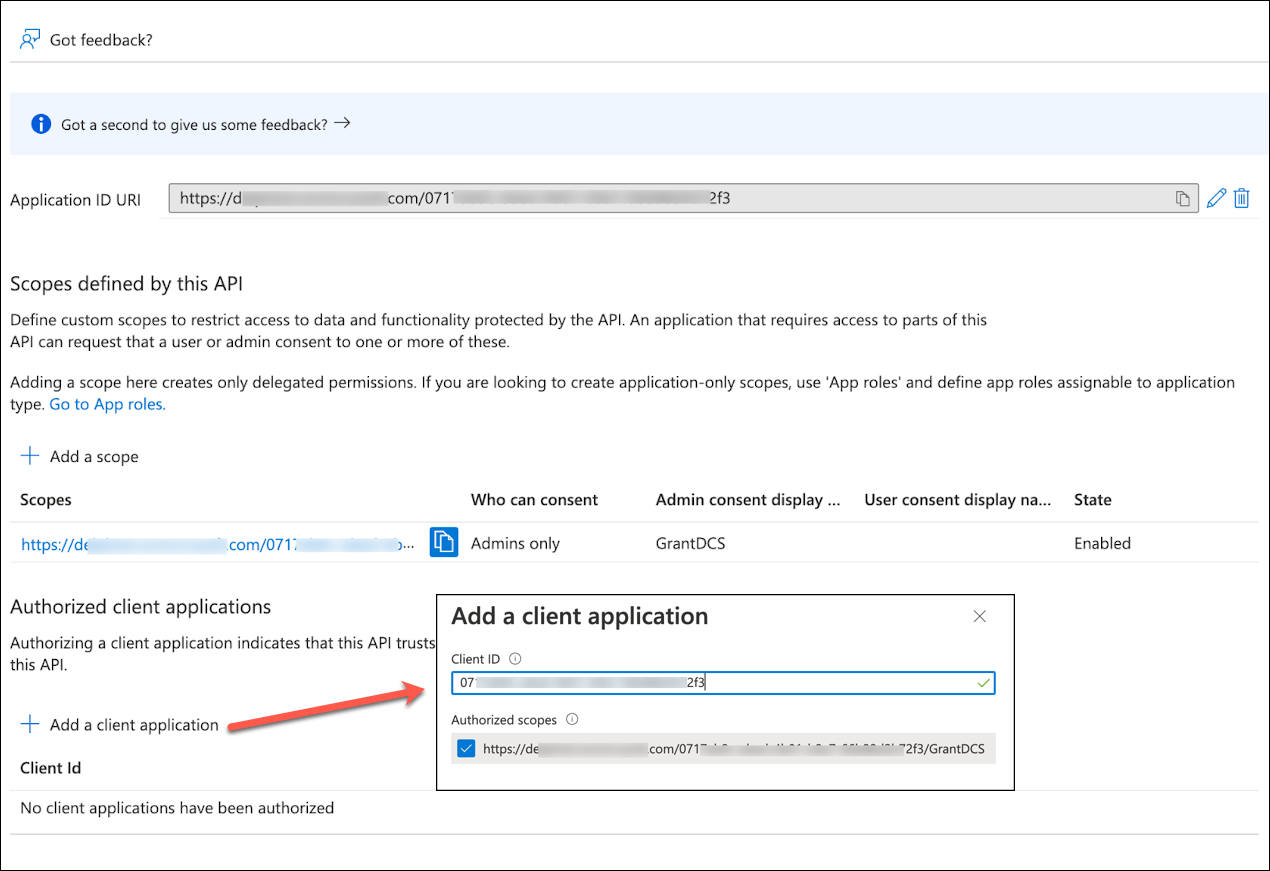
Click Add a client application.Paste the client ID captured earlier and add the application.
Add a secret
Click Certificates & secrets on the left side pane.
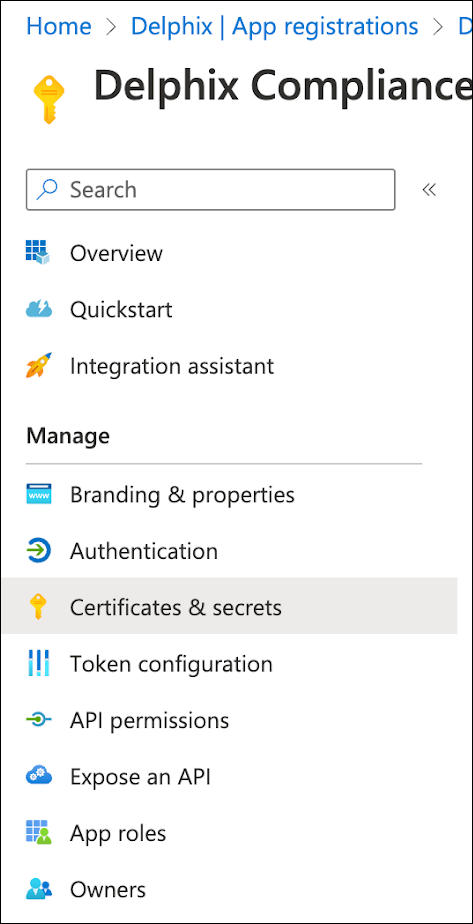
Click New client secret under the Client secrets tab. Provide a description and expiration period for the secret, then click add.
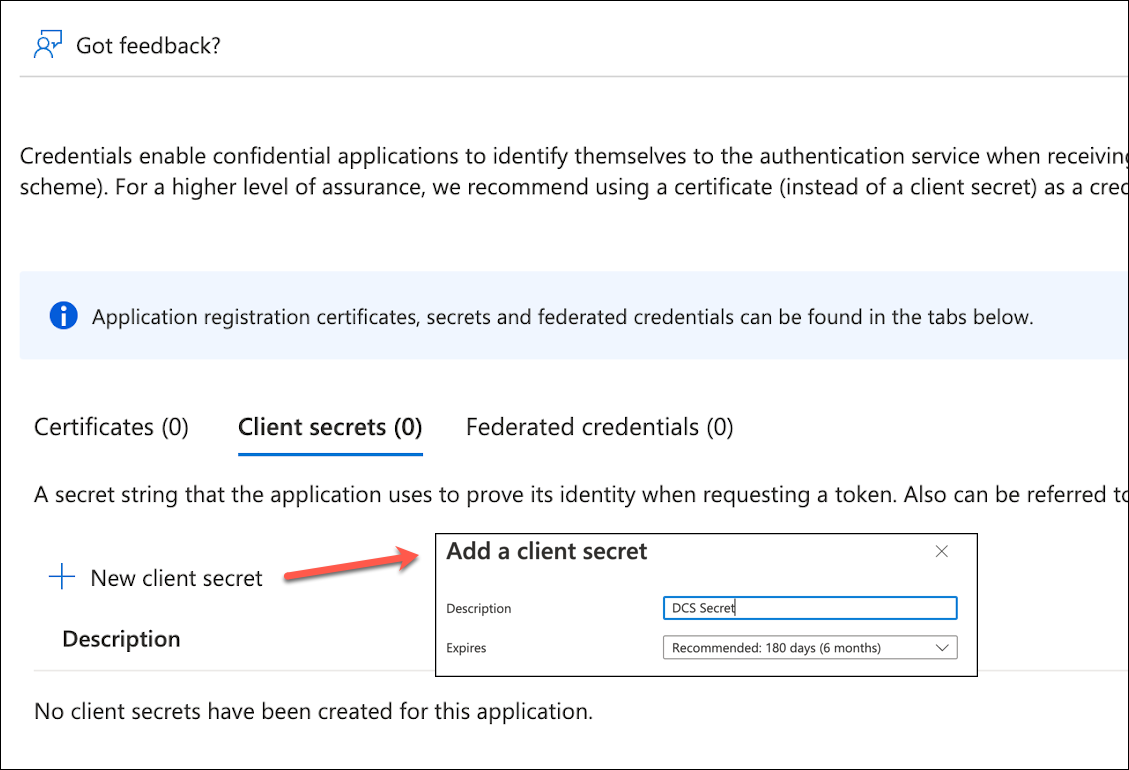
Save the value of the secret in a secure place, as it will be needed to authenticate with Delphix Compliance Services in ADF execution. The value can be saved in Azure Key Vault for security.
Register AD tenant with DCS
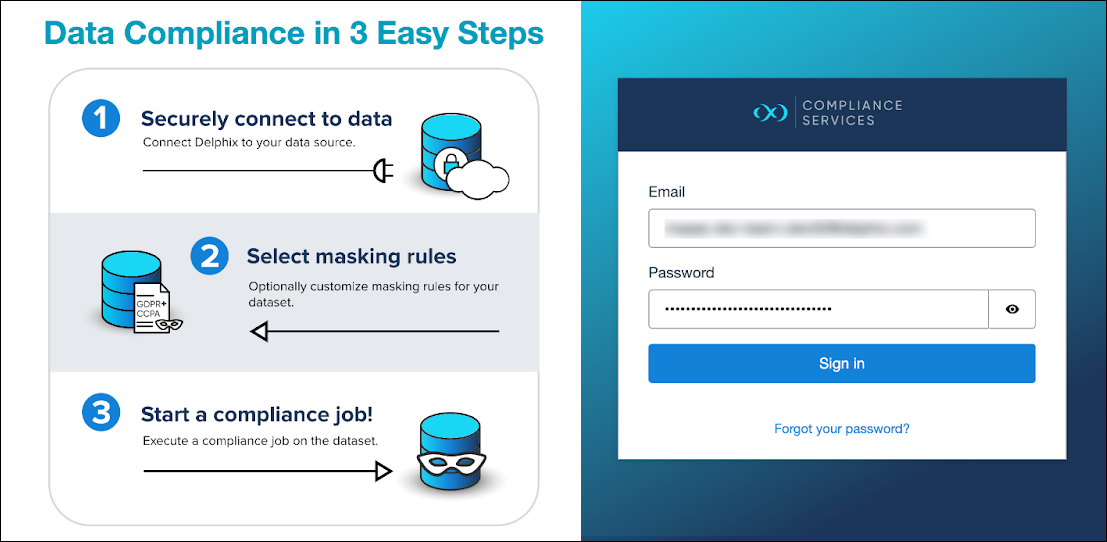
Log in to the Delphix Compliance Services website (https://apps.delphix.com/spn) with your credentials.
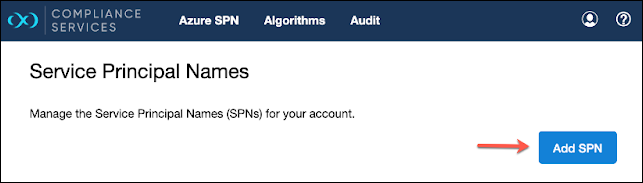
Click Azure SPN at the top, then Add SPN.
Provide a name and description, along with the client and tenant ID from earlier, then click Add SPN.
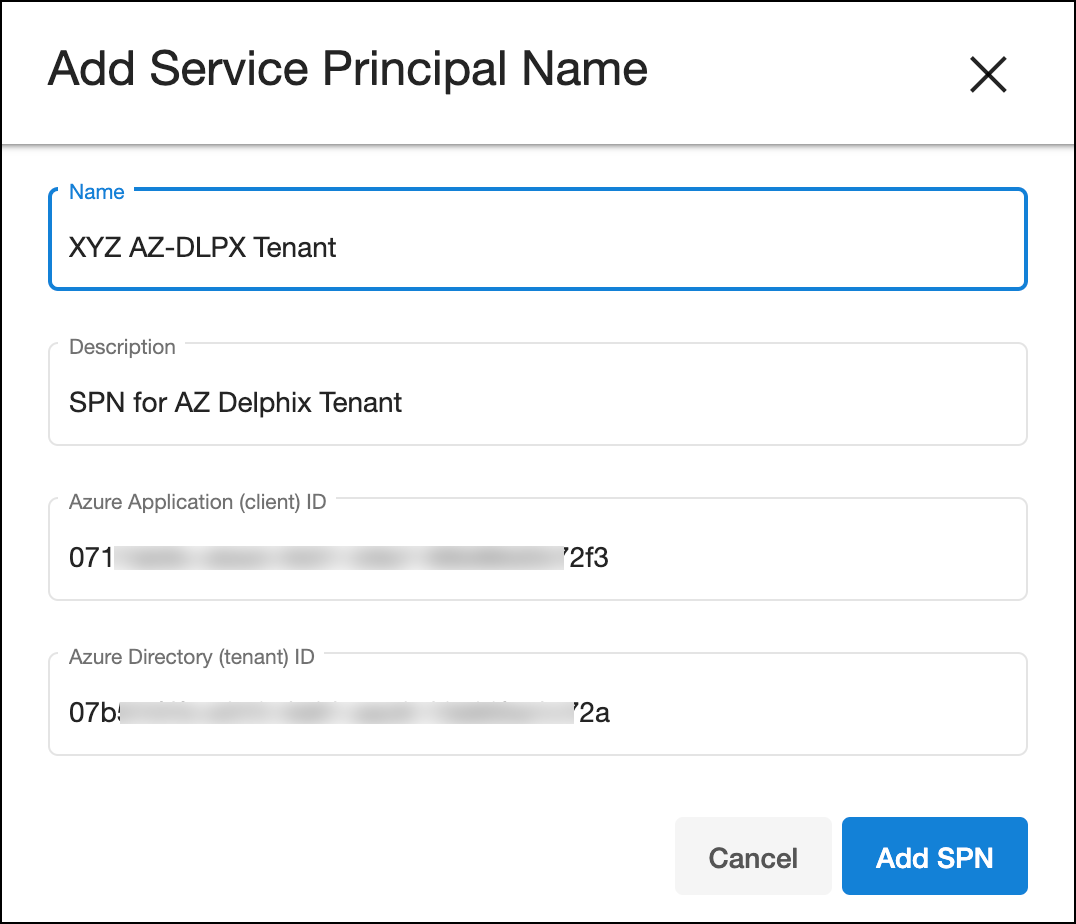
The SPN is unique across a DCS account, thus, it is important not to reuse any existing SPN. The entry will appear in the list once added successfully.

This completes the onboarding of an Azure tenant to Delphix Compliance Services that is now ready to be used with Azure Data Factory.
Add AD secret in Azure Key Vault (optional)
If a plain secret value was being used during the ADF linked service creation for DCS, this option is not needed.
In Azure portal, search for Key Vault. Click + Create to create new or use the existing key vault.

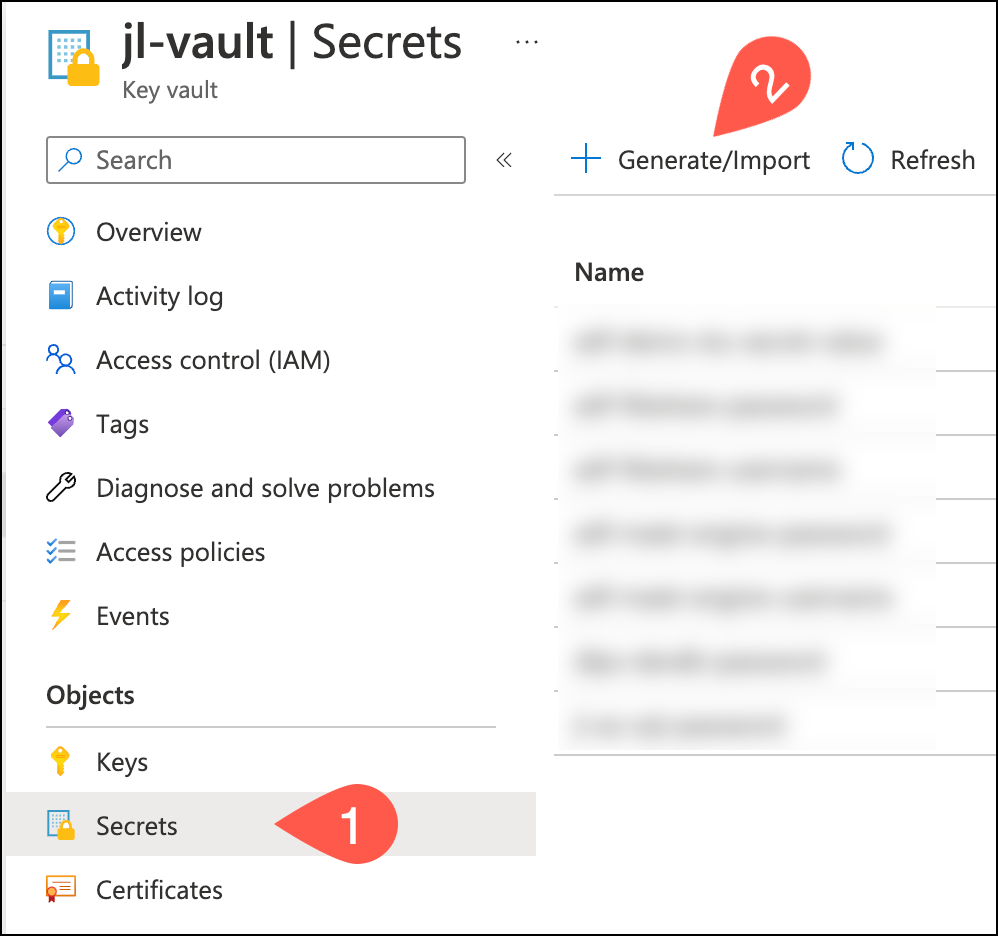
Once the key vault is created, navigate to Secrets >Generate/Import to add a secret.
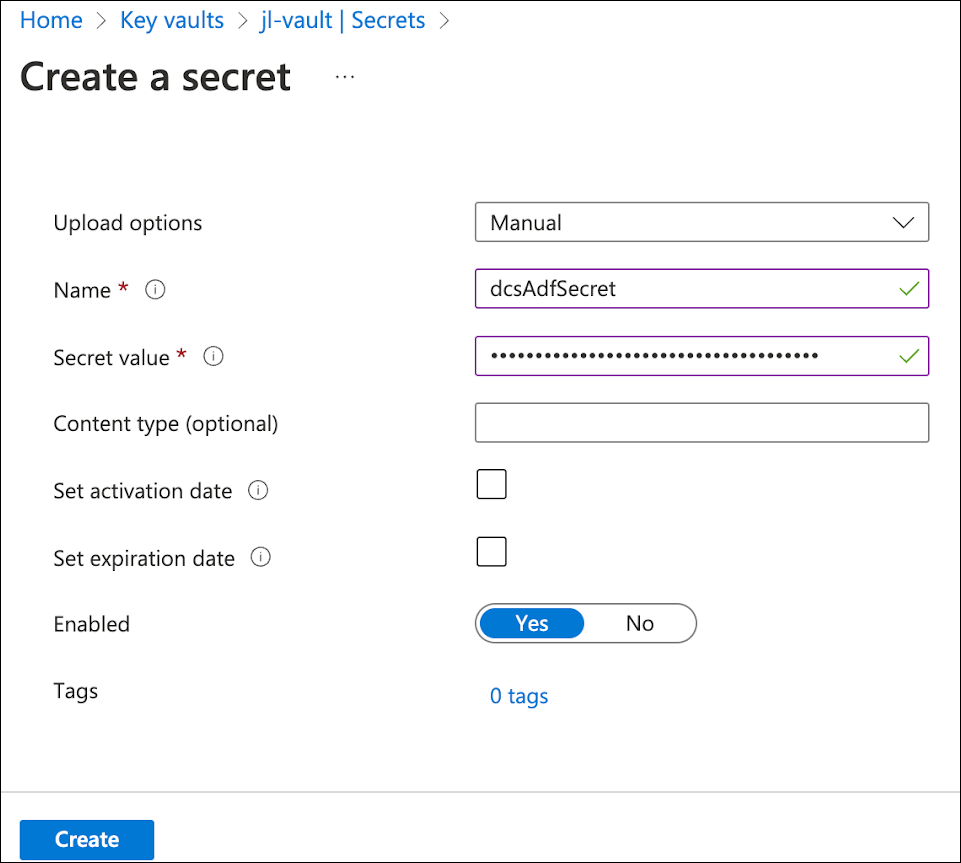
For the Upload options, select Manual. Provide a Name and paste the Secret value string, then click Create.
Grant ADF access to read key vault secret
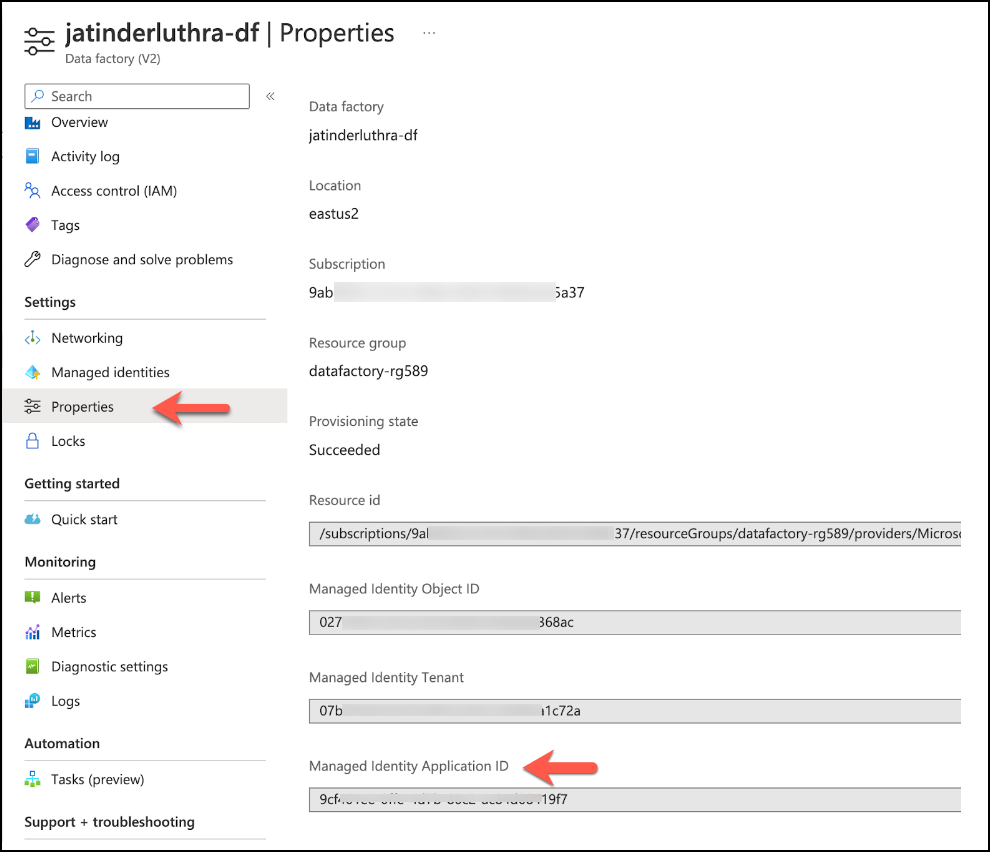
Once created, retrieve the application ID of the Azure Data Factory from Properties> Managed Identify Application ID.
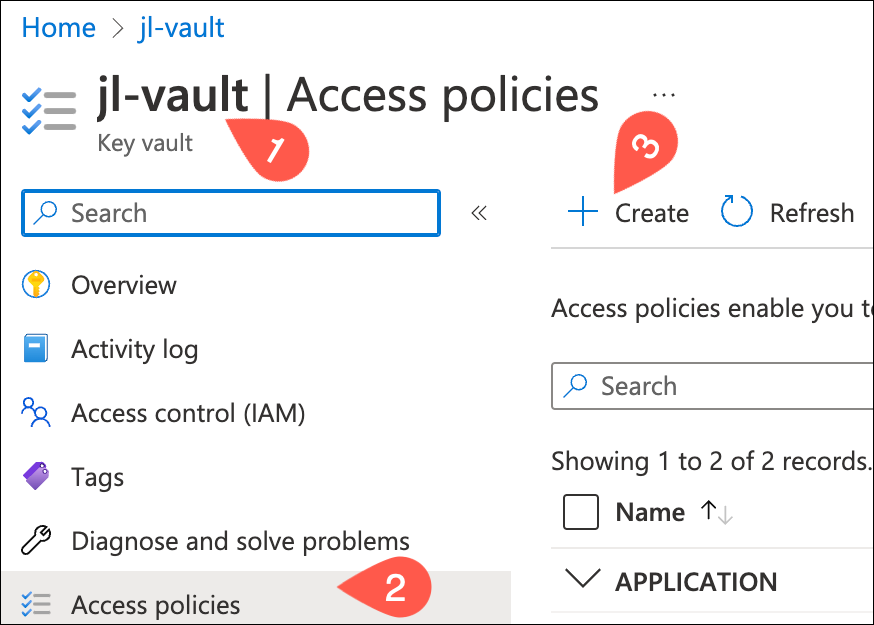
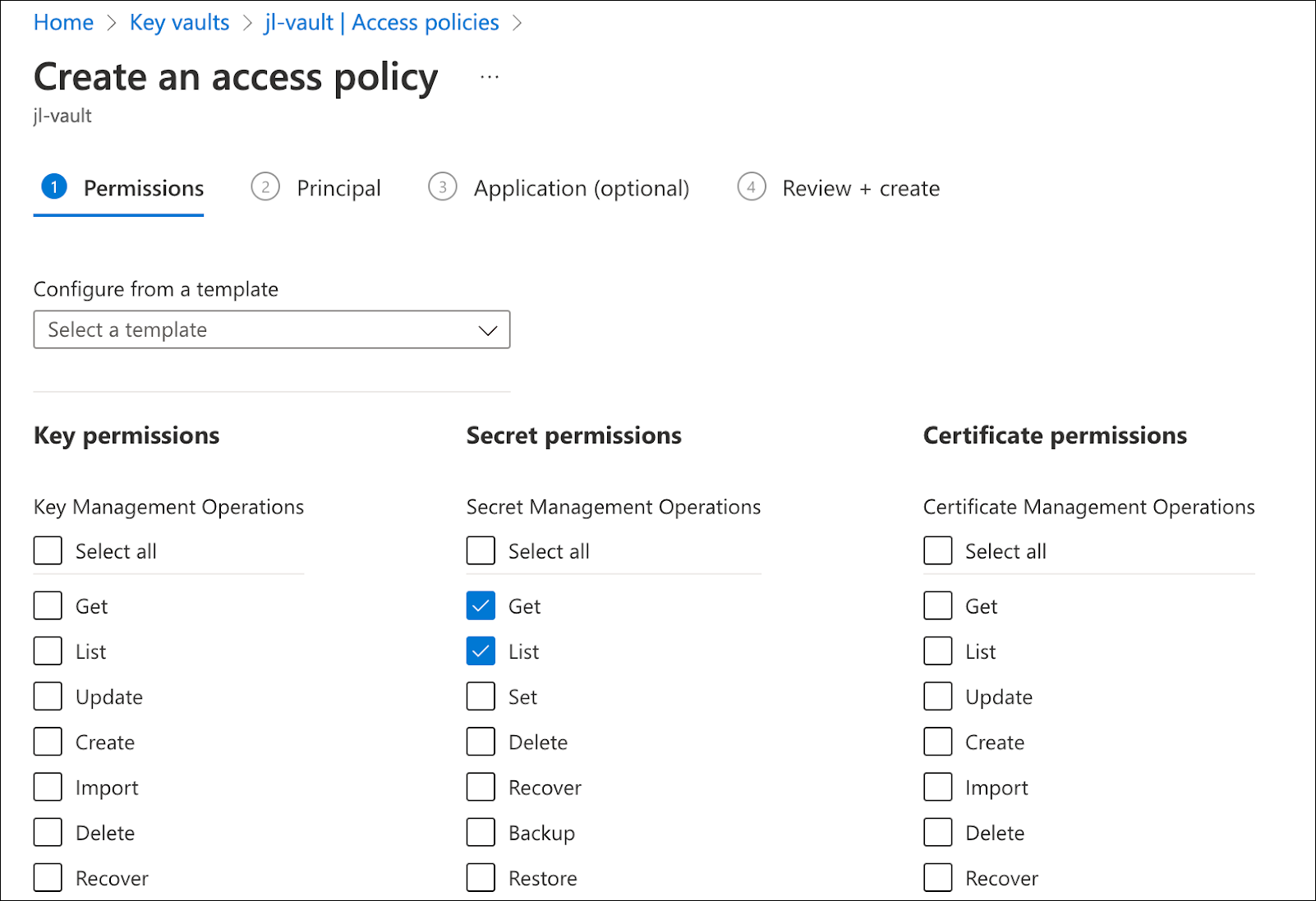
Click the vault, then Access Policies > + Create.
In the first step, check Get and List under the Secret permissions list.
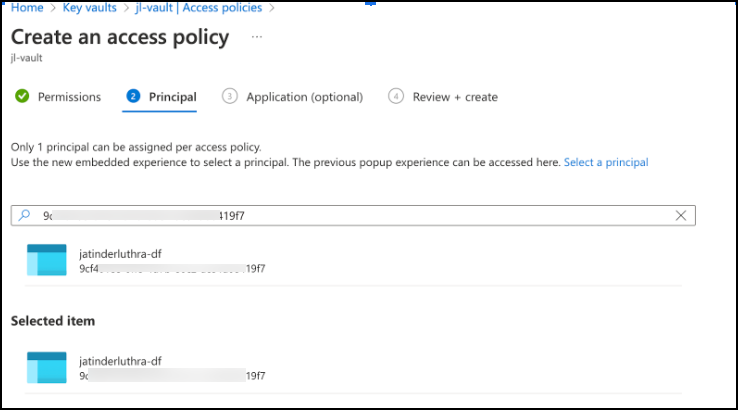
In the second step, enter the ADF application ID into the search box and select the corresponding result.
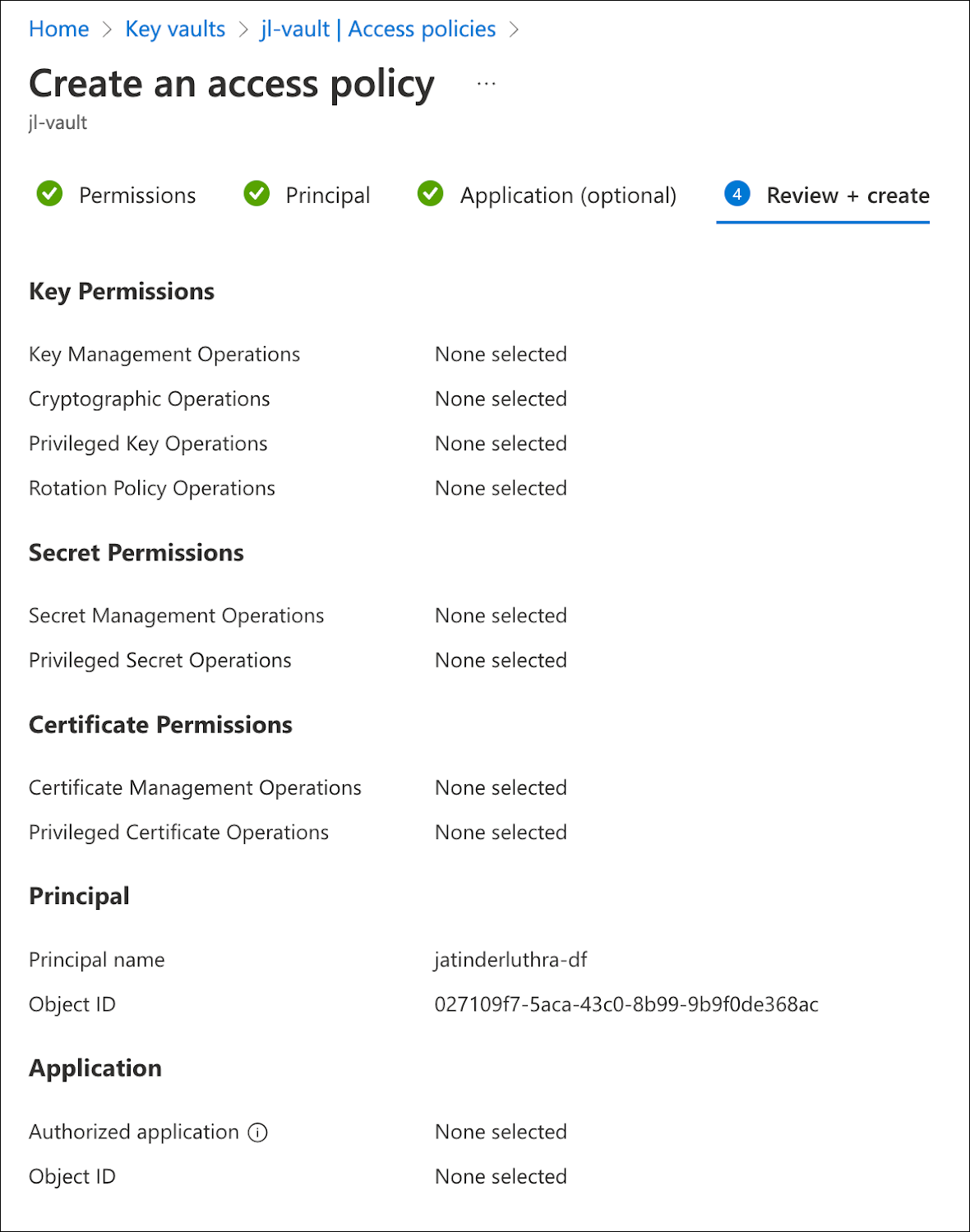
Lastly, review the policy details and create it.
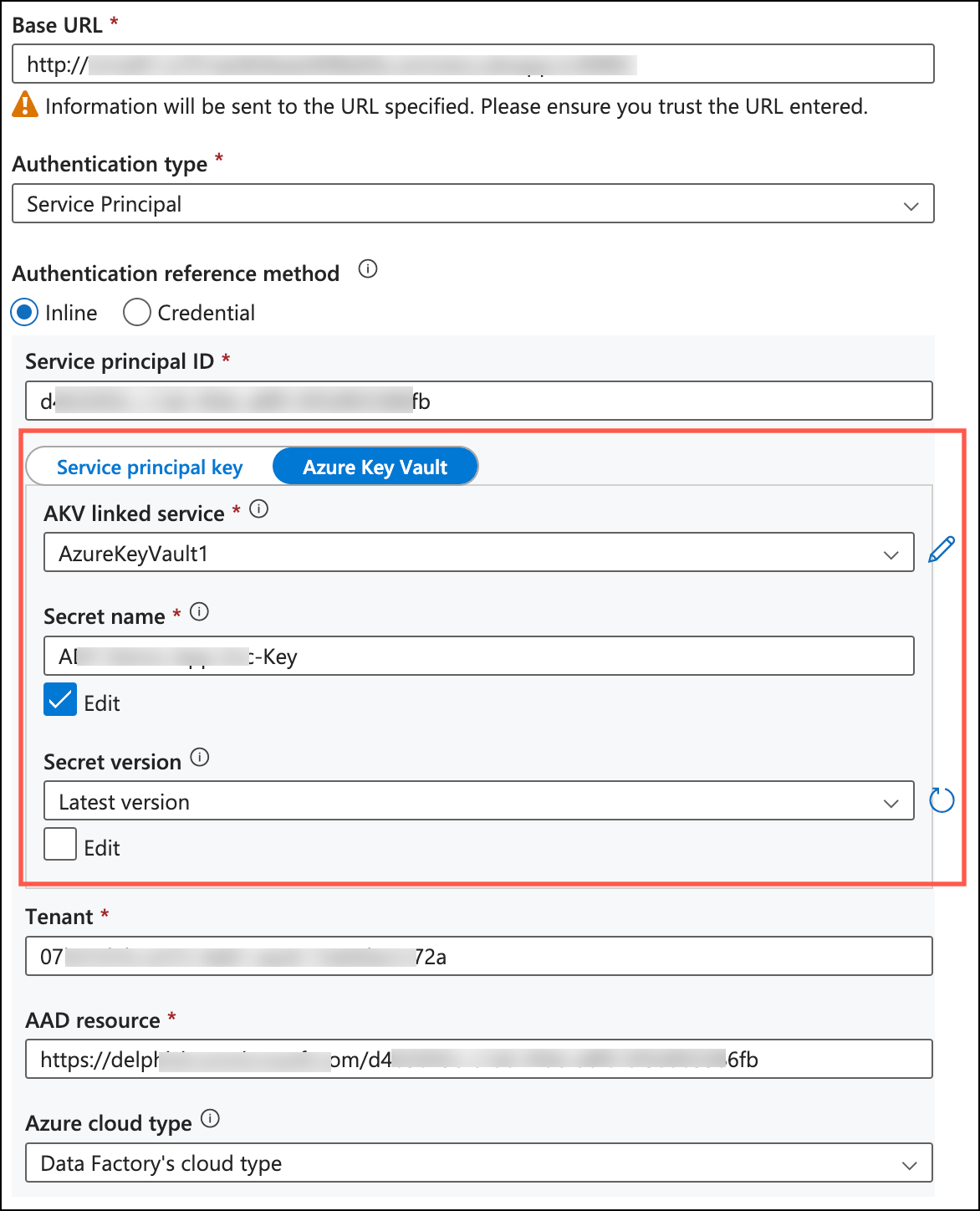
During the linked service creation for Delphix Compliance Services in ADF, reference the secret for Azure Key Vault created earlier.